Migrating My Old Blog Posts to Hugo
Table of Contents
Intended workflow#
Manual copy from old blog -> post locally -> build and publish with ‘hugo’ -> if result on my local Hugo instance matches expectations I git commit and publish to remote -> GitLab repo main branch gets updated -> Cloudflare Pages triggers a rebuild -> web pages of the blog get updated.
Steps, Difficulties and Solutions#
- download Hugo using Snap
- create a git repo in the blog directory
- create a GitLab access token. Define my GitLab repo as a remote for the blog git repo. Git push to the remote. Use the GitLab access token when asked to authenticate - not the GitLab account credentials!
- by default the main branch on GitLab is protected. For the initial ‘git push remote origin main’, I deactivated the protection feature in GitLab under Settings -> Repository -> Protected branches -> main.
- to create blog posts, I placed them under ‘content/posts’. I placed images under ‘static/images’. I insert an image in a blog post using this syntax: 
- integrate mit GitLab repo with Cloudflare Pages. I spent much time troubleshooting this. I confused Cloudflare Workers with Cloudflare Pages. I should have chosen the right config option. Firefox does not display the Cloudflare dashboard correctly. Use Chrome instead.
- I added the Hugo theme ‘Terminal’ as a git submodule. After customizing the theme, I ‘git add themes/terminal’ in addition to the staging of the files in the parent folder ‘myblog’.
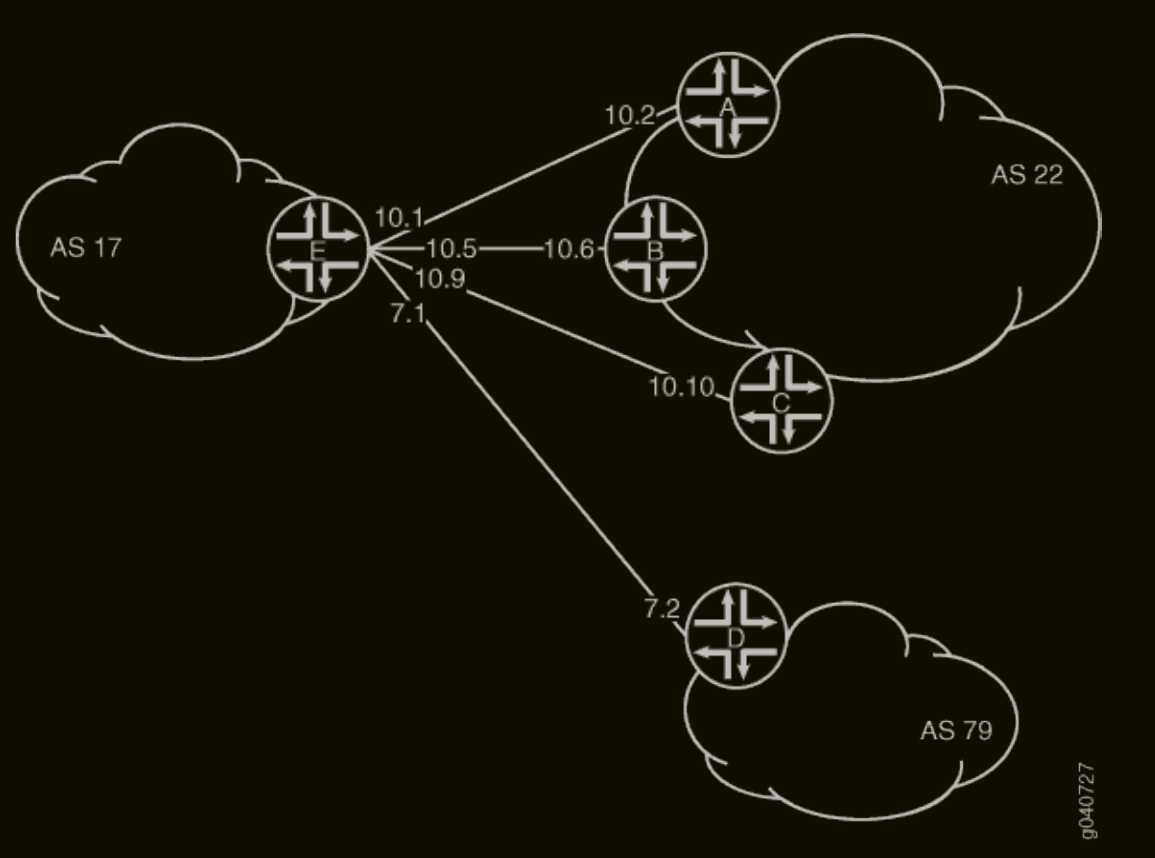
Topologies I will practice inshAllah#
References#
- https://blog.laurentcharignon.com/post/2025-12-14-host-your-own-blog-hugo-cloudflare/
- https://gohugo.io/getting-started/quick-start/
- https://gohugo.io/installation/linux/
- https://gohugo.io/host-and-deploy/host-on-cloudflare/
- https://stackoverflow.com/questions/4181861/message-src-refspec-master-does-not-match-any-when-pushing-commits-in-git
- https://stackoverflow.com/questions/47860772/gitlab-remote-http-basic-access-denied-and-fatal-authentication
- https://stackoverflow.com/questions/32246503/fix-gitlab-error-you-are-not-allowed-to-push-code-to-protected-branches-on-thi
- https://stackoverflow.com/questions/67833794/npm-err-could-not-determine-executable-to-run
- https://docs.vultr.com/how-to-install-node-js-and-npm-on-rocky-linux-9
- https://developers.cloudflare.com/pages/framework-guides/deploy-a-hugo-site/
- https://stackoverflow.com/questions/71501256/how-to-insert-an-image-in-my-post-on-hugo
- https://docs.gitlab.com/user/project/repository/branches/protected/
other posts