VMware vSphere Networking Concepts
Table of Contents
In VMware, a good practice is to configure ESXi hosts in a cluster, then present the LUNs to the ESXi cluster. A VMware datastore is a LUN that has been formatted with a filesystem like VMFS. A VMware VM can access the datastore but has no awareness of the underlying LUN or its constituing storage disks. Any protocol that carries the SCSI Command descriptor Block (like FC, FCoE, iSCSI, SAS) uses the LUN concept. A successor to SCSI is NVMe. When I configure a new datastore in a vCenter datacenter, I am presented by a menu to choose a ESXi from. (sc) This is because vCenter simply does not have direct access to the storage devices; it asks that selected ESXi server (can be seen as a ’temporary agent’) to access the storage devices ot its behalf, format the access storage as VMFS disks and make them available in the datastore to many ESXi hosts. This action is only required once during the configuration of the datastore. This interaction takes place on the management vmkernel of the ESXi host. Later when I attach the datastore to the ESXI hosts, they will be able to access the VMFS disks directly, and they will access the storage devices.
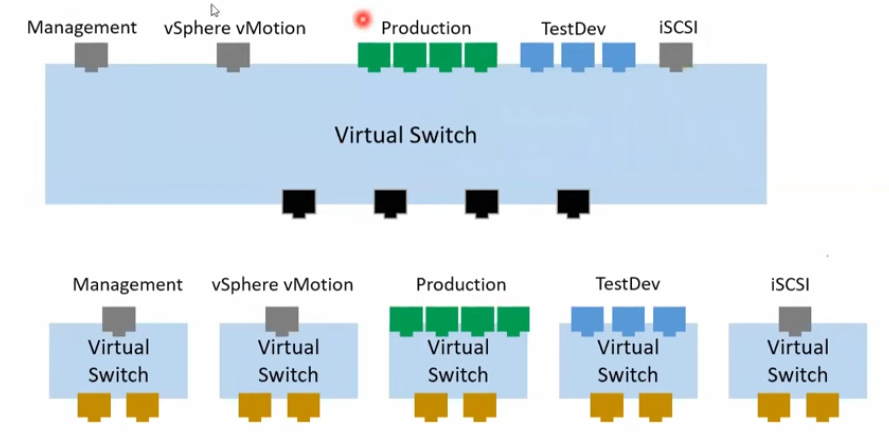
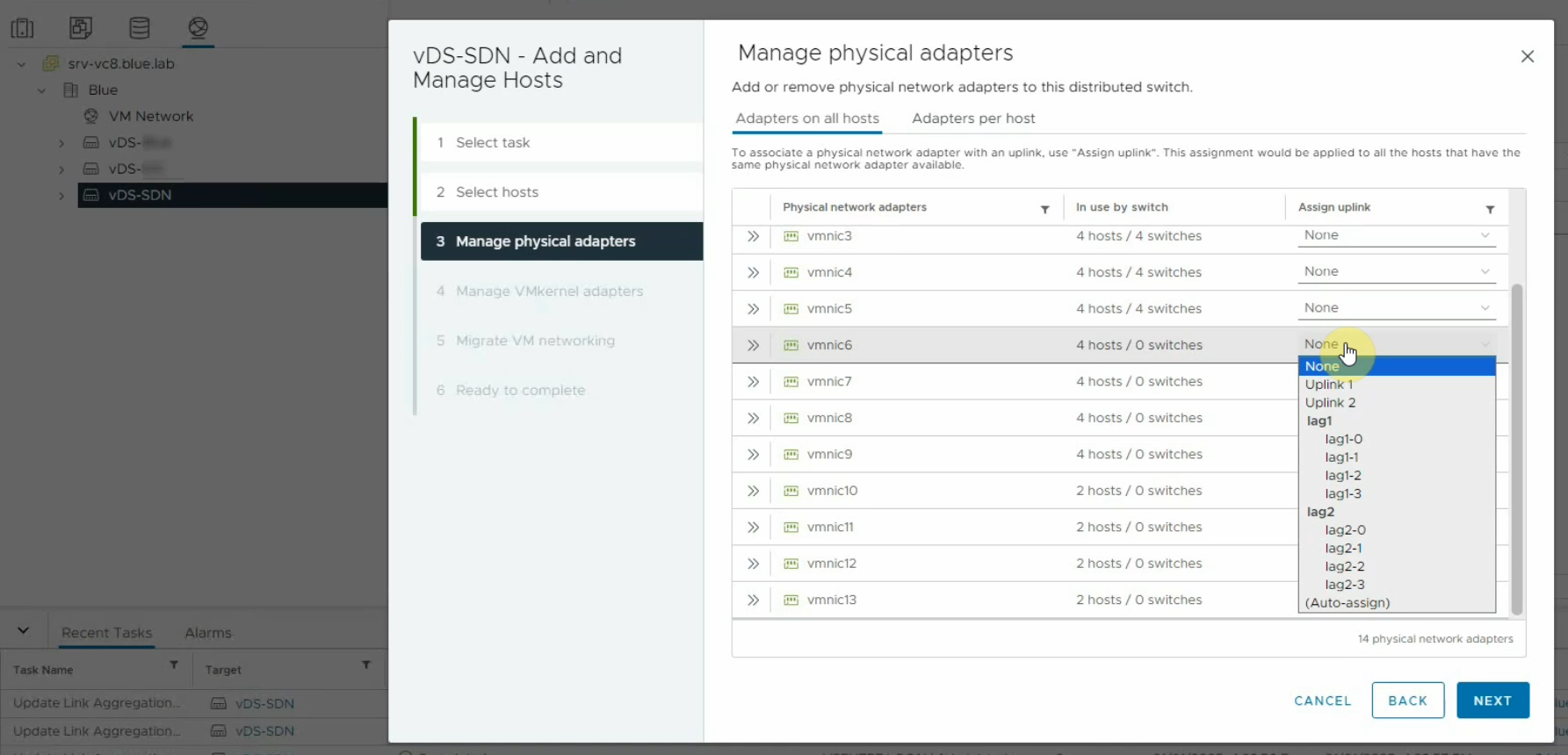
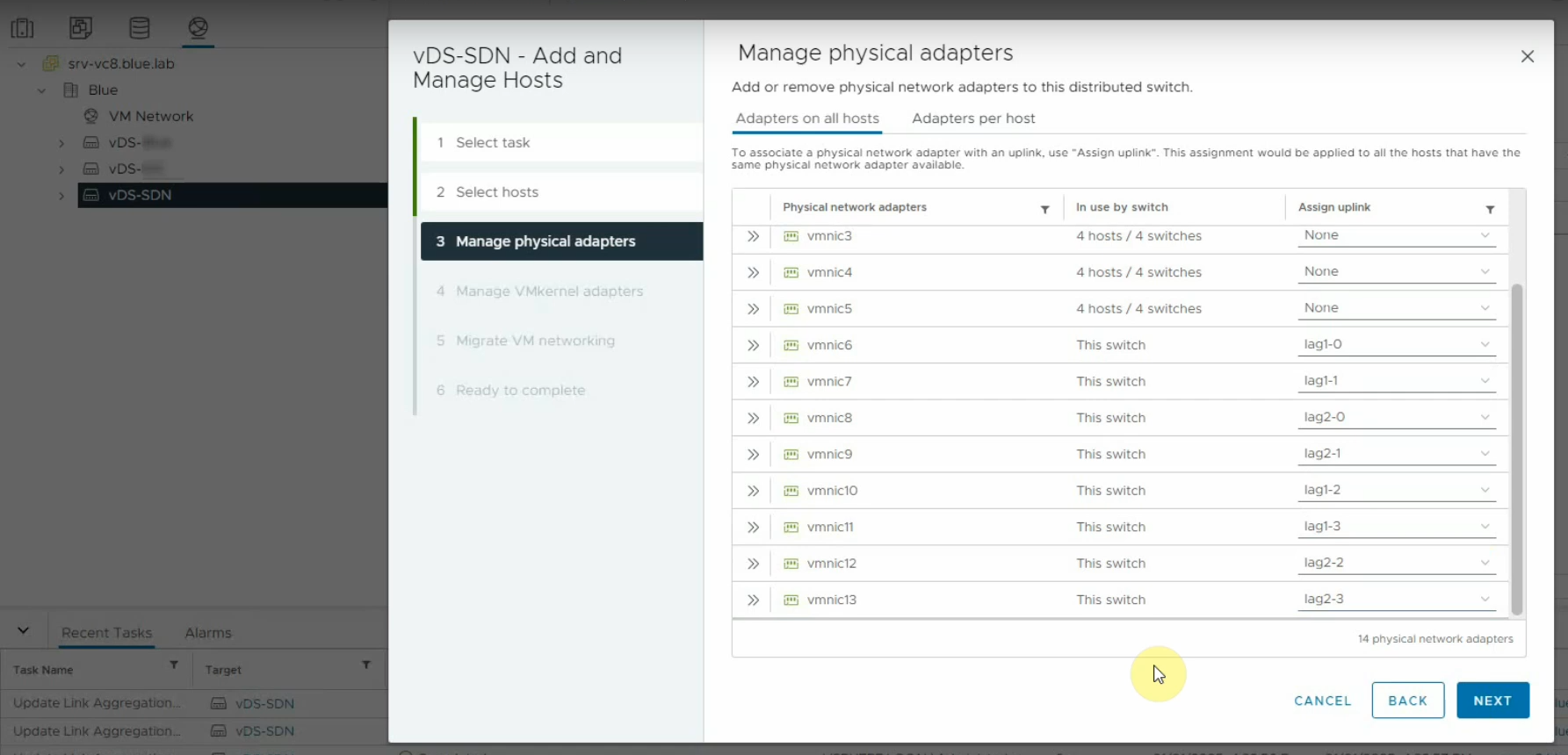
Enhanced LACP is the standard implementation of LACP on vsphere 7 and 8. So starting with vSphere 7, only Enhanced LACP is supported. Enhanced LACP provides the possibility of creating multiple LAG groups, thus the ability to apply different network policies.
Port Groups is the way to apply network policy. Two types of traffic in a vsphere environment:
- VM traffic: traffic ingress and egress of a VM
- VMkernel traffic:
- ESXi management traffic (communication between vCenter and an ESXi host),
- vMotion traffic,
- storage traffic,
- FT traffic,
- VSAN traffic,
- etc. The VMkernel traffic requires vmknics because it is processed by the VMkernel, not by the VMs. Two VMs whose vNICs are in two Port Groups can communicate with each other if:
- the port groups have the same VLAN ID and both vNICs are configured in the same IP subnet,
- a router is connected to both port group to perform routing between the port group networks, whether it is an external physical or an internal virtual appliance router.
Once a vDS is created, all of its uplinks belong to a single uplink port group. There can only be a single uplink port group per vDS.
Compute Resource Definitions#
| Compute Resource in VMware | Compute Resource in HPE and public clouds |
|---|---|
| CPU and memory. Storage and networking resources are treated as separate resources. | every resource required for the servers to work: CPU, memory, storage, network, GPU, etc. |
vCenter#
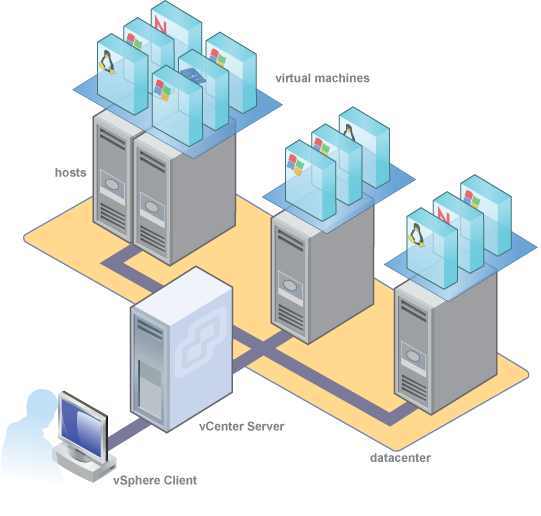
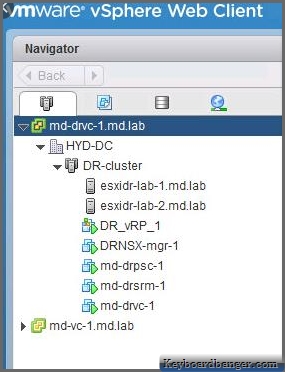
Database
- Postgres: is embedded
- external: either MS SQL or Oracle
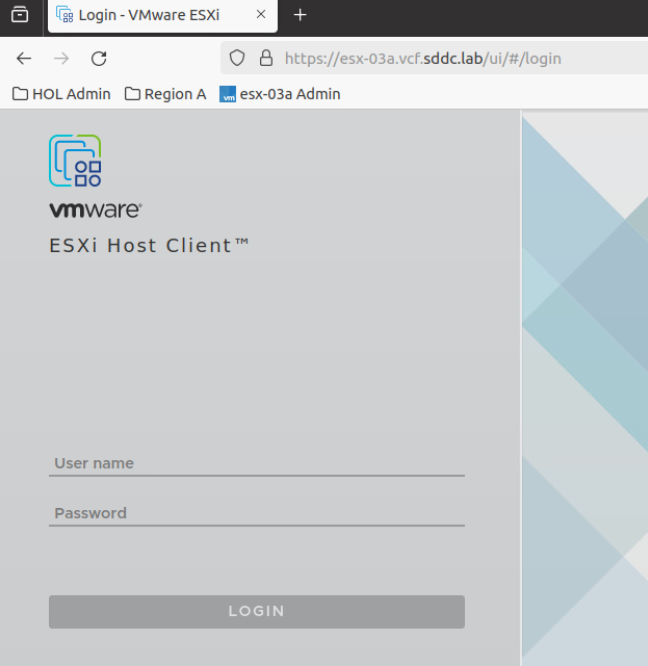
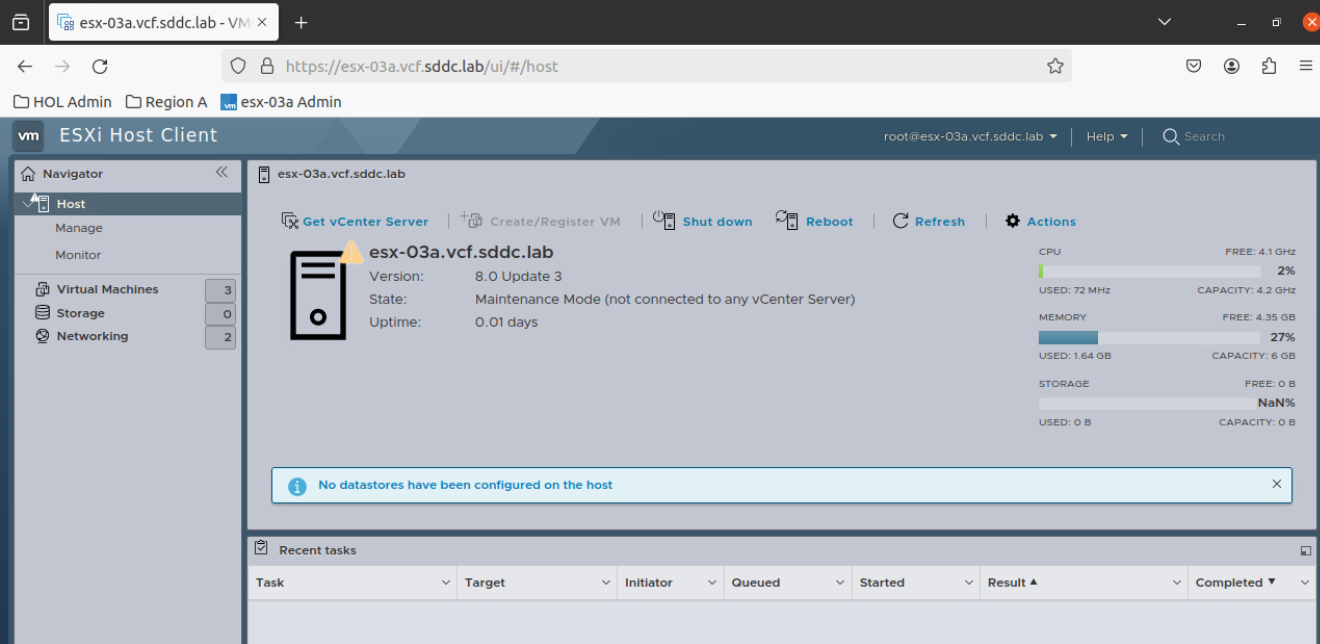
it is possible to individually manage the compute servers if vCenter is not available by logging in to the IP addresses of the individual ESXI hosts using a browser.
When I deploy a vCSA, I must select one ESXI server to host the vCSA; I give the credentials of the server:
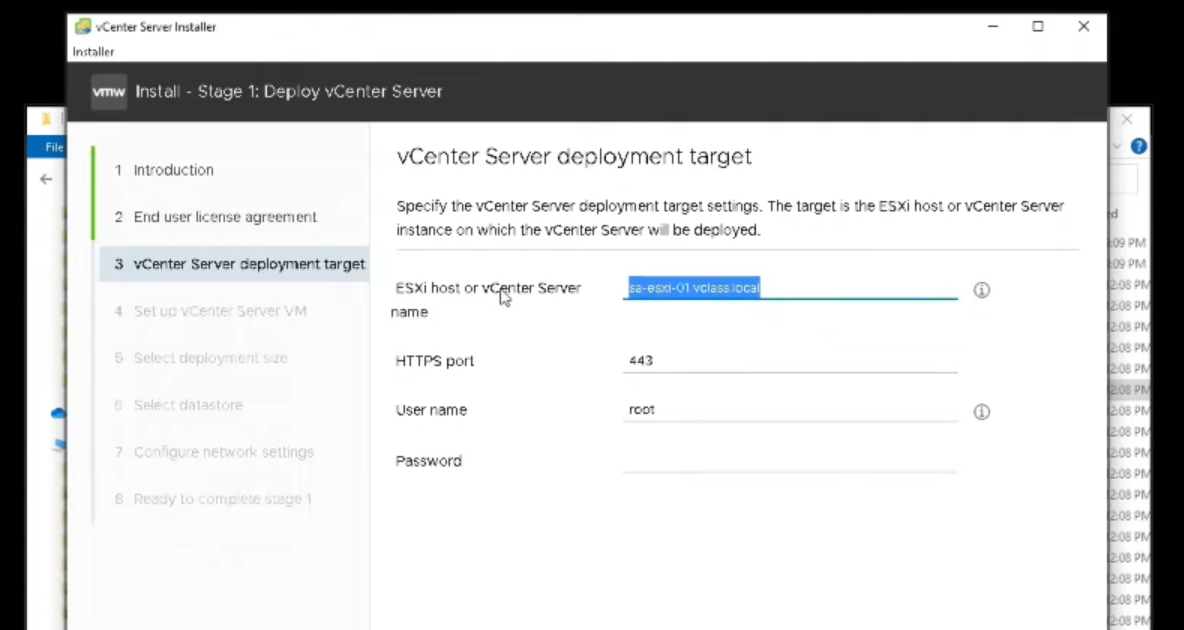 When I create the vCSA and attach it to a ESXi host, I must specify which port group the vCenter VM will put its vNIC into. On a fresh-installed ESXi host, there is only one default port group VM Network:
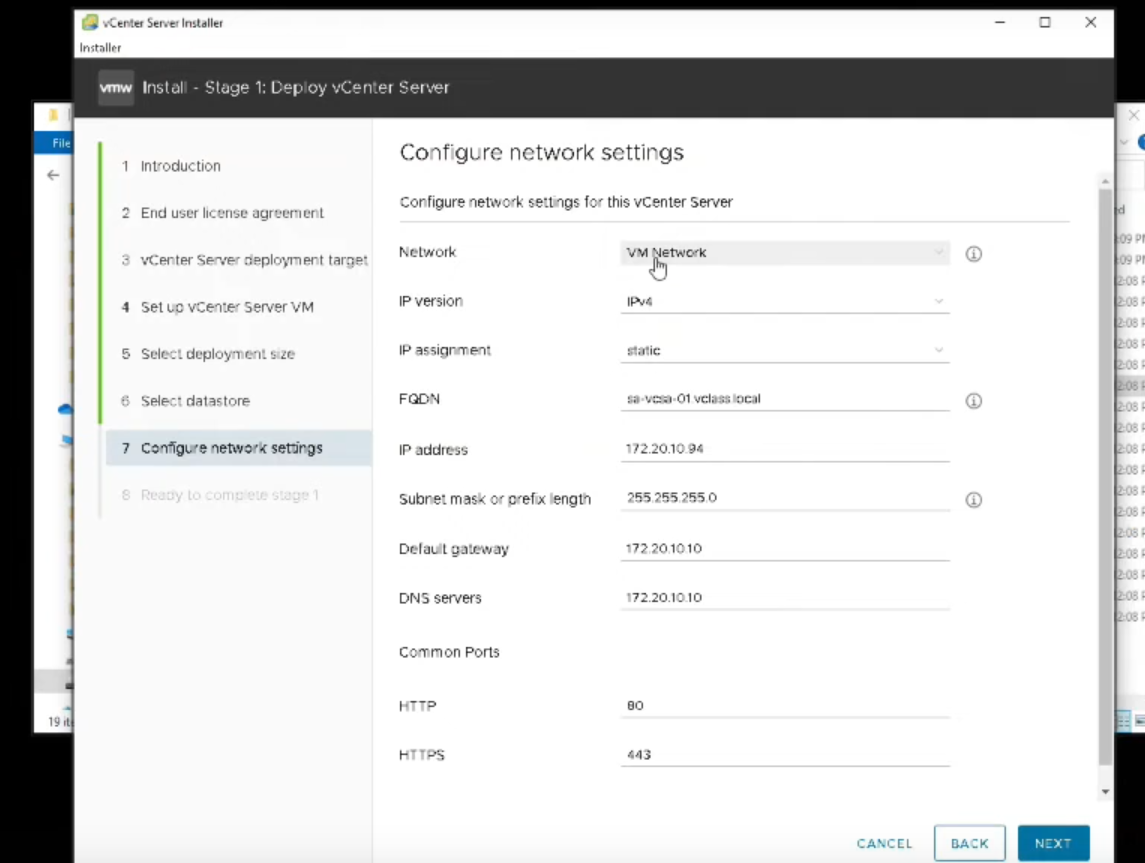
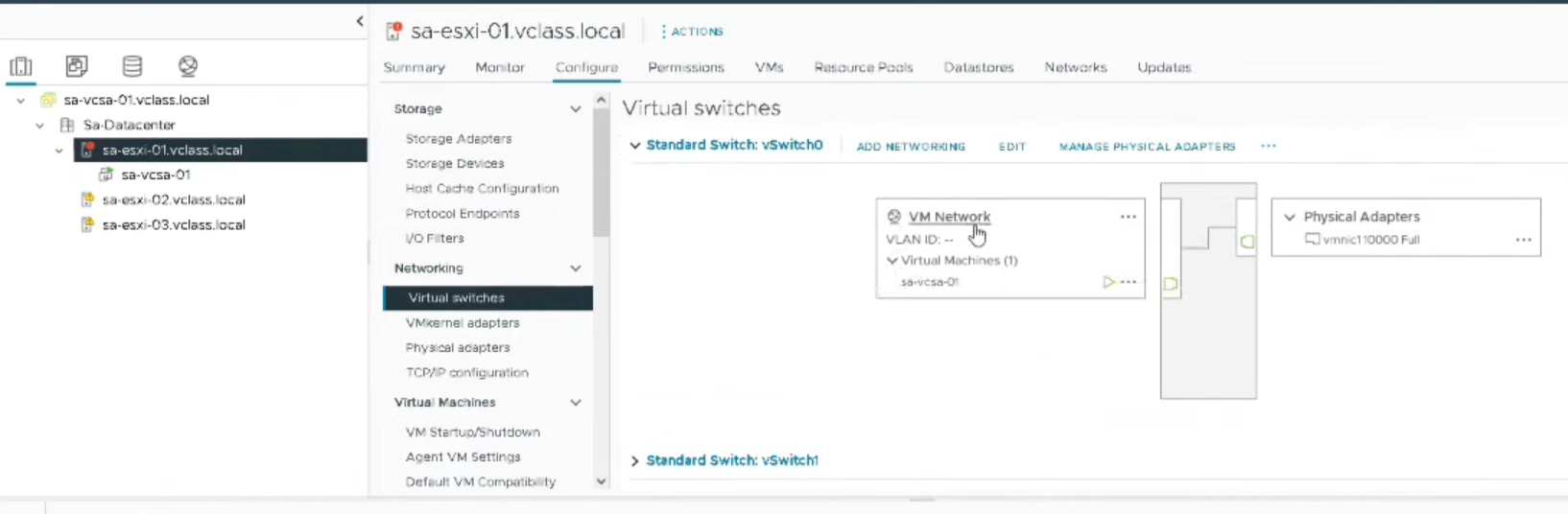
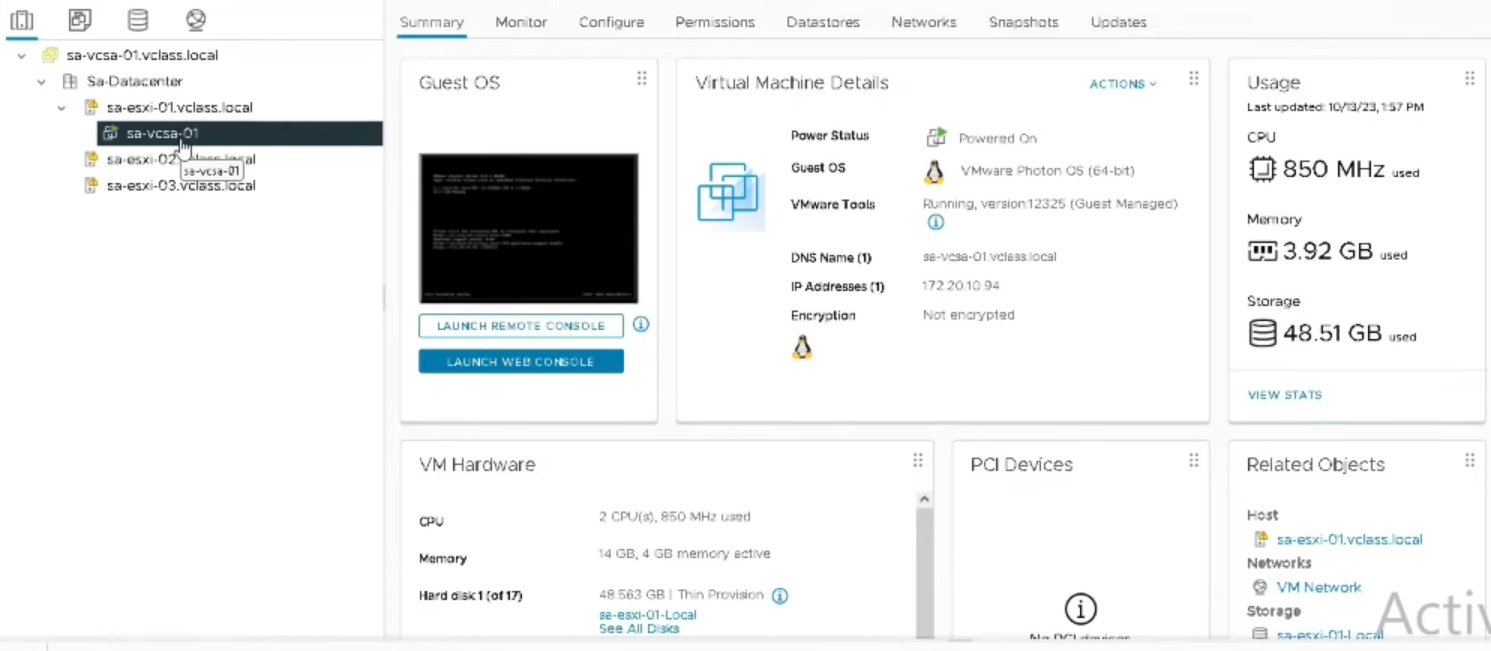
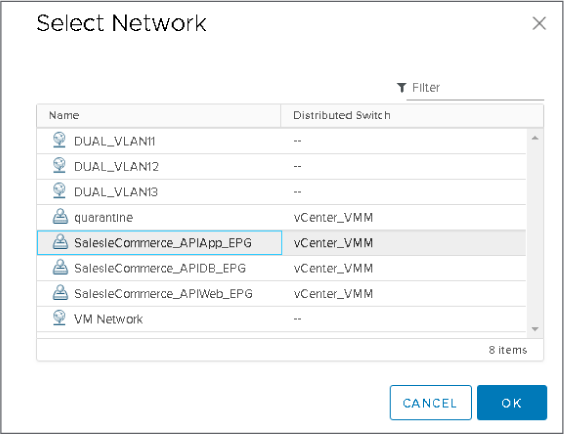
Later, I should create a vDS, create dvPortGroups on it and then change the vCSA port group assignment to my desired dvPortGroup:
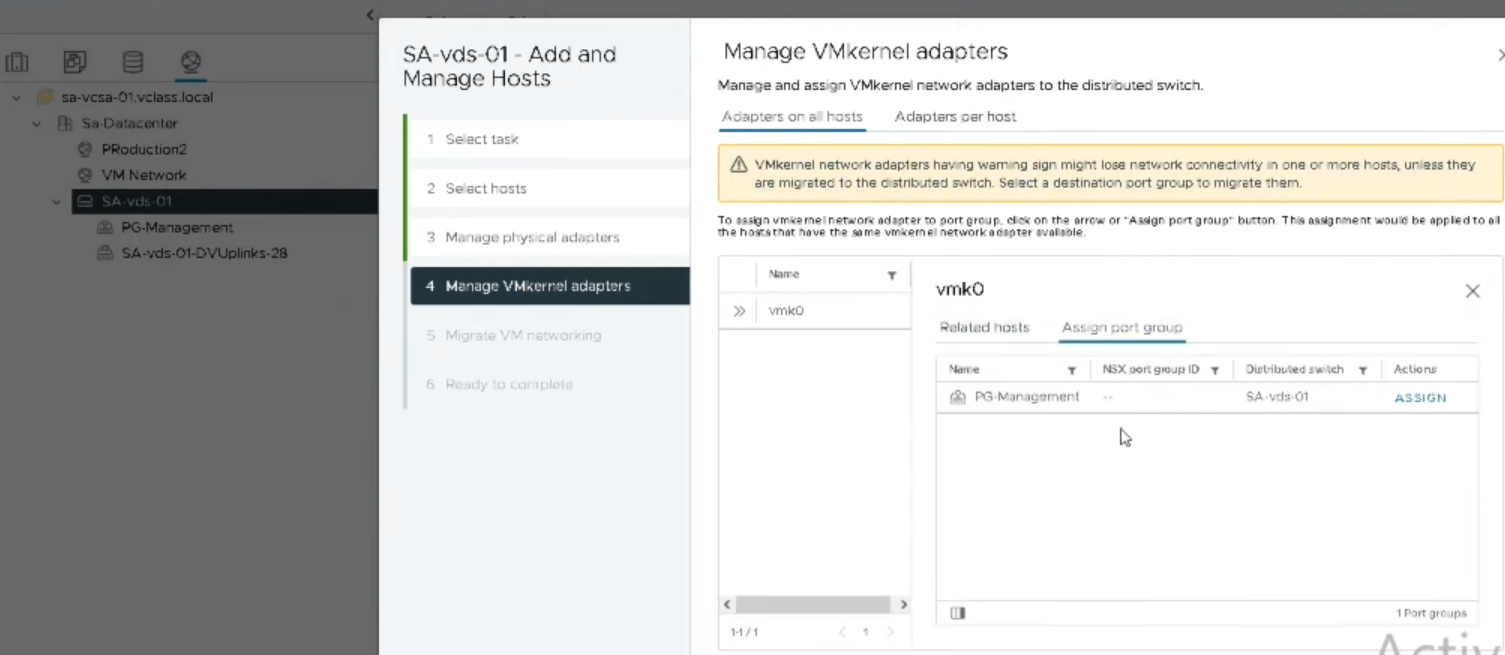
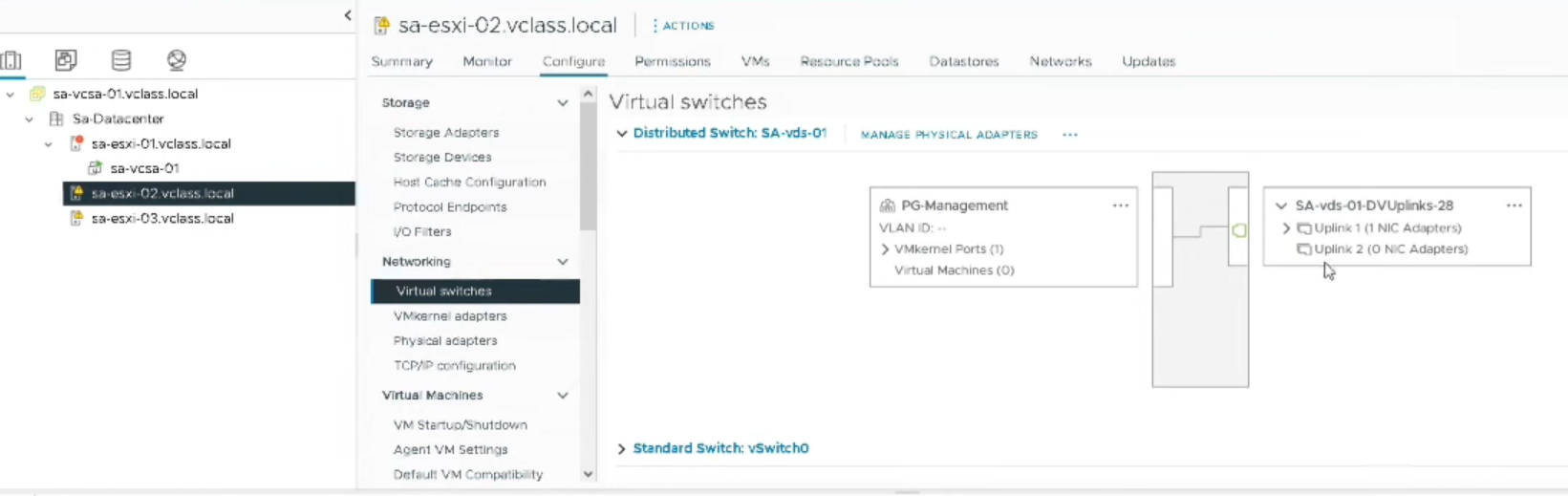
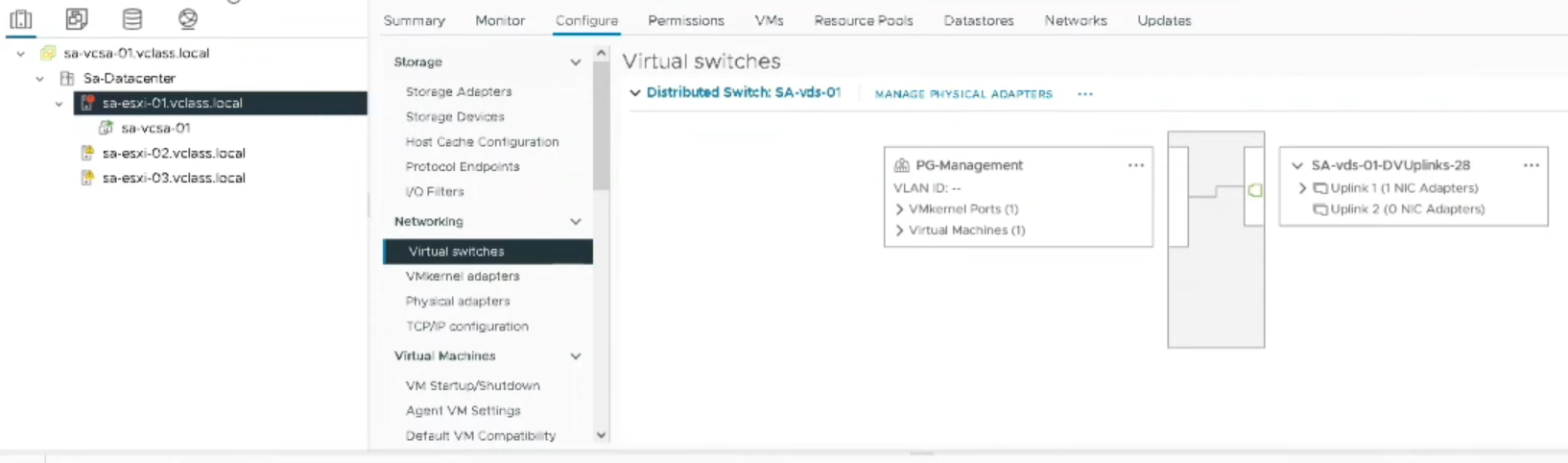
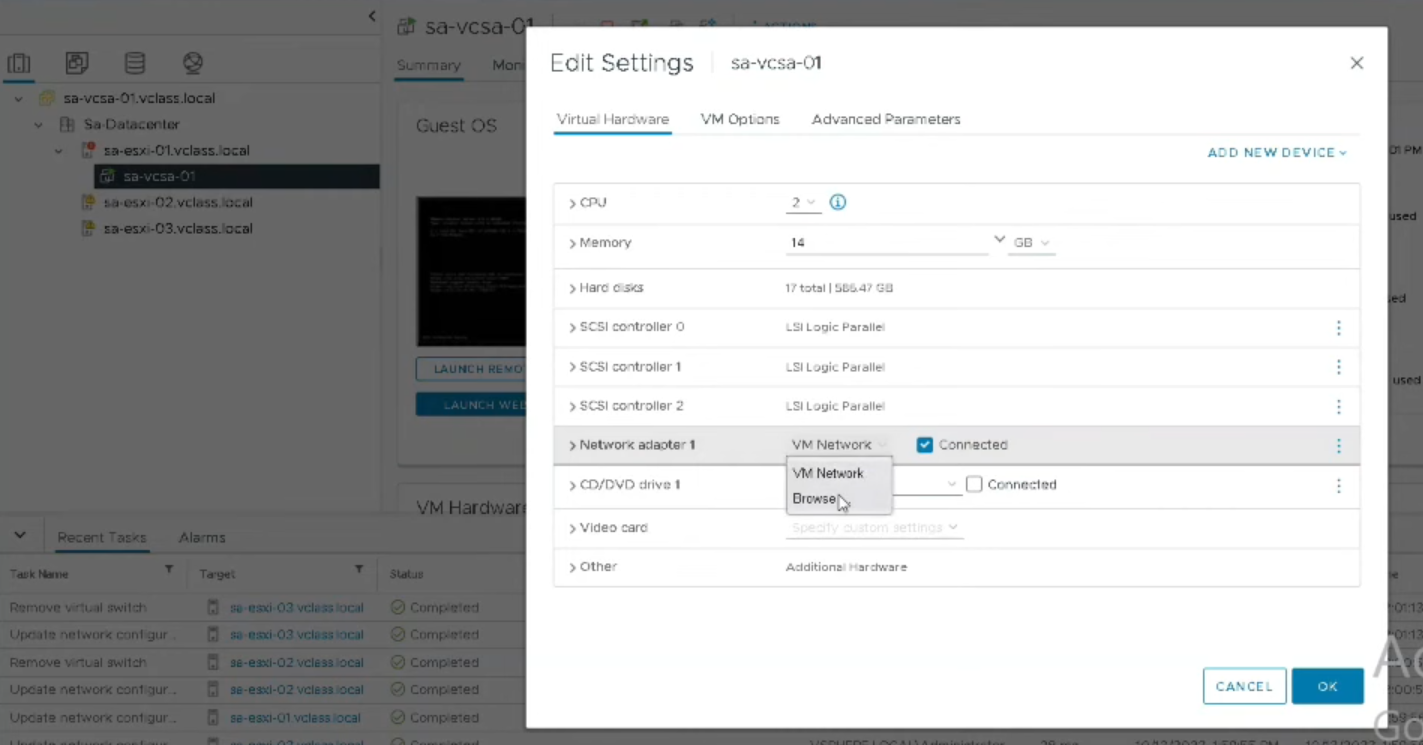 This is also valid for the VMkernel port group: When I create the vDS, I should move the vmk adapters to a dvPortGroup:
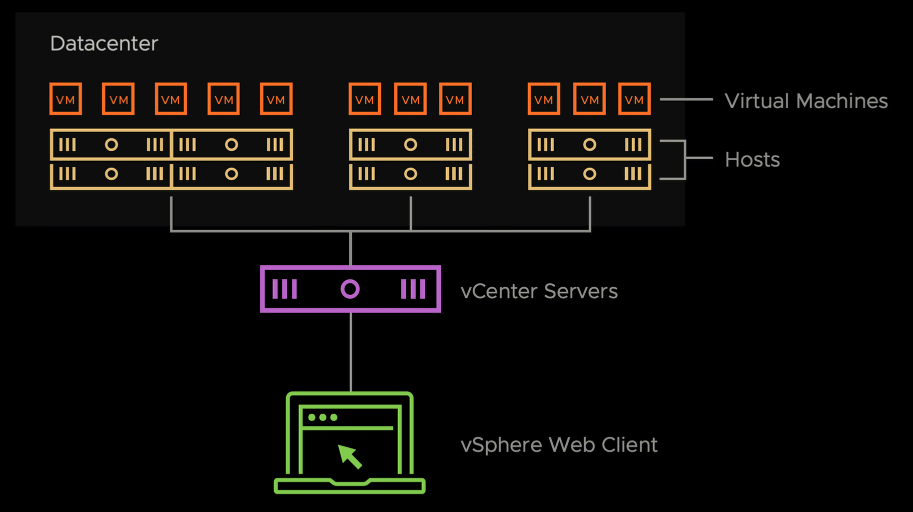
vCenter, ESXi Hosts and VMs#
With vCenter I can console into the VMs.
Deployment#
Requirements#
NTP server, Domain name of vCSA has been added as an A record to the DNS server, HTTPS Connectivity to the ESXi host that will host the vCSA. optional: configuring a VMDS datastore on that ESXi host. #PersoNote It seems that the installer wizard detects compatible datastores automatically from the target ESXi host.
Steps#
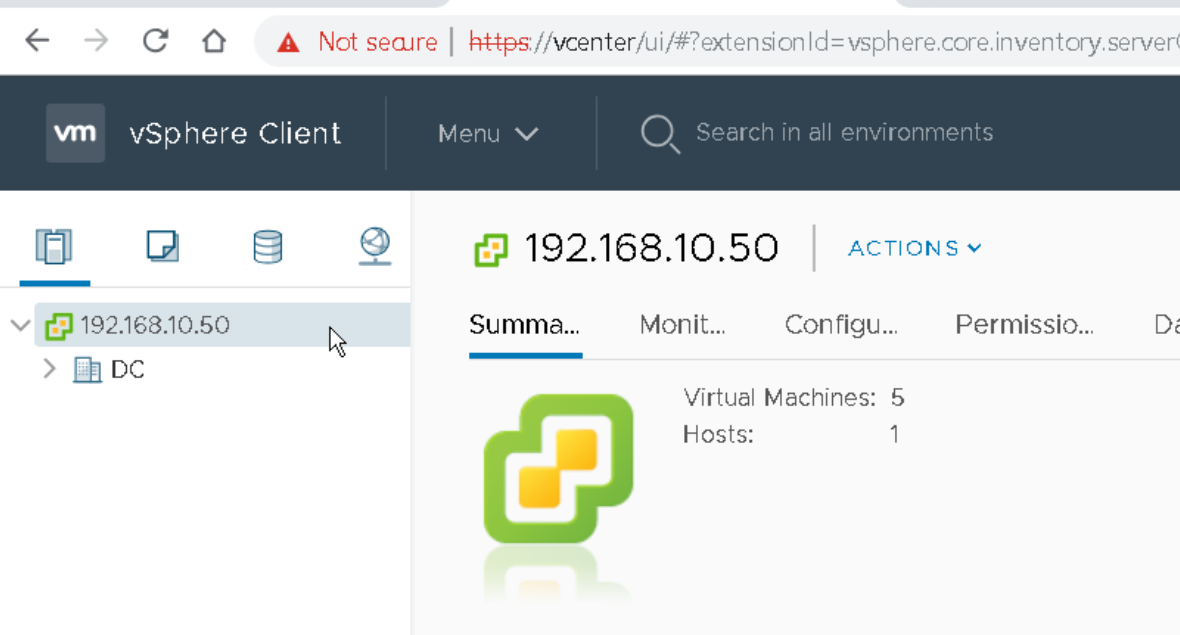
vCenter Server Appliance aka vCSA downloadable as ISO file. mount the ISO file to my computer. Launch it. Select one ESXi host which will host the vCSA. Input the settings for the vCenter (IP address, domain name, etc.). Once installation steps done, I can log in to the vCSA using the web GUI. VMware will suggest using the vCenter HTML client (a clickable button). Using the vSphere client I must also add the very same ESXi host that hosts the vCenter appliance, by creating a new Datacenter and adding the host to it. Once the ESXi host is added, the vCSA will appear under it as a VM. Example: IP address of vCenter.
vCenter OoB Management#
By default, vCenter Management network is considered in-band connectivity ( #QA the traffic crosses the same trunk interfaces as data traffic❔). If we want to reach vCenter using an OoB mgmt method, two design possibilies exist:
- dedicate a physical NIC on every ESXi host for vCenter OoB management,
- pin a NIC on a dedicated ESXi host, but then OoB management is possible only on that host. In some large corporations, no single OoB management network is acceptable, because VMware team , Firewall team, server team and network team can have their own separate management networks.
vCenter Single Sign-On#
is a feature that might be activated for vCenter. Allows vSphere software components to use a single secure token exchange for authentication instead of individually relying on an external authentication server like Microsoft AD. Broadcom calls all the software elements that appear after I sign in to vCenter (Data Centers, vSwitches, Port Groups, Datastores, etc) the vSphere inventory.
Cross vCenter#
#QA is a feature. ~ allows communication between vCenters?
Enhanced Link Mode#
vCenter can be installed with or without Enhanced Link Mode. #QA Enhanced Link Mode: what is it? where to activate it? which benefit? Pitfalls?
vSphere vs VCF#
VMware vSphere Foundation (VVF) allows to build a VMware Software-Defined Data Center (SDDC) on-premises. VMware Cloud Foundation (VCF) is the hybrid cloud solution of VMware.
#ReviewStoppedHere
#QA is the pooling of resources a service provided exclusively by vCenter? #QA It is possible to migration VMs across vCenter server instances with or without the Advanced Cross vCenter feature.
| Criteria | vSphere Web Client | vSphere Desktop Client | ESXi Host Client |
|---|---|---|---|
| Type of application | web-based | an installable software | web-based |
| where to find it? | included in the vCenter server image | downloadable separately | #QA |
| Purpose | to manage the vSphere inventory | to manage the vSphere inventory | to manage the compute servers individually when no vCenter is deployed. |
| Status | preferred | deprecated | use only in lab env or when vCSA is not available. |
The hypervisor management traffic (i.e. for vCenter to manage the virtualized servers) might be configured to be carried on the vDS. #QA In which cases I shall configure this and in which I shall configure a dedicated network connection?
Advantages of Virtualization#
The virtualization technology provides two advantages:
- allows the consolidation of physical resources into pools: networking, compute and storage pools of resources,
- allows to operate VMs independently from the underlying hardware; This means a VM can be migrated from one virtualized host to another. And the virtual disks of a VM can be also migrated from one type of storage to another.
vSphere can manage Fiber Channel SAN arrays, NAS arrays, etc.
Virtualized Server#
aka Virtualization host = a compute server = physical server + Hypervisor running on it. VMware mentions the term “running ESXi on bare metal” i.e. running the ESXi software directly on the hardware server, without any OS. Virtualized Server == physical Server + Hypervisor on top of it. in VMware terminology: compute server + ESXi software == ESXI host.
Deploy an ESXi Host#
i.e. deploy the vSphere ESXi software on a bare-metal server. I can download a trial version of ESXi software for 60 days and test it on VMware Workstation. I need to burn the downloaded ESXi software ISO to a CD or put it on a bootable USB drive. In order for the ESXI host to be reachable on the network, I must configure its Management Network interface ( #QA is it a physically dedicated port?). The black and yellow configuration is called DCUI: Direct Console User Interface.
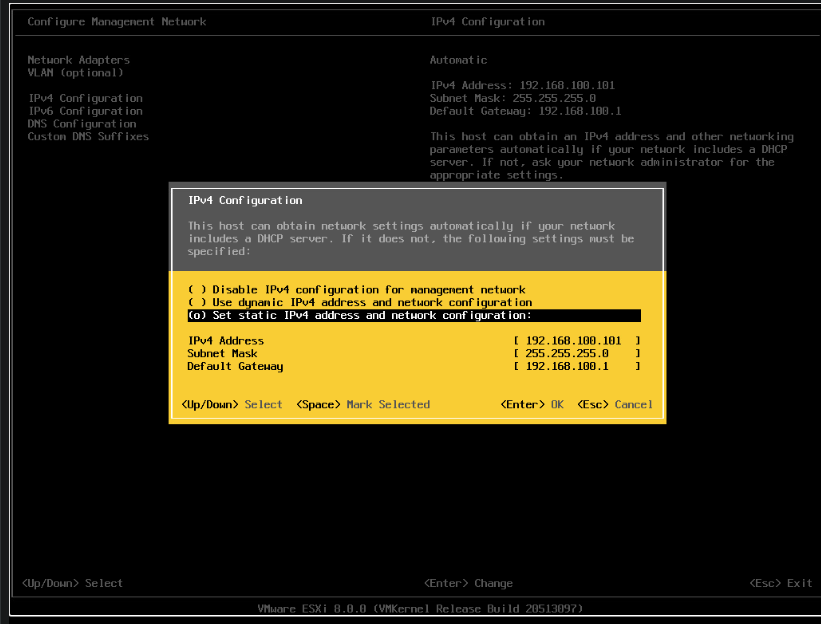
Deploying ESXI software involves creating a root account. This is the account I need to use when I log in to the ESXi host GUI.
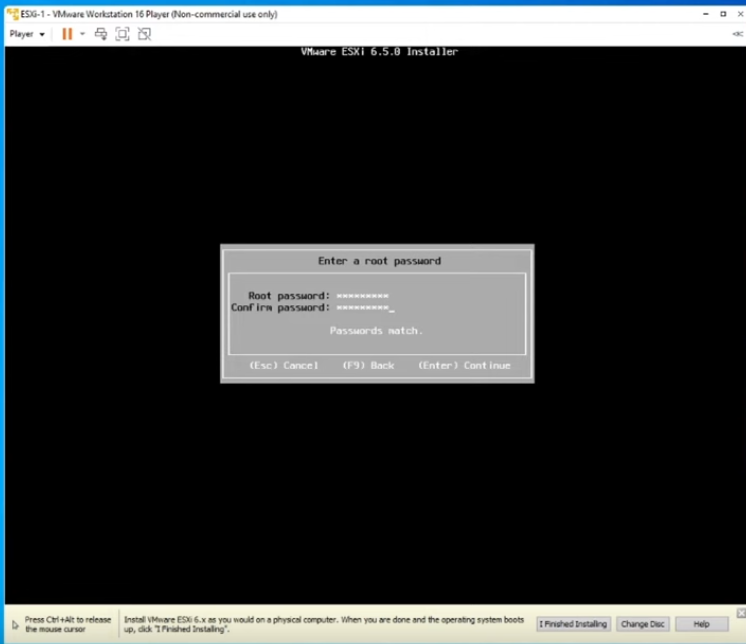
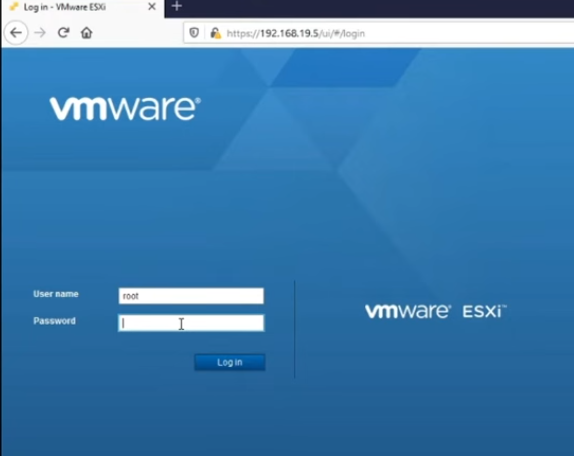
If i have only one ESXi host, there is really no need for vCenter.
Type 1 vs Type 2 Hypervisor#
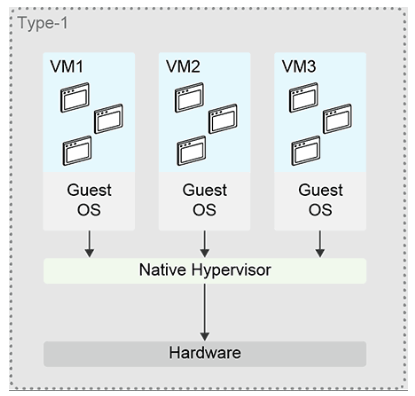
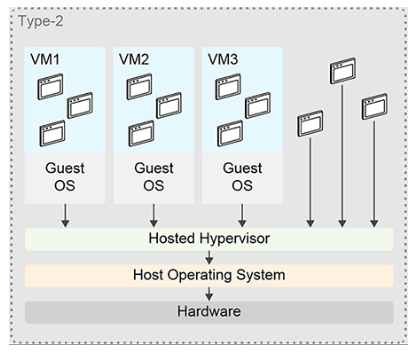
Add a Compute Server in vCenter#
Compute servers that I want to manage with vCenter must be running ESXi software as bare metal. When adding a ESXi host to vCenter, vCenter connects to port 902 TCP/UDP on the ESXi host. When I add an ESXi host to a VMware SDDC, the hosts enters the Maintenance Mode. It is a way for VMware to tell me “please review the server’s settings before putting it in production.” #VMwareRecommends building clusters of ESXi hosts. #VMwareRecommends adding ESXi hosts first, then adding them to clusters, if any.
Beacon Probing#
is a way to make ESXi host detect network failures on the connected network switches and precisely on their upstream connections like toward distribution switches. What is beacon probing? #QA is it possible to leverage this feature in the non-recommended scenario, because we want to detect network failures on the directly-attached physical switches❓
VMware Networking#
Adapters#
| Criteria | vNIC adapter | VMkernel Adapter | vmnic Adapter |
|---|---|---|---|
| Purpose | i.e. providing network services to the VM | provides network connectivity to the infrastructure services like management traffic (accessing the ESXi hosts per SSH or HTTPS), vMotion traffic, backup traffic, etc. | connect vSwitch to the physical network. |
| requires Port Groups? | yes | yes | no |
| physical or virtual? | virtual | virtual | physical |
| when created? | when I create a new VM or I can add additional vNICs to an existing VM. | vmknic0: when I install ESXi software on the bare-metal server. Additional vmknics can be added later through vCenter. | |
| is attached to a VM? | yes | no | no |
Example of vmknics:
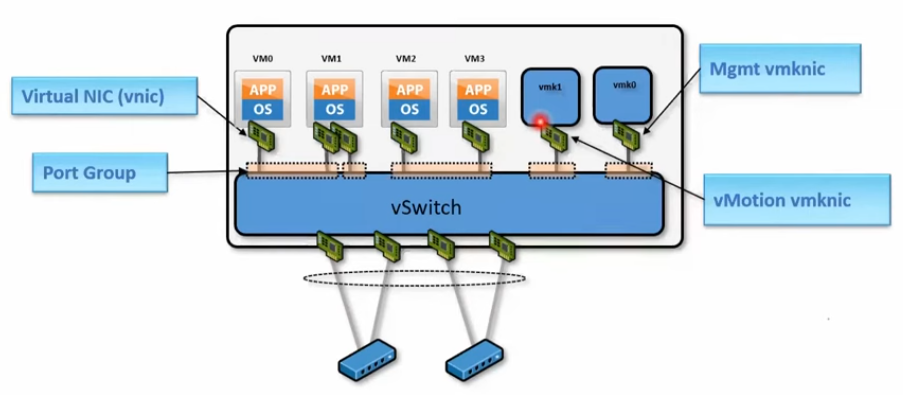
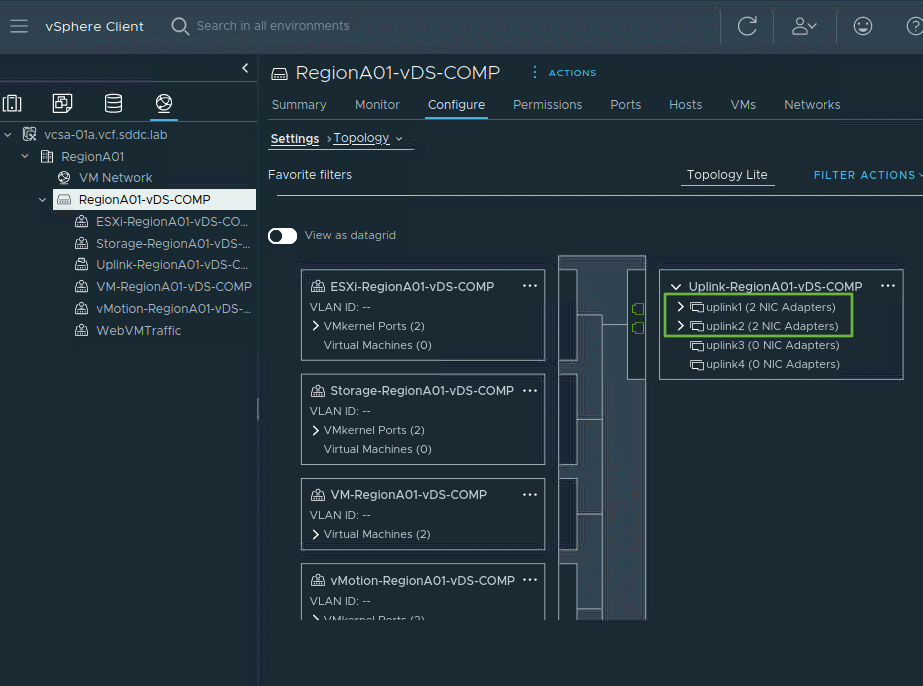
Example of Distributed Port Groups, VMkernel ports, uplinks and vmnics.
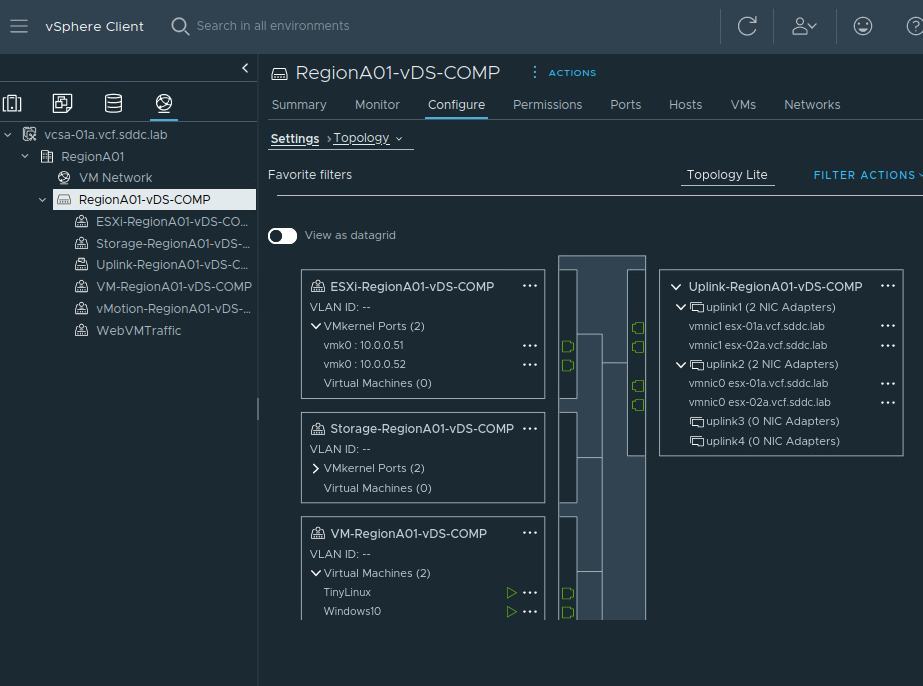
vmnic is aka pnic.
Port vs Port Group vs Uplink vs Uplink Port Group#
| Component on the virtual switch (vSS or vDS) | Description |
|---|---|
| port | emulates a cable. It connects a VM to the vSwitch. |
| Port Group | equates an EPG on ACI. To Port Groups I can apply policies. |
| Uplink |
is a special port that is meant to connect to the physical network adapters of the compute server(s). |
| Uplink Port Group | is a group of Uplink ports. #QA when a vDS with uplinks is created, are all uplinks put in the same uplink port group? |
Note: Uplinks vs vmnics
Both vSS and vDS have uplink adapters aka uplink ports or Uplinks. Uplink ports are virtual.
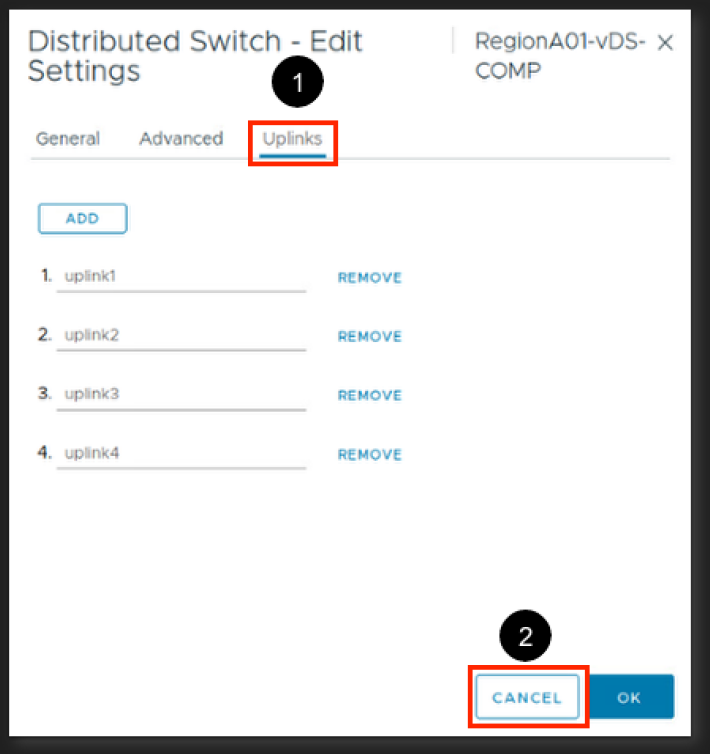
Uplink ports are meant to attach to vmnics, which are physical.
Network chain when connecting the virtual world with the physical world: VM’s vNIC — Port Group | dPort Group — vSwitch — Uplinks of the vSwitches – ESXi Host’s vmnics — Ethernet ports of the physical switches.
When creating a vDS, the number of uplinks I must create is not the total number of vmnics of all ESXi hosts that are associated with the vDS; The correct number of uplinks takes the highest number of vmnics on a particular ESXi host that is associated with the vDS.
For example, I create a vDS. I know that I will associate three ESXi hosts to it. Each ESXi host will have at maximum two vmnics => the number of vDS uplinks is 2!
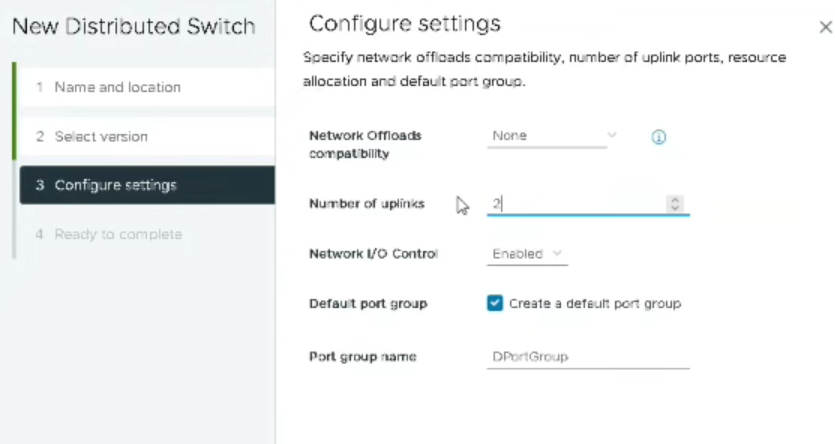
An uplink on a vswitch does not necessarily mean it connects to only one vmnic; An uplink can connect to multiple vmnics (where the vmnics are forming a failover group).
🍌
 Each vSwitch has virtual ports. A virtual port belongs to one and only one Port Group.
The segmentation in the virtual network (Port Groups) must be matched by a segmentation in the physical world (broadcast domains).
⛩️ Two Port Groups must be connected to two broadcast domains on the physical network and not to the same one.
A VLAN ID can be configured for the Port Group.
A Port Group has a name aka ==label==. The label must be unique per vSwitch.
In absence of vDS, the VMware admin might create a Port Group with the same label on every vSS; This helps preserve network connectivity of a VM to the physical network when it is vMotioned.
Each vSwitch has virtual ports. A virtual port belongs to one and only one Port Group.
The segmentation in the virtual network (Port Groups) must be matched by a segmentation in the physical world (broadcast domains).
⛩️ Two Port Groups must be connected to two broadcast domains on the physical network and not to the same one.
A VLAN ID can be configured for the Port Group.
A Port Group has a name aka ==label==. The label must be unique per vSwitch.
In absence of vDS, the VMware admin might create a Port Group with the same label on every vSS; This helps preserve network connectivity of a VM to the physical network when it is vMotioned.
vSS#
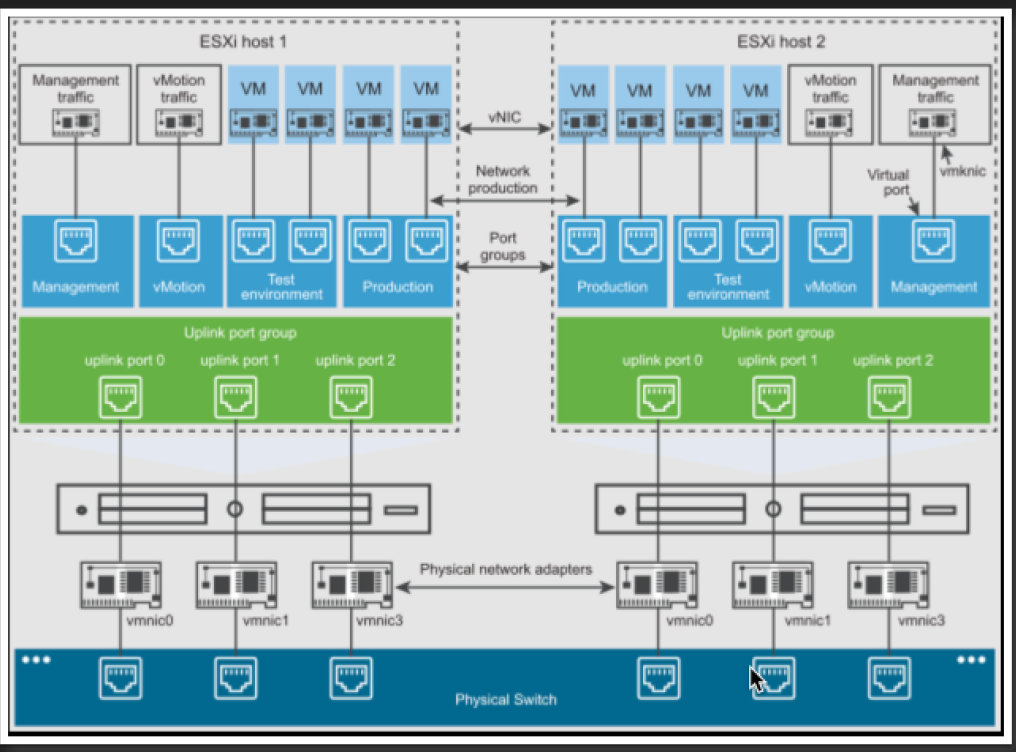
One vSS <–> one ESXI host. I create a vSS by selecting the ESXi host -> Add Networking -> … The number of virtual ports on the vSS is as flexible. The maximum number of virtual ports a vSS can have depends on the hardware capacity of the ESXI host.
Add an Uplink to a vSS#
is performed by right-clicking on the virtual switch -> Add/Manage Hosts.
Promiscuous Mode#
enables a vmnic to see all traffic traversing the Port Group that the vmnic is associated with.
vDS#
stands for virtual Distributed Switch.
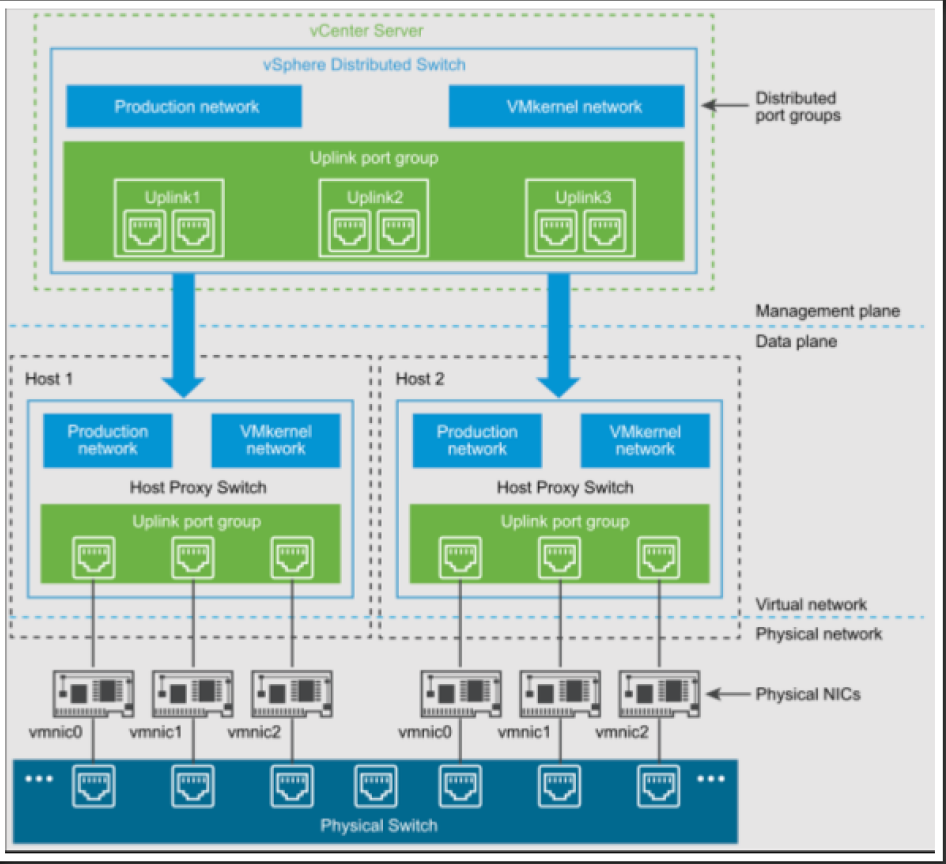
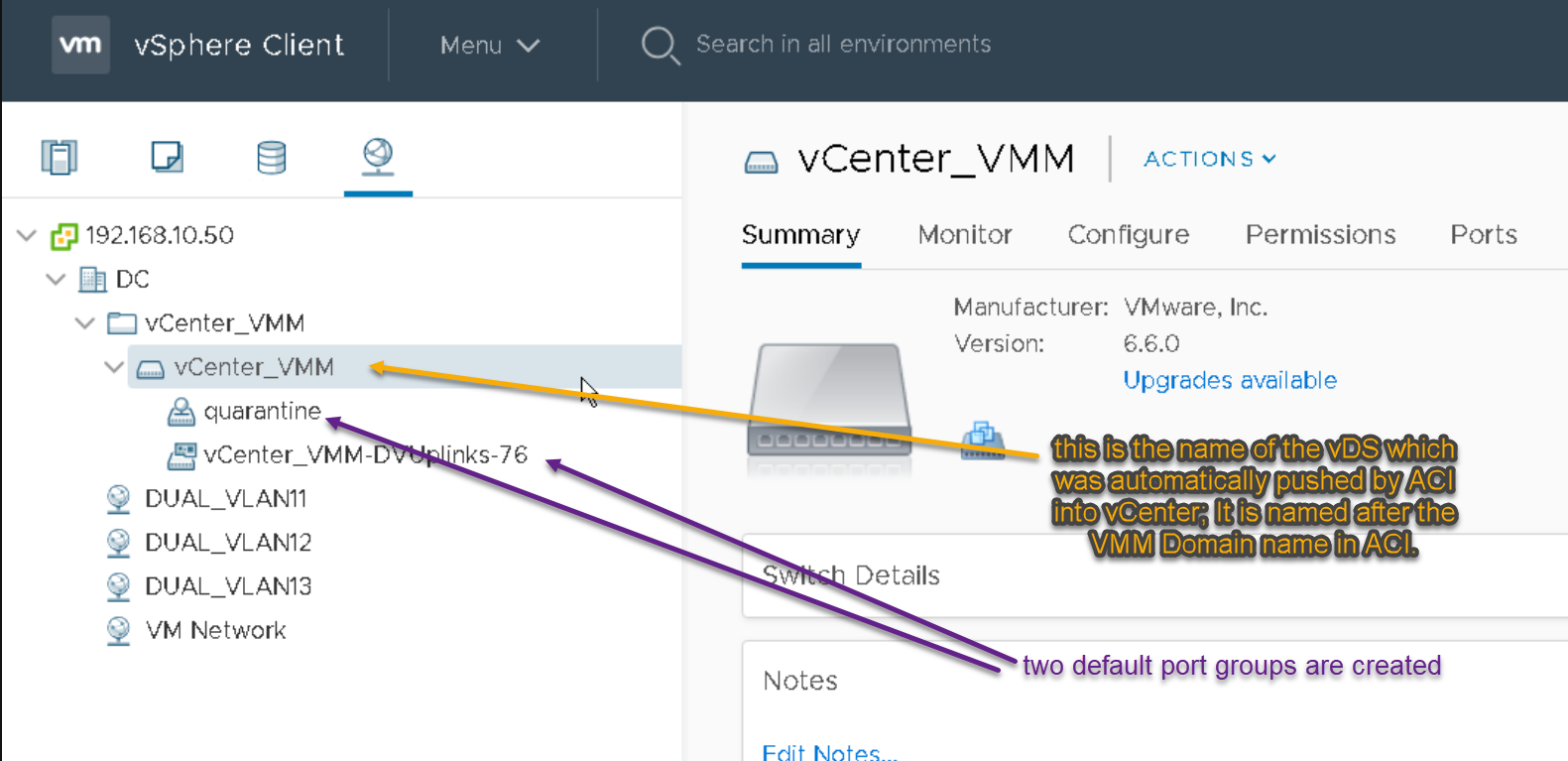
I can create as many vmknics as the design requires. When I create a vDS, a default Uplink Port Group is automatically created too. 🎋 I create four uplinks. A default uplink Port Group called new-vDS-DVUplinks-10007 is created.
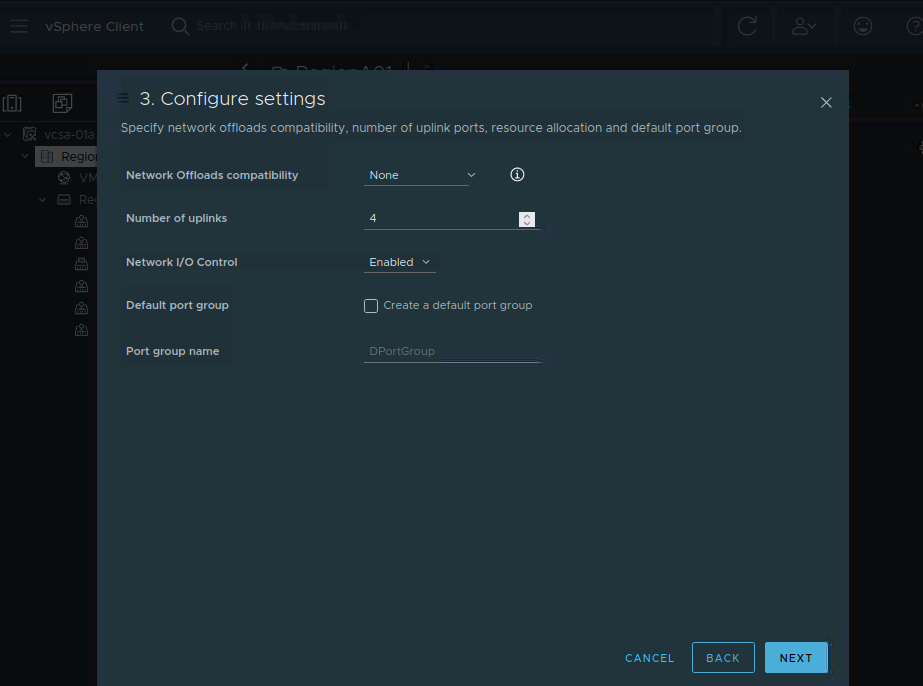
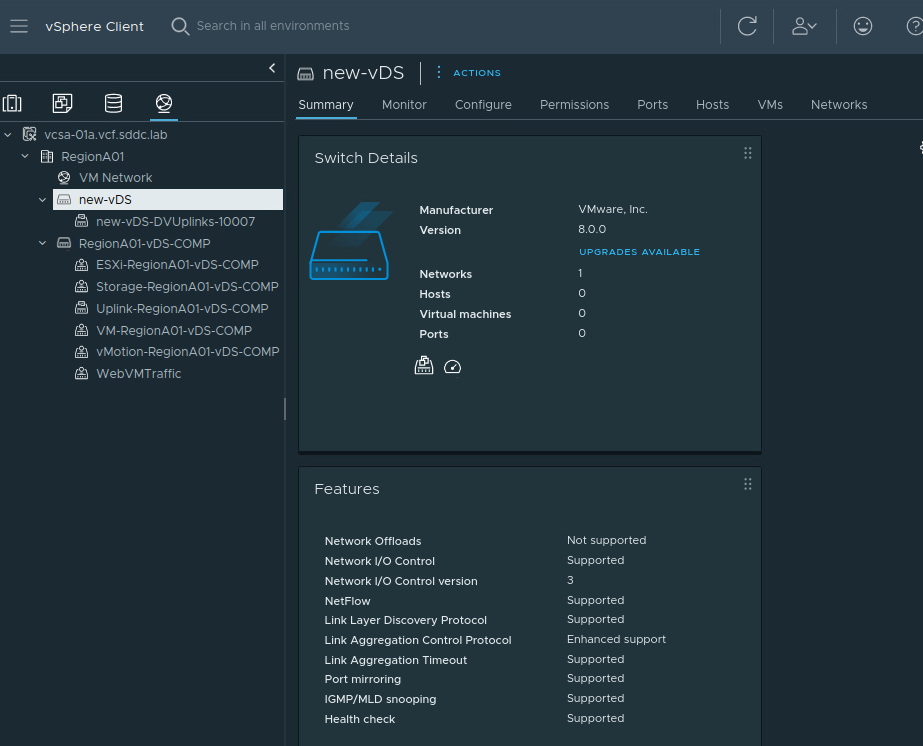
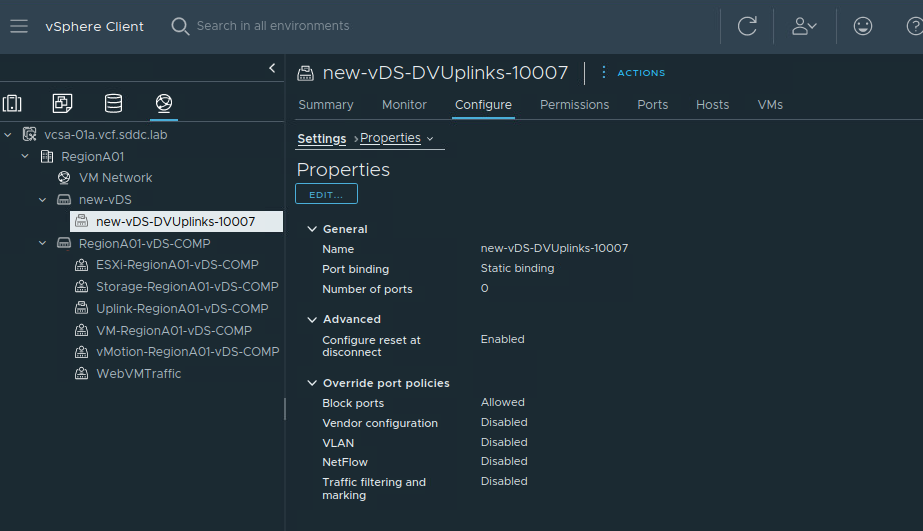
#QA When I select the uplink Port Group, does ‘Number of ports’ refer to regular ports or are these the uplinks that are grouped in the uplink Port Group? To find out the number of uplinks available on the vDS, go to Networking, select the vSwitch -> Configure -> Settings –> Properties
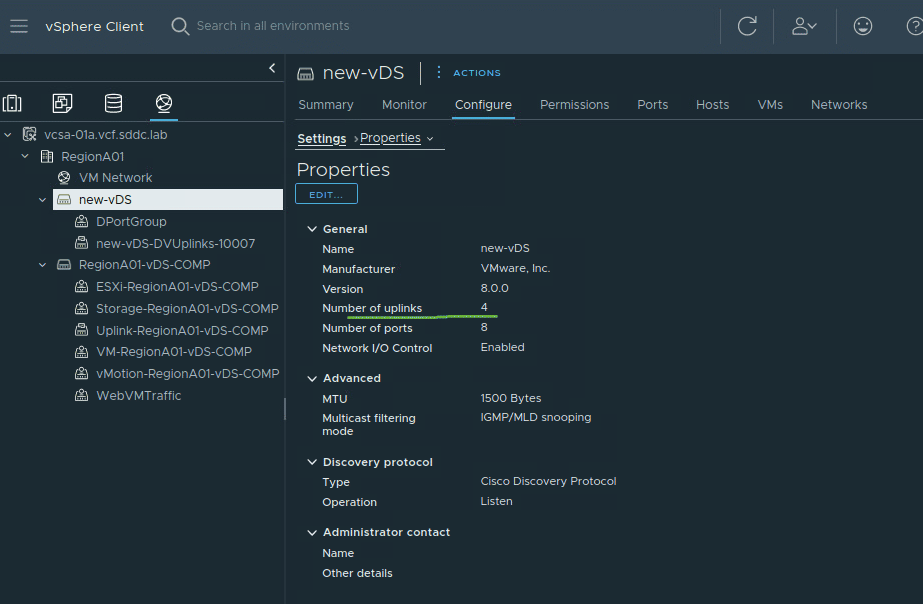
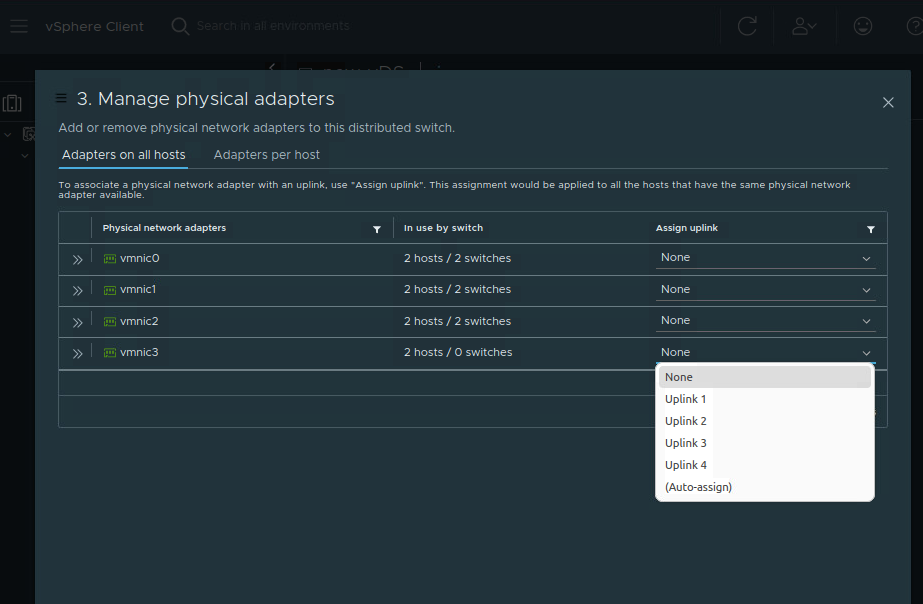
The same number of uplinks appear in the configuration menus when I associate ESXi hosts with the vDS:
Host Proxy Switch#
- is a concept that is exclusive to the vDS technology,
- When a vDS is created, vCenter automatically pushes a Host Proxy Switch to each ESXi host that is associated with that vDS,
- is a shadow virtual switch,
- has the same config on every switch
Add a ESXi Host to a vDS, Assign vmnics to vDS Uplinks#
We must add a virtualization host to a vDS because it provides the vDS with physical interfaces - the vmnics - to the outside world.
is performed by right-clicking on the virtual switch -> Add/Manage Hosts.
Adding uplinks to the vDS takes place at this same menu too.
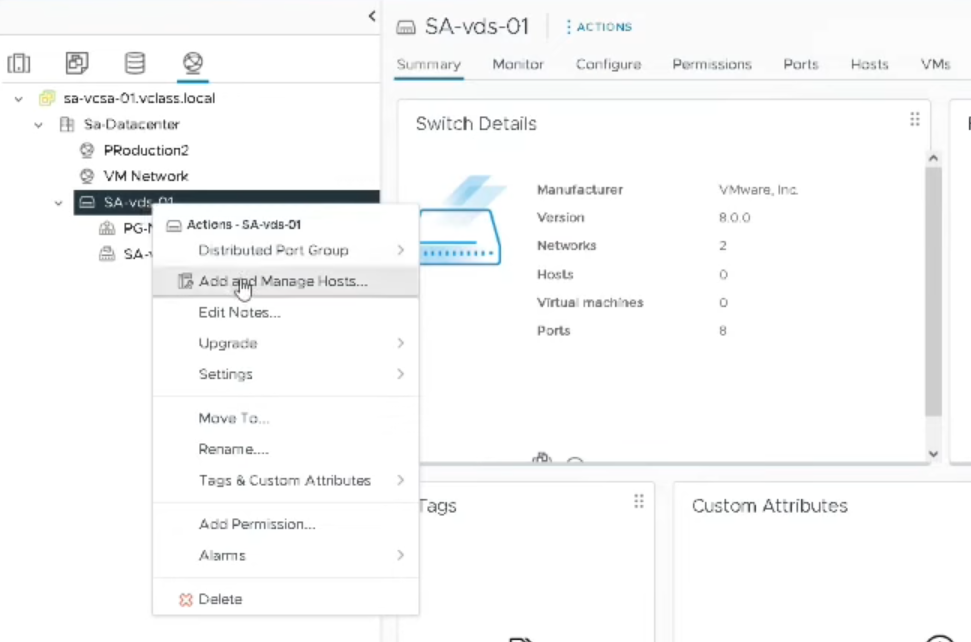
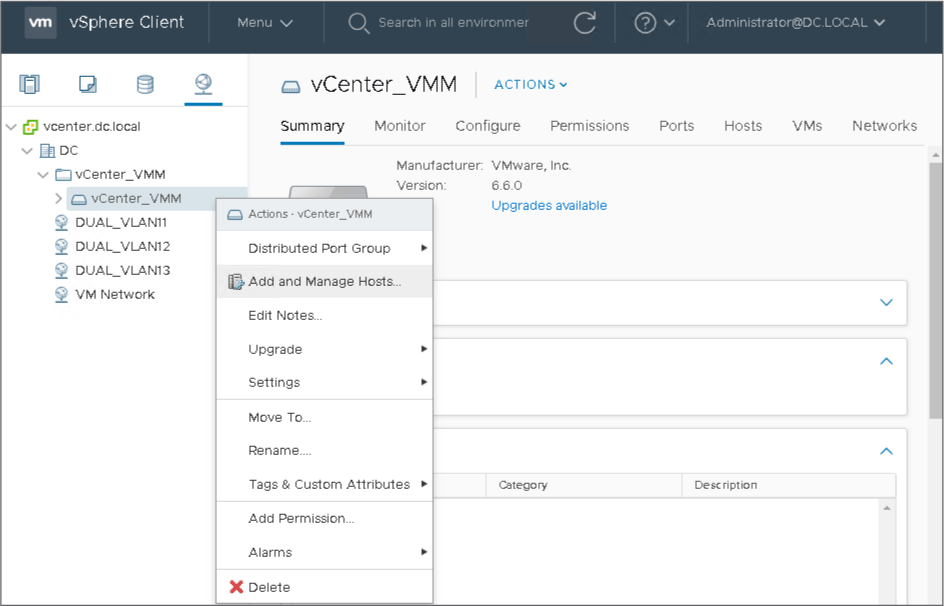
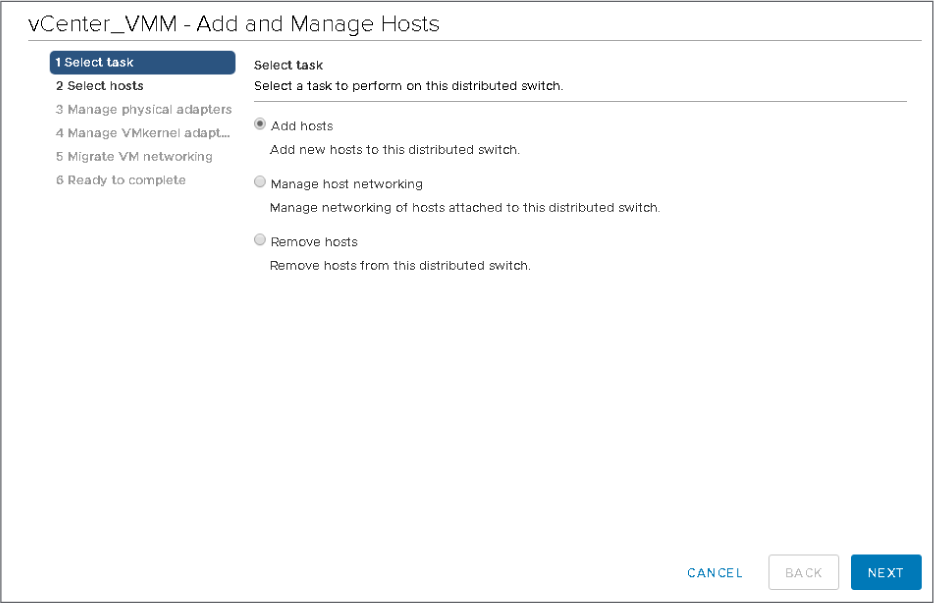
Click on New hosts, select the host(s) and OK:
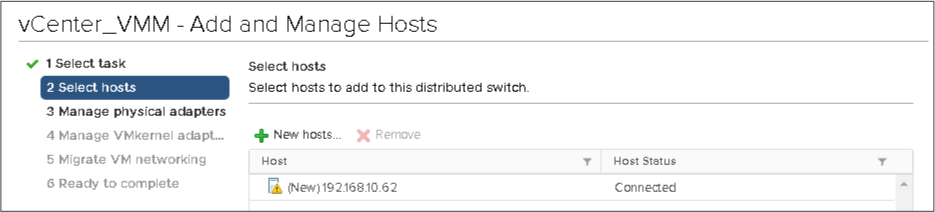
For each physical interface (vmnic) we associate a vDS interface called Uplink. Select which vmnics will be considered uplinks for the vDS. For example, click on vmnic4, click Assign uplink, select uplink1, press OK:
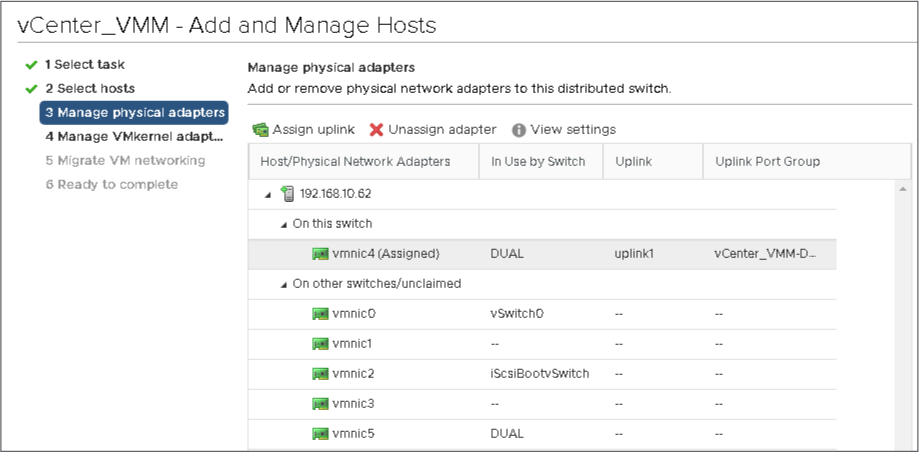
Note: vmnics and Uplinks
When I add vmnics to vDS uplinks, I need to always keep in mind that when I attach vmnic X to Uplink Y, and I have six ESXi hosts that are attached to the vDS, then it means that each vmnic X of all the six servers by default will be connected to Uplink Y, unless I change that in the top tab:
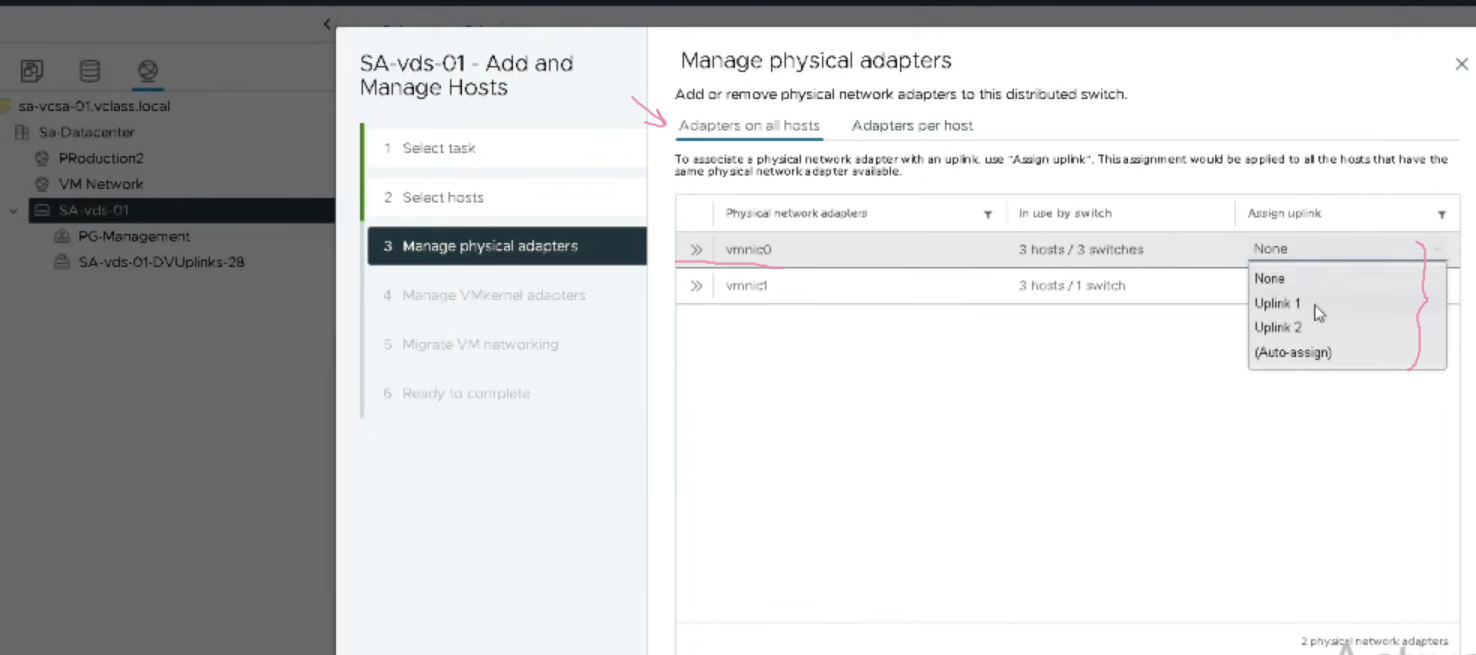
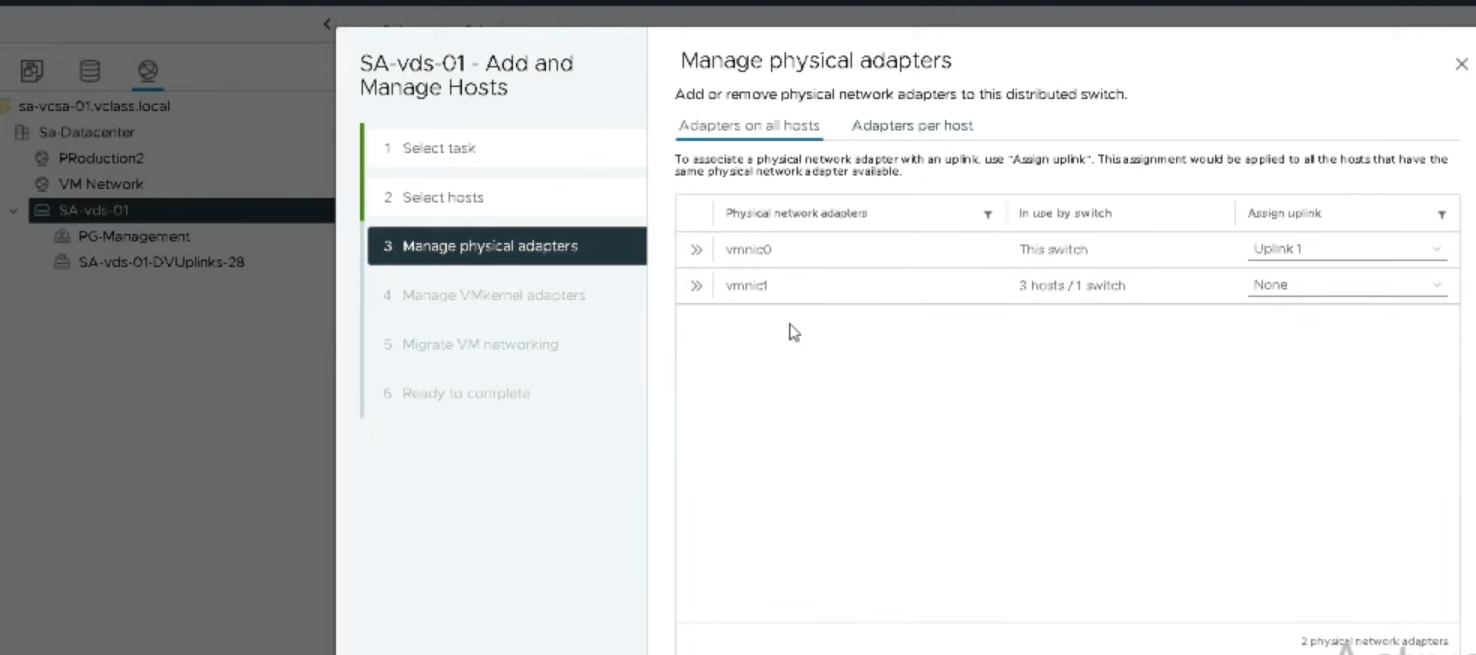
Do the same with vmnic5:
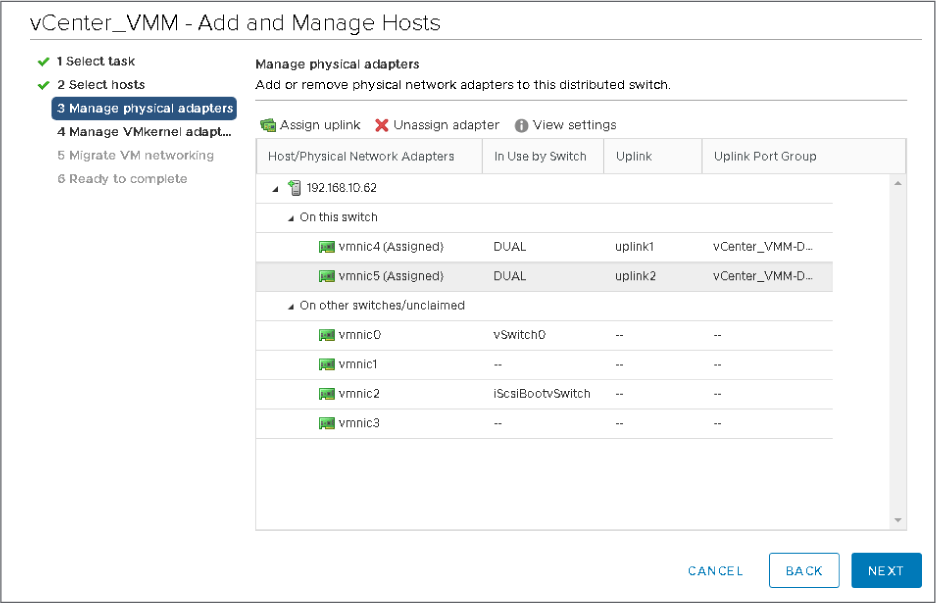
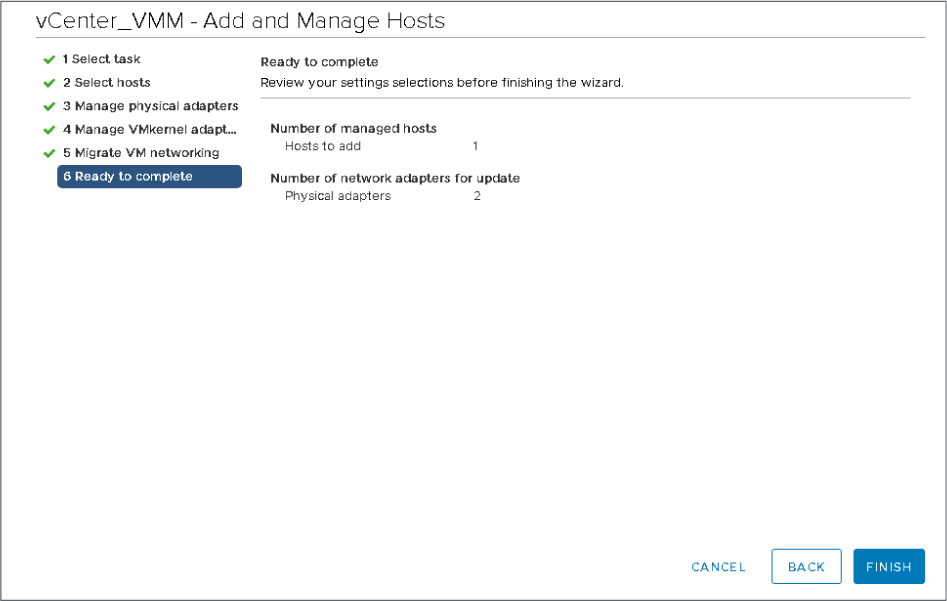
In summary we take two physical NICs from the ESXi host and assign them as uplinks of the vSwitch.
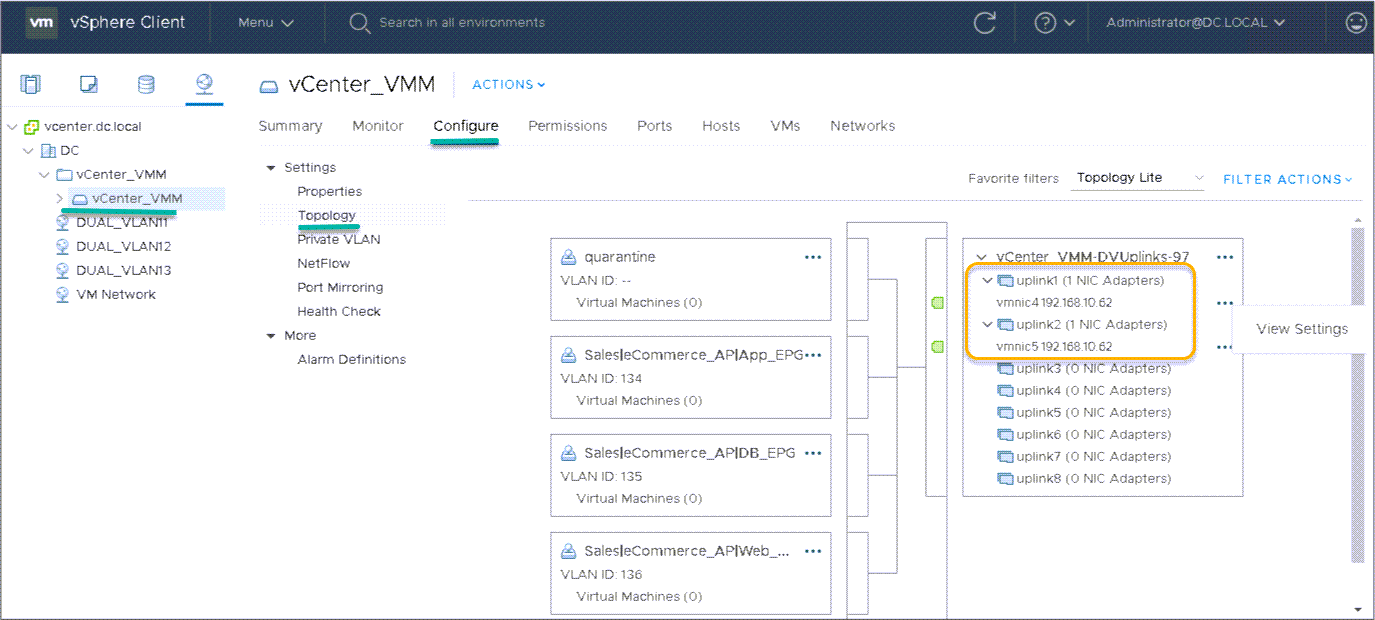
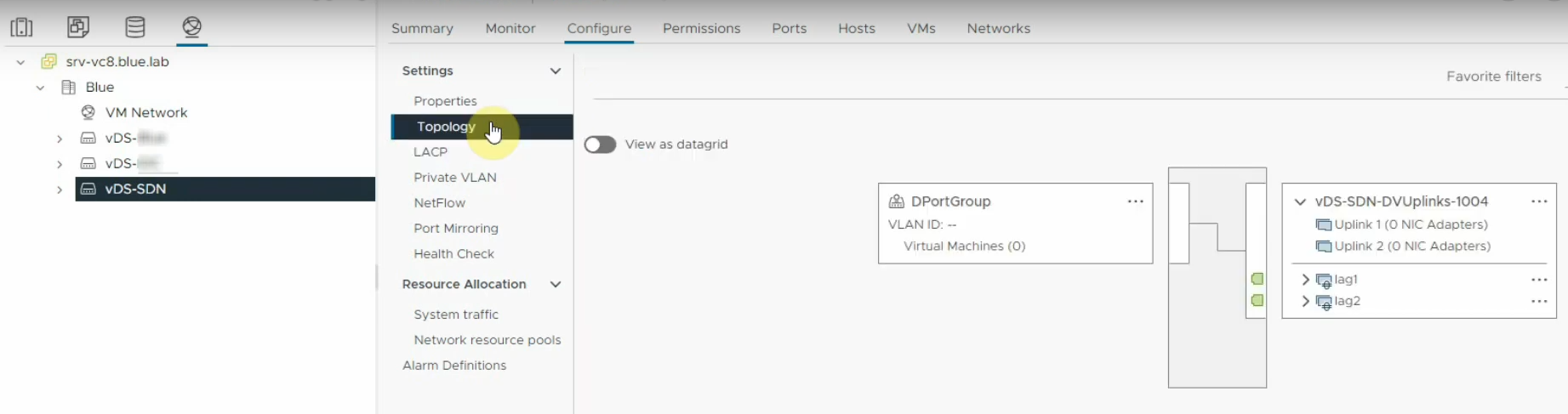
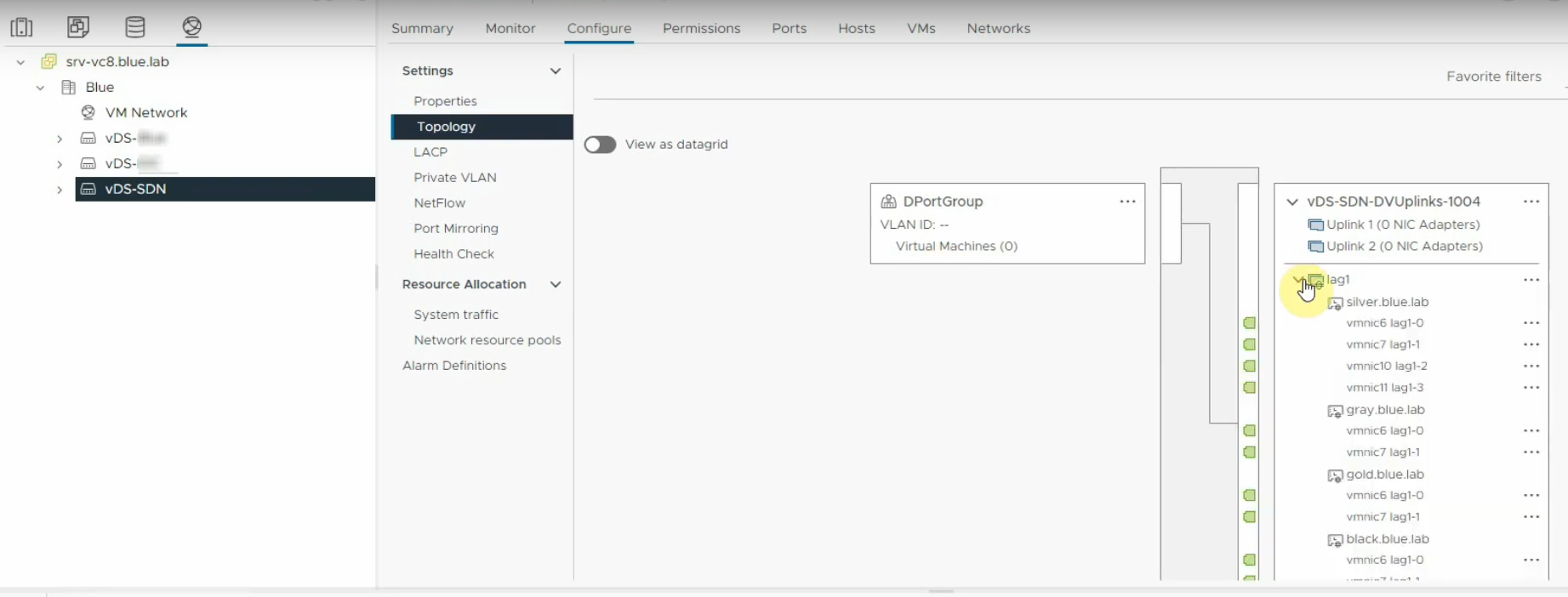
Verify by going to Configure -> Topology
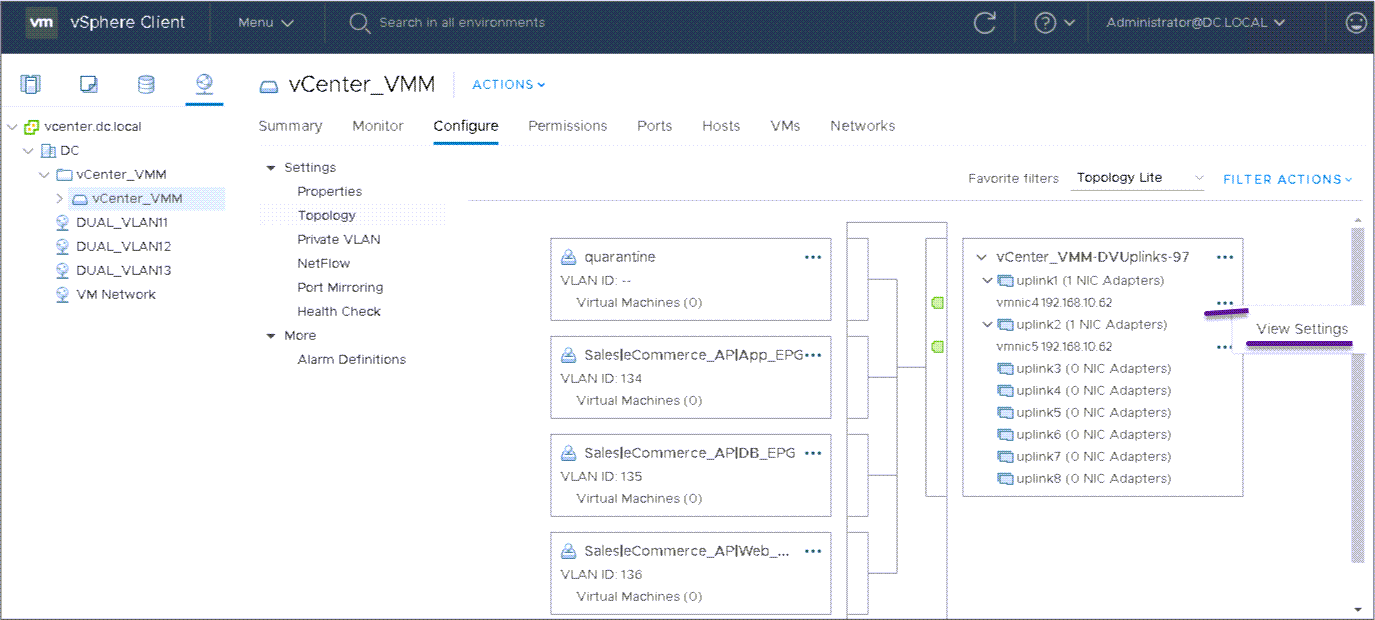
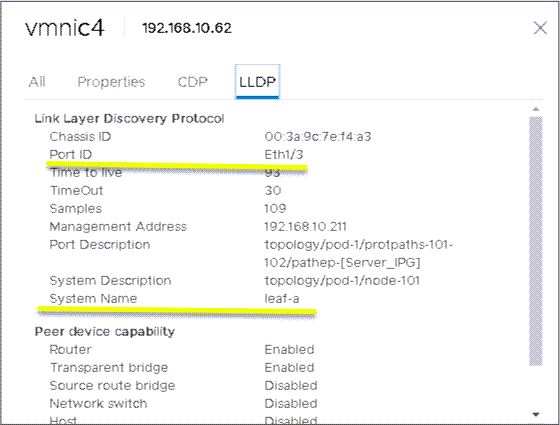
When I click on View Settings -> LLDP we read LLDP info. For example, this virtualized server is physically connected on vmnic4 to leaf-a port eth1/3:
vDS, VLAN Tagging and Trunk ports#
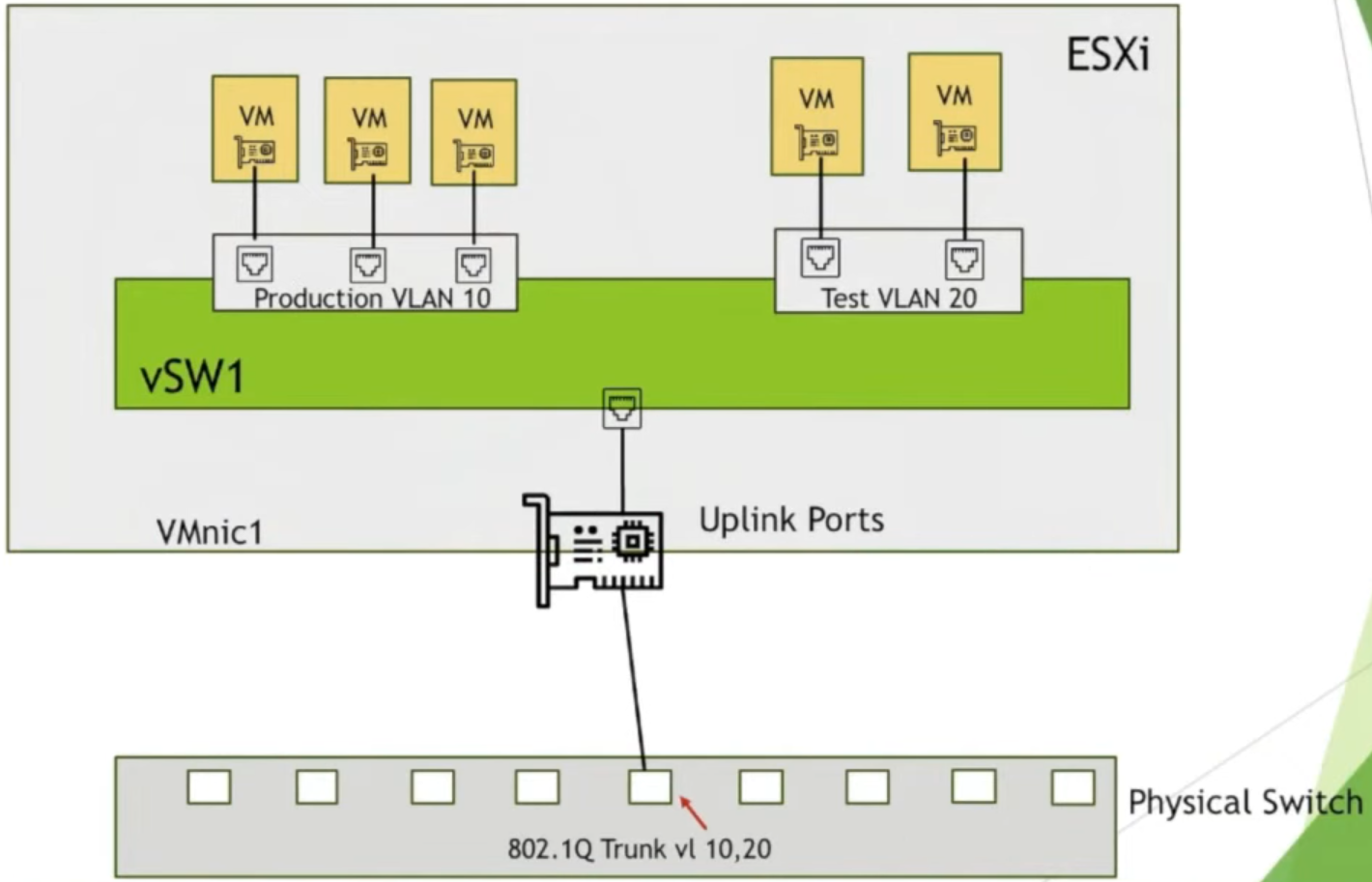
vDS supports Virtual Switch Tagging (VST). I must configure the physical port that connects to the ESXi host as a 802.1Q trunk port.
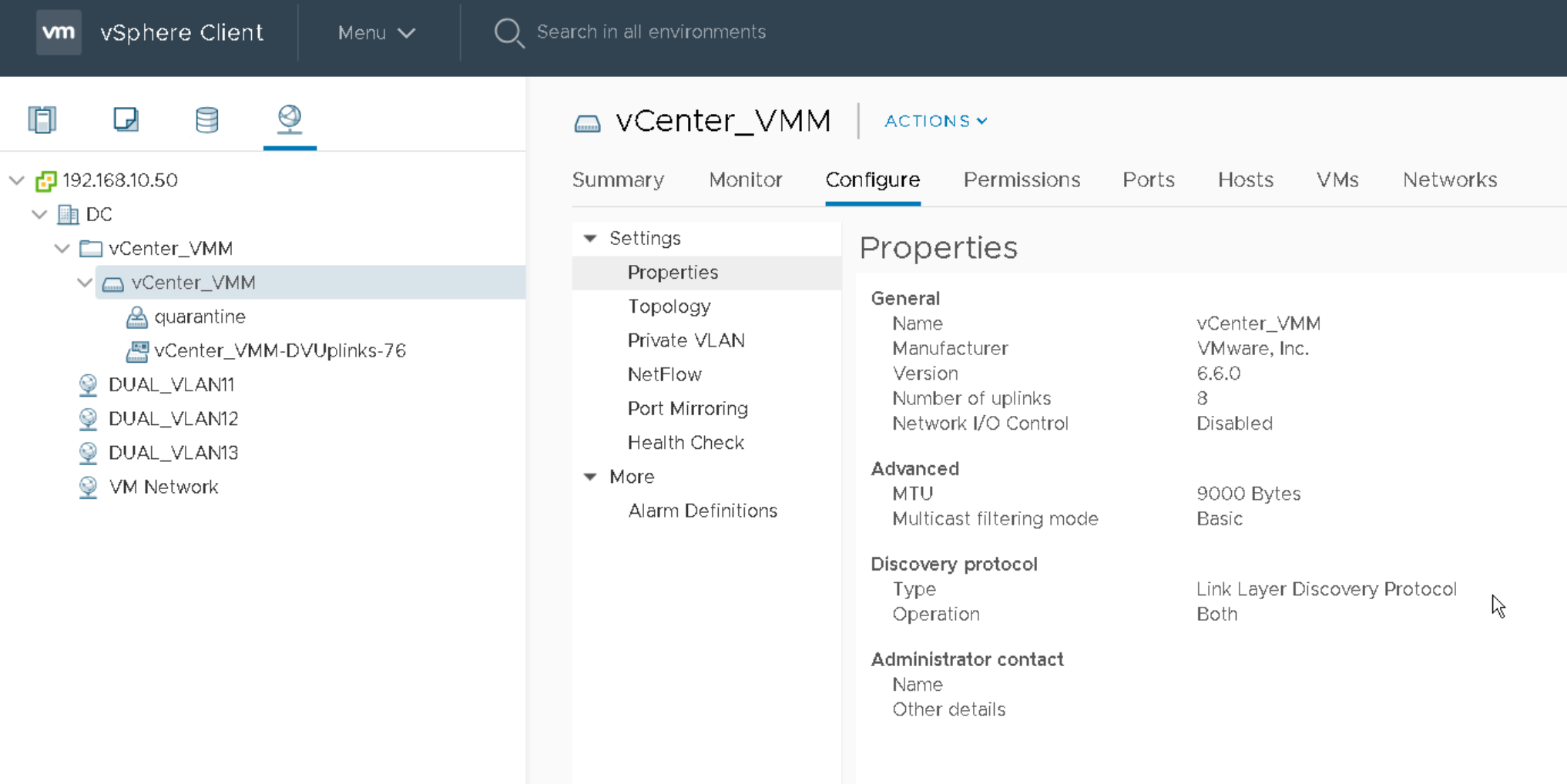
LLDP Settings on the vDS#
vNIC, vmnic, vSwitch#
physical NIC = vmnic. Virtual Switches are not created on a EXSi Host; They are created on vCenter and we need to associate one or more ESXi hosts with them.
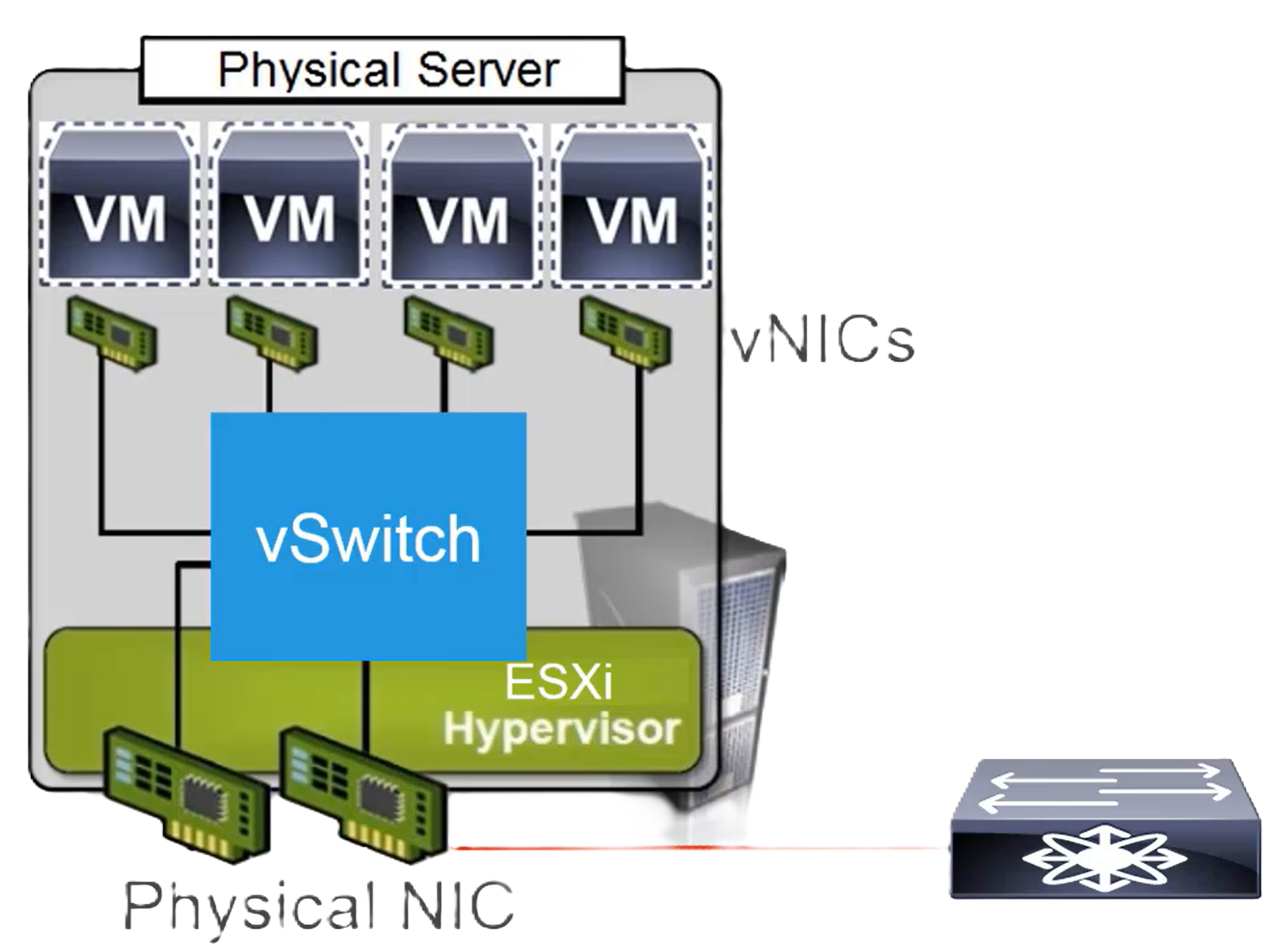
Each virtual switch that you create requires at least one physical uplink to connect to the physical network.
VMware virtual networks are built using vSS or vDS. vSS and vDS switches must be manually associated with ESXi hosts. To communicate with the physical networks (e.g. Cisco switches, ACI, etc.), VMware virtual switches use the physical Ethernet adapters of the associated ESXi hosts; These adapters are also called ==uplink adapters== ( #QA the vmnics?).
VMkernel#
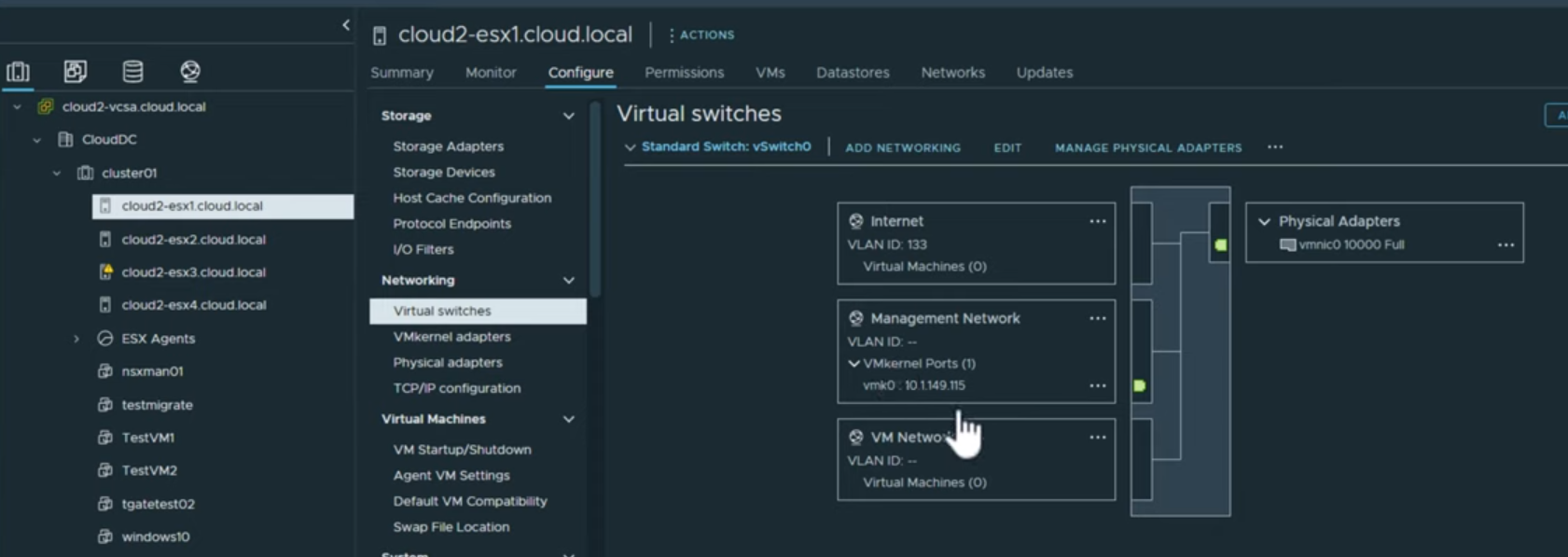
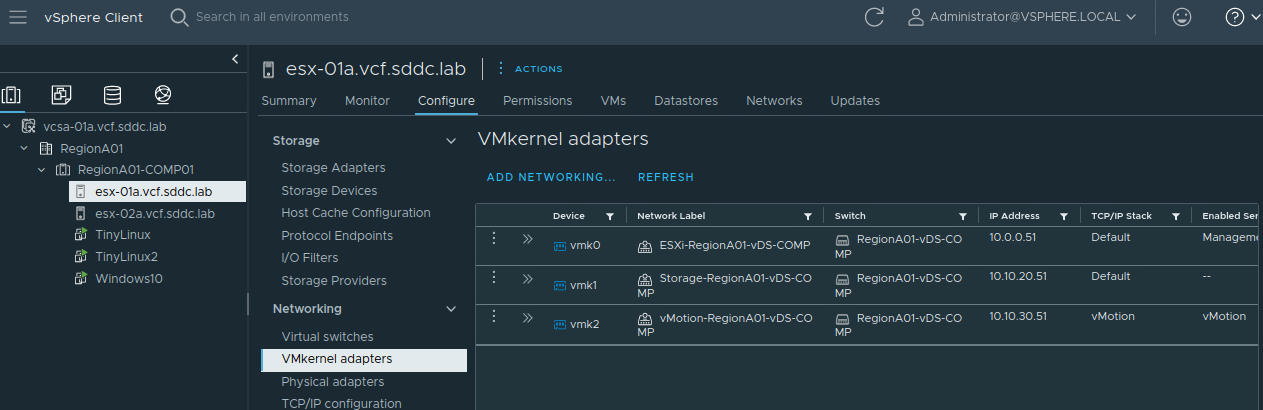
During the deployment of ESXi software on a server, we give it either a DHCP or a static IP address. That is the IP address I will use to connect to the ESXi host per SSH or HTTPS. That IP address is assigned automatically to a VMKernel port that is created on the ESXi host, and a VMkernel port group is automatically created on the virtual switch. A VMkernel port group is a special port group that I create when I need to perform advanced services like IP storage, vMotion, IP management of the ESXi hosts, backup, etc. #QA do all VMkernel port groups require an IP address? The VMkernel port group is hosted on the virtual switch, like regular port groups for virtual machines. The VMkernel port is part of the ESXi host. It has the naming convention vmk{x}. The IP address of the ESXi host is assigned to a VMKernel port vmk0 on the ESXi host, and vmk0 is assigned to a Management VMkernel port group which is created on the virtual switch:
Listing all vmkernel adapters:
#QA how does the concept of VLAN tagging map to port groups, vNICs and communication with the physical network? #QA does VMkernel adapter belong to the vSwitch or to the ESXi host?
Traffic Load Balancing, NIC Teaming#
Some use the term load distribution instead of load balancing. The term NIC Teaming is the umbrella term for all the technologies that improve the availability of the access to the physical network by using more than one vmnic and performing load balancing and/or failover of network traffic egressing the vDS towards the physical network. #QA I should use the non-LACP load balancing methods of the vDS only if I connect the vDS uplinks to vmnics and the vmnics to physical switch ports that are in the same VLAN? The traffic load balancing feature deals with the selection of the vmnic for every network flow originated on a VM’s vNIC and is going to egress to the physical network. Traffic load balancing works only if there are two or more vmnics present on the ESXi host that’s associated with the vDS.
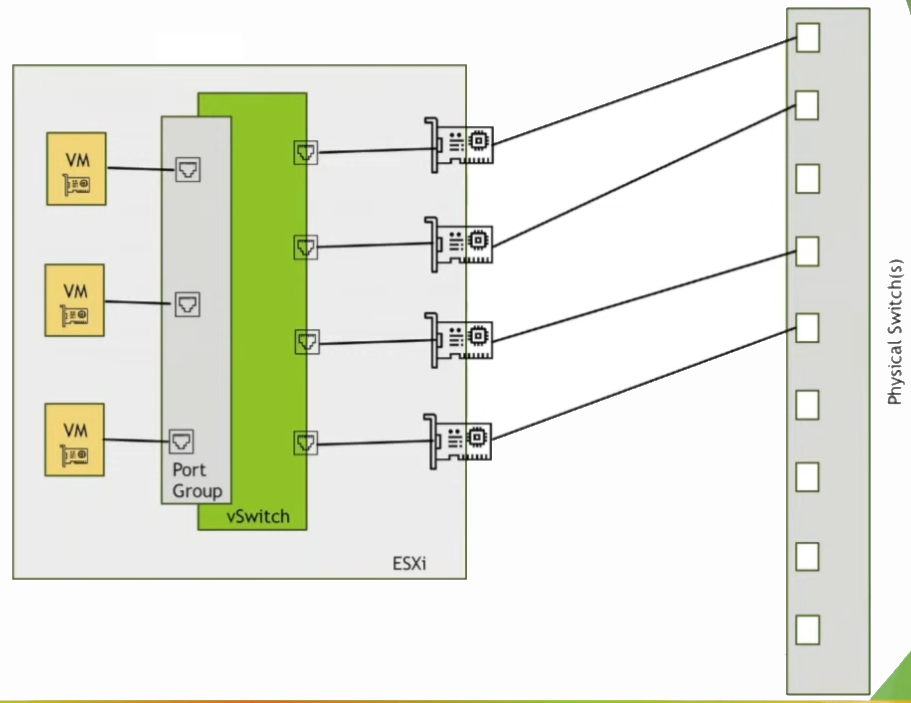
I can apply network policy (NIC Teaming, load sharing, network failure detection and failover, …) at the uplink port group level or at the individual VM port group level. Network policies that are configured at the uplink port group level are valid for all vmnics that are attached to the uplinks. Any network policies at a VM port group level overrides the network policies at the uplink port group level for the VM traffic VMware offers some algorithms for load balancing that do not use LACP. These are controlled by the hypervisor of each attach ESXi host.
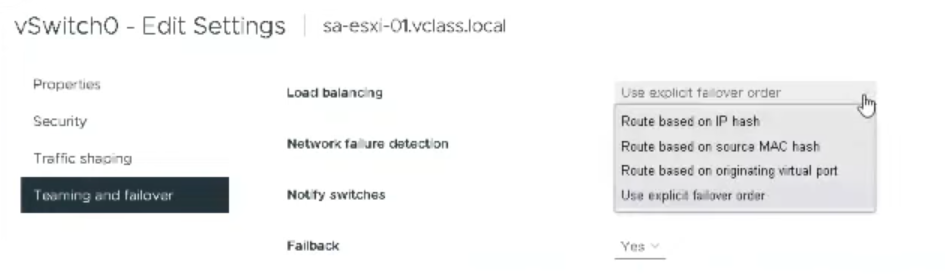
Route based on originating virtual port#
Any network flow that is coming from a vNIC will use the same vmnic to enter the physical network. this mode requires no LAG configuration on the physical switch.
Route based on source MAC hash#
Any network flow that is coming from a particular source MAC of the vNIC will use the same vmnic to enter the physical network. this mode requires no LAG configuration on the physical switch. #QA what distinguishes this mode from the Route based on Originating Virtual Port algorithm?
Route based on IP hash#
The selection of the vmnic is based on the (source IP address, destination IP address) hash of an IP packet in a network flow. This is the only load balancing policy that requires related configuration on the connected physical switches. is available for both vSS and vDS. With either vSS or vDS, I can configure a static EtherChannel on the physical switch ports (mode on on Cisco switches). If I want LACP, then this is only possible on vDS: I must configure LACP on the vDS and on the physical switch ports. Using the static EtherChannel method requires the virtual switch uplinks be connected to a single physical switch or a stacked physical switch; I can not establish load balancing by using static EtherChannel when the virtual switch uplinks are connected to two physical switches in a vPC for example. #QA The algorithm with IP NIC Load is only supported by vDS?
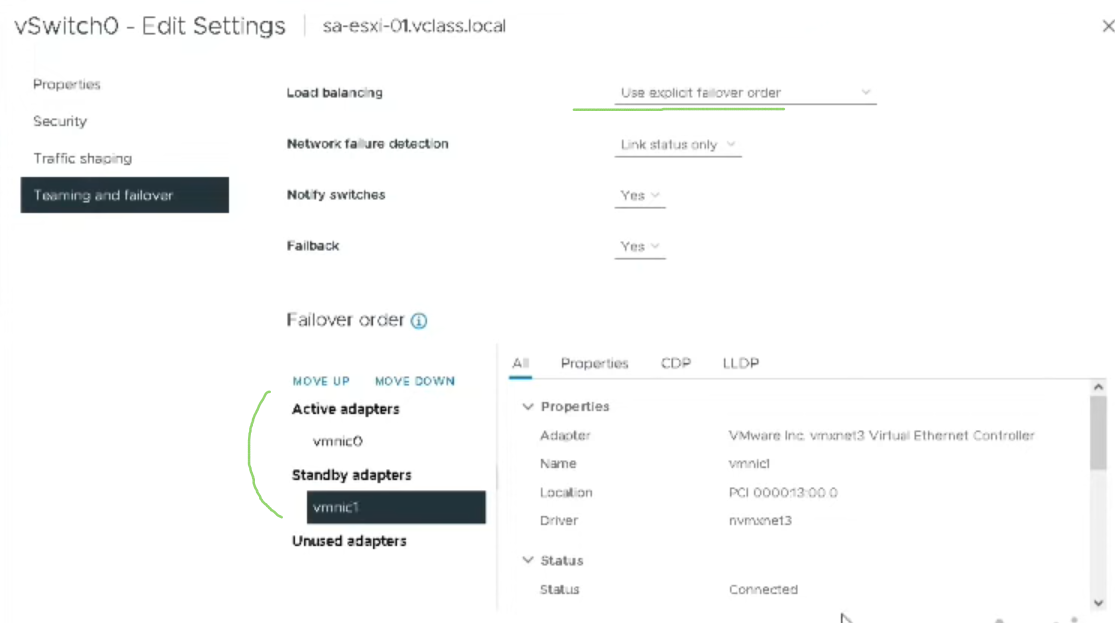
Use Explicit Failover Order#
This means I must select one vmnic as active adapter and the other vmnics as standby:
Route based on Physical NIC Load#
only available on vDS. == Route based on Originating Virtual Port algorithm + use the less-loaded vmnic on 3-second observation intervals. requires an LACP policy on the physical switch.
If I choose to use LACP for load balancing#
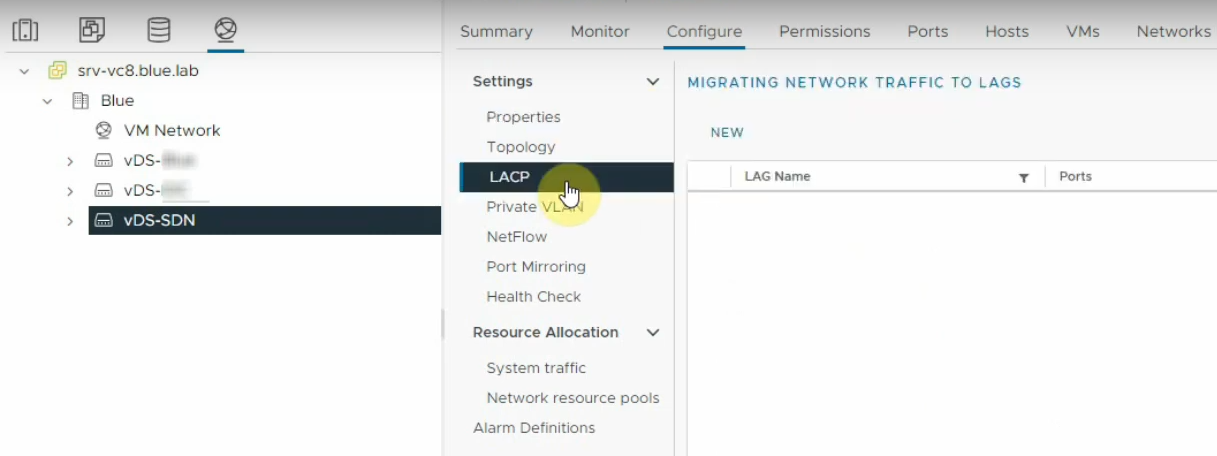
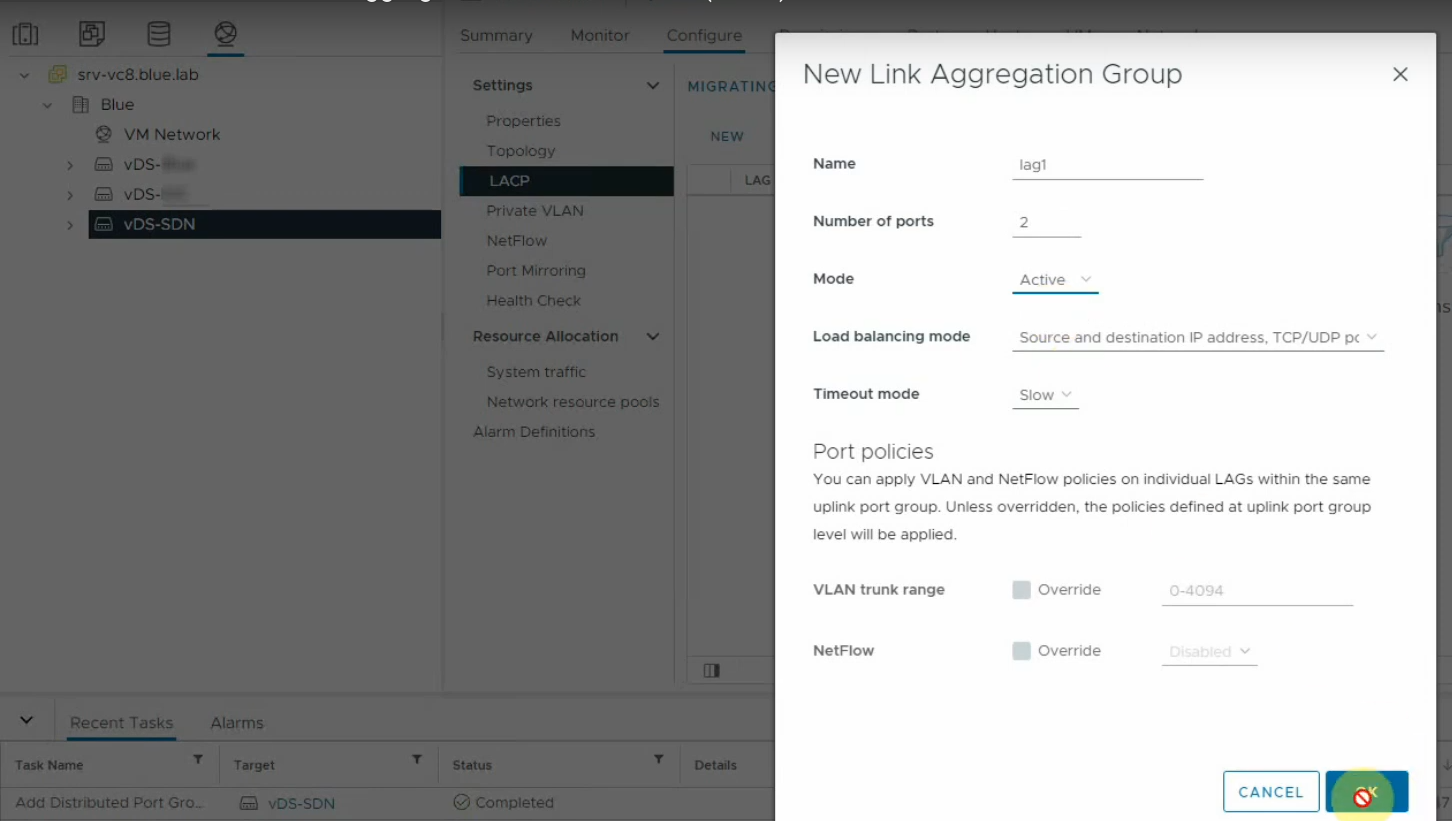
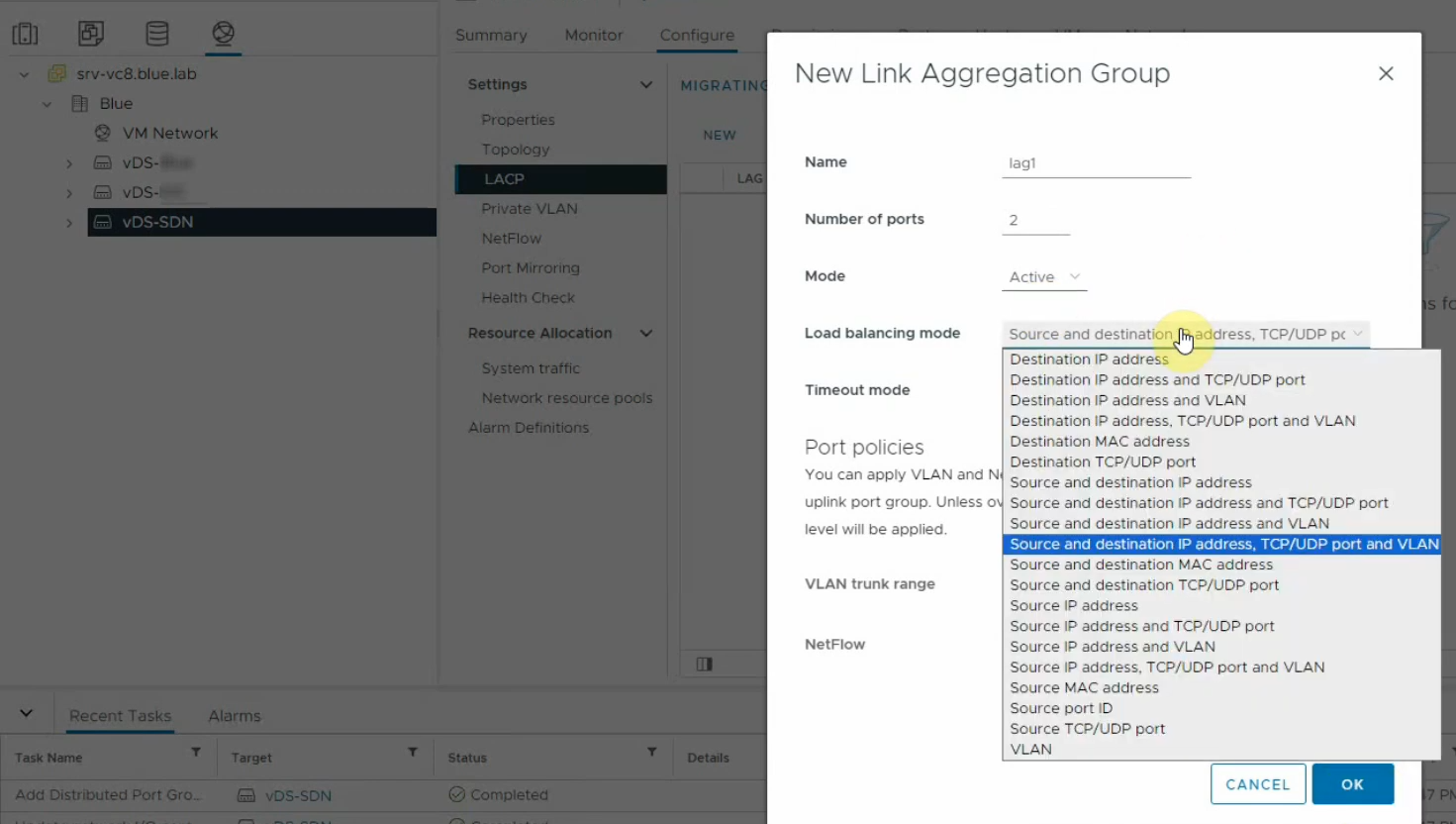
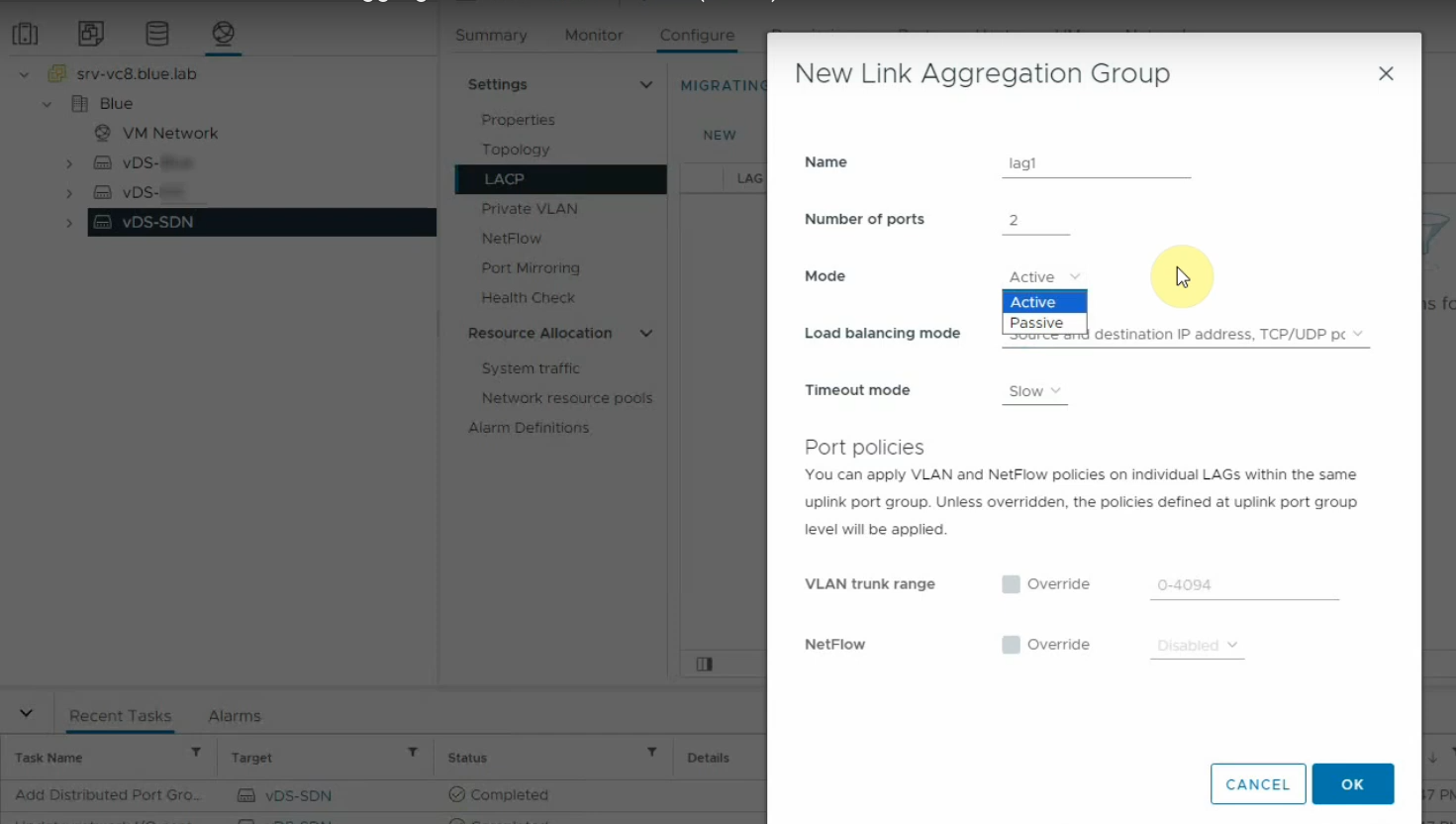
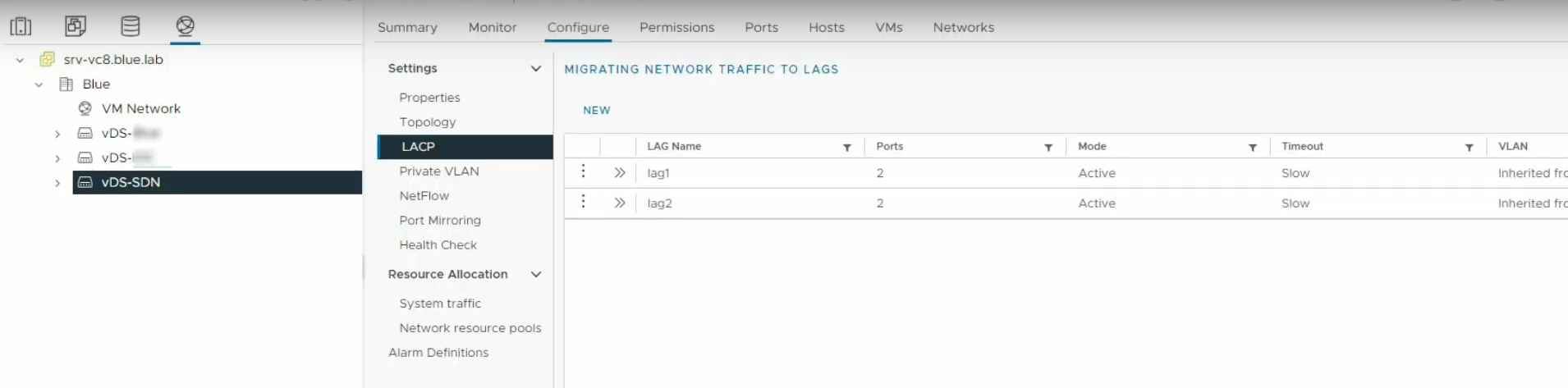
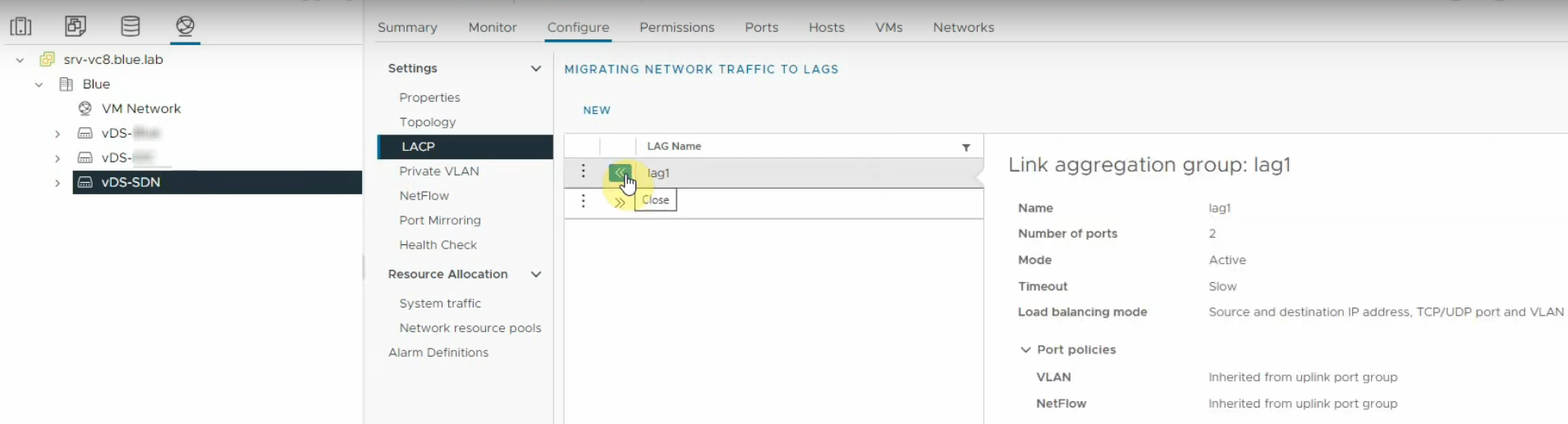
I must configure LAG group(s) on the vDS. I must configure the number of ports in each LAG group, which indicates the total number of vmnics per ESXi host that can participate to the LAG group, I must select the load balancing algorithm for the LAG(s). This overrides any load balancing algorithm that is configured at the VM port group. #QA the only available load balancing algorithm on the vDS is ?. I must configure the physical switch ports in LACP too, #QA which load balancing algorithm do I choose on the physical switch? I typically should configure the LACP interface on the physical switch as a trunk interface.
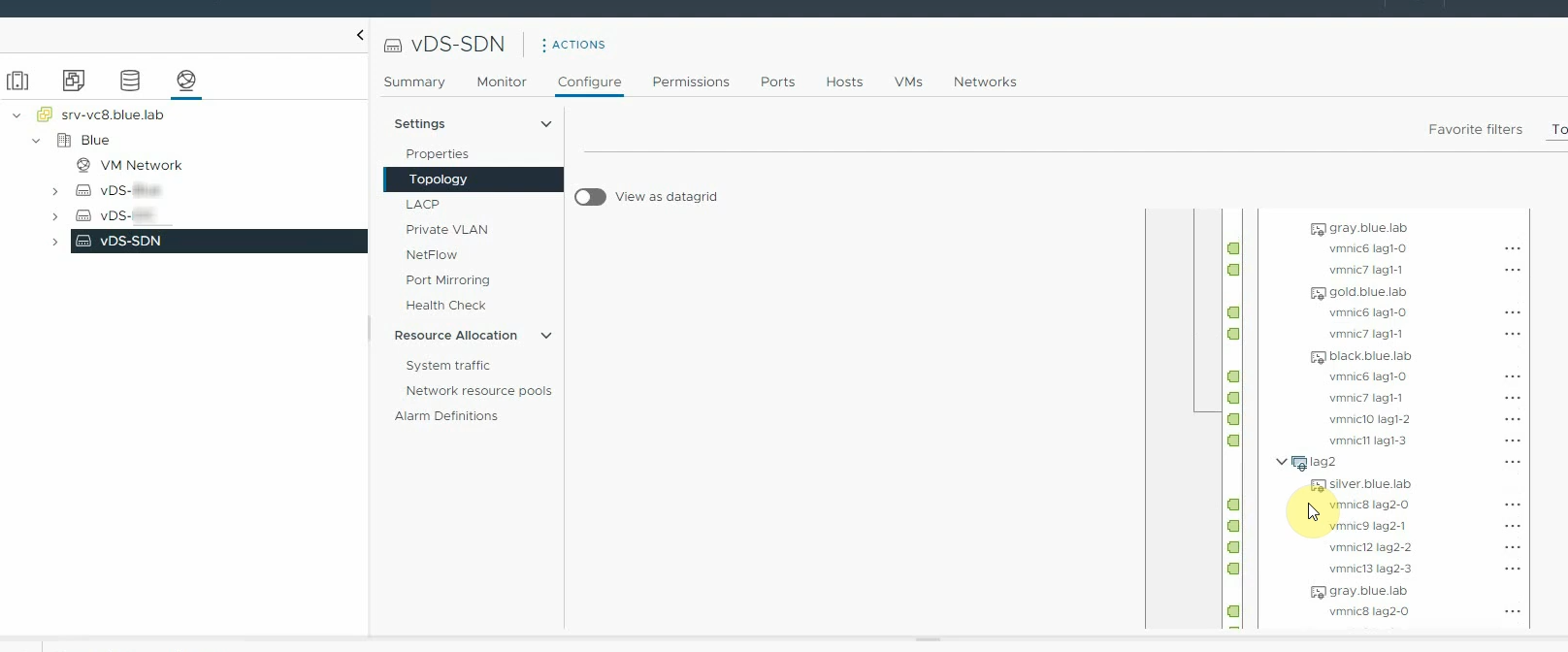
Network Failure Detection and Failover#
Two algorithms only: Link Status Only, Beacon Probing.
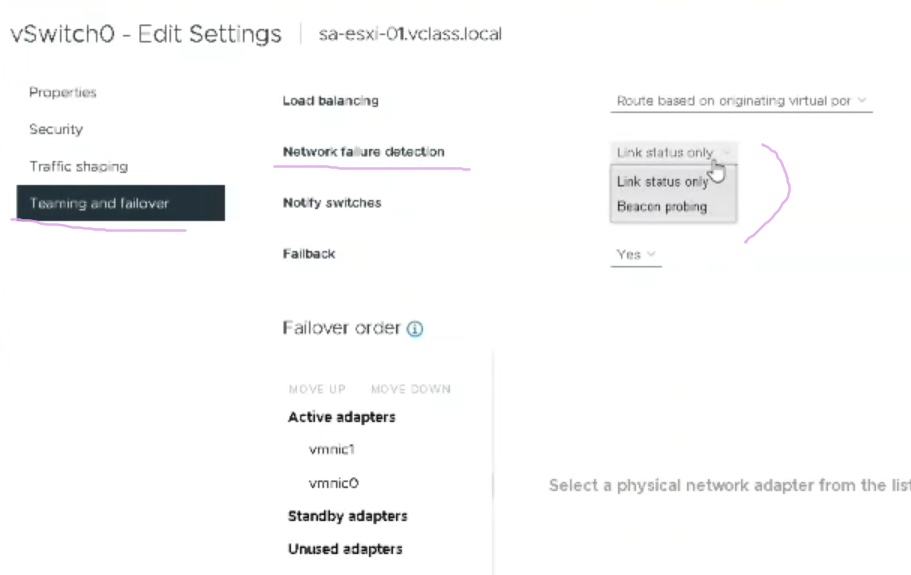
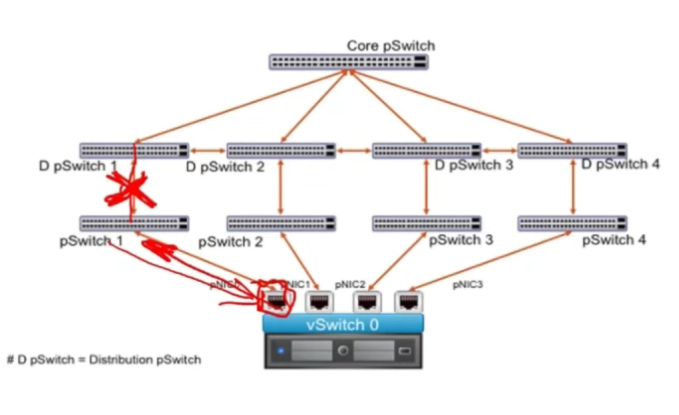
Link Status Only#
vDS monitors the status of the link on the vmnics. If vmnic light goes down, network traffic fails over the other vmnics. The drawback of this algorithm is that it does not detect indirect link failures:
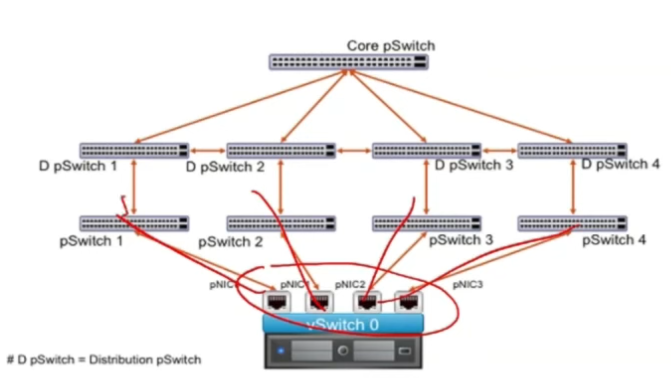
Beacon Probing#
detects indirect link failures when:
- three or more vmnics are configured in a Team ( #QA how?)
- the vmnics are connected to at least three different physical switches.
I should first check whether the physical switches support Link State Tracking. Link State Tracking is a feature that tracks the state of an upstream link and when it goes down, the system disables/shuts down the downlink ports. If the physical switches do not support Link State Tracking, Beacon Probing may come to the rescue.
#verifyThis The ’team’ of physical adapters in then call a ==failover group==. Within a failover group, a physical adapter can be active (the default value), standby or unused. NIC teaming is available for both vSS and vDS. By default, a single vmnic is connected on the ESXi host.
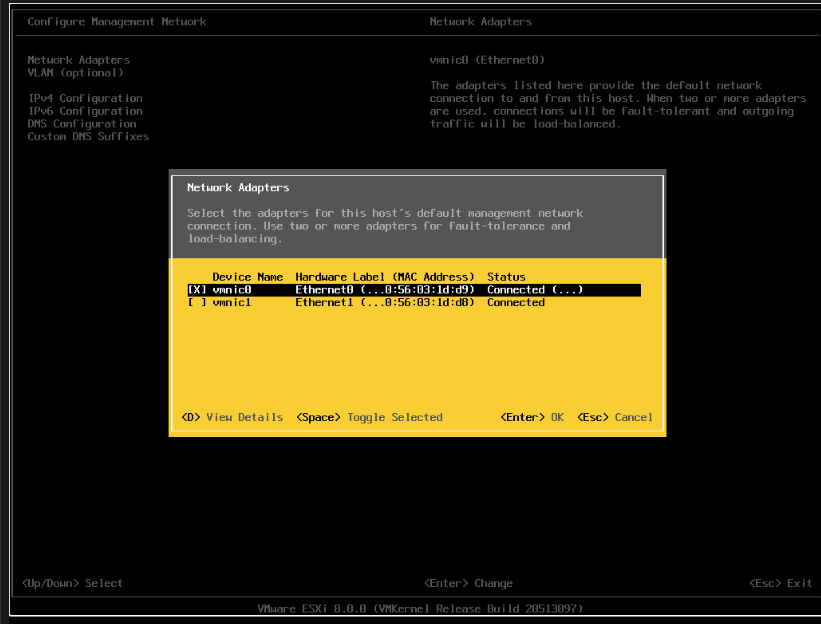
In the DCUI, I can change the vmnic that will connect to the physical switches.
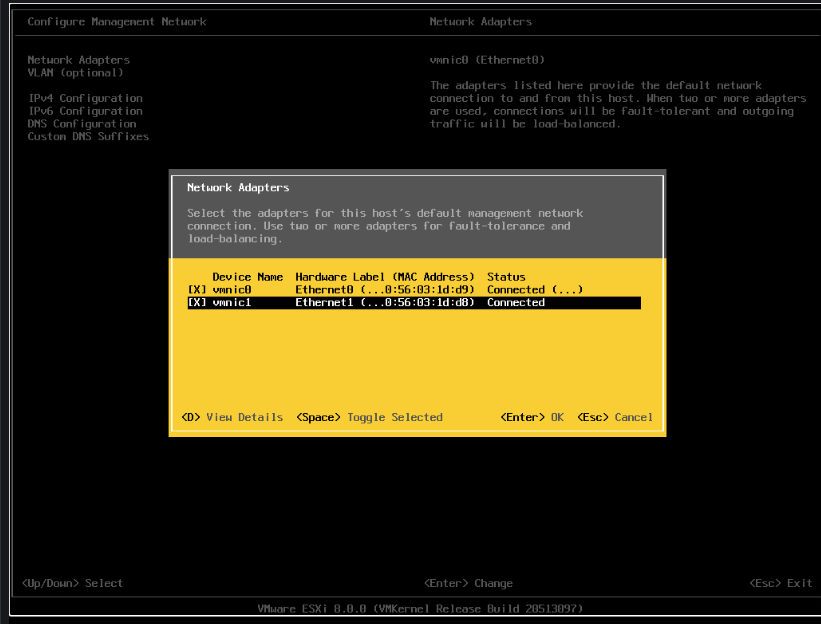
#verifyThis To configure the failover group, I need to connect to the ESXi console interface (called DCUI for Direct Console User Interface), go to the Networking settings and activate the second vmnic:
General vSwitch Settings vs Port Group Settings#
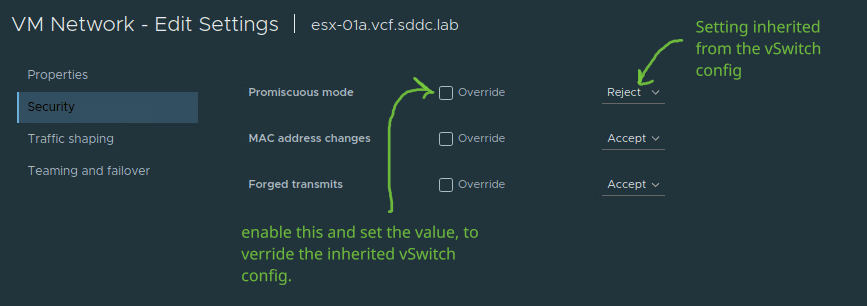
By default, a vSwitch comes with presets. I can also override them at the individual Port Groups level: Settings at the vswitch level:
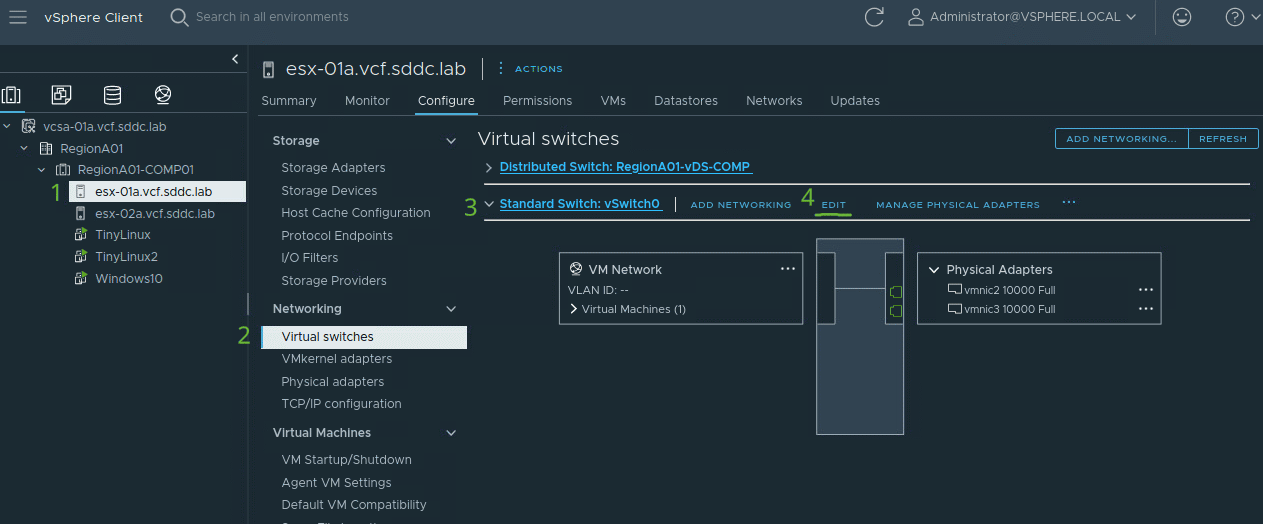
Settings at the level of an individual Port Group:
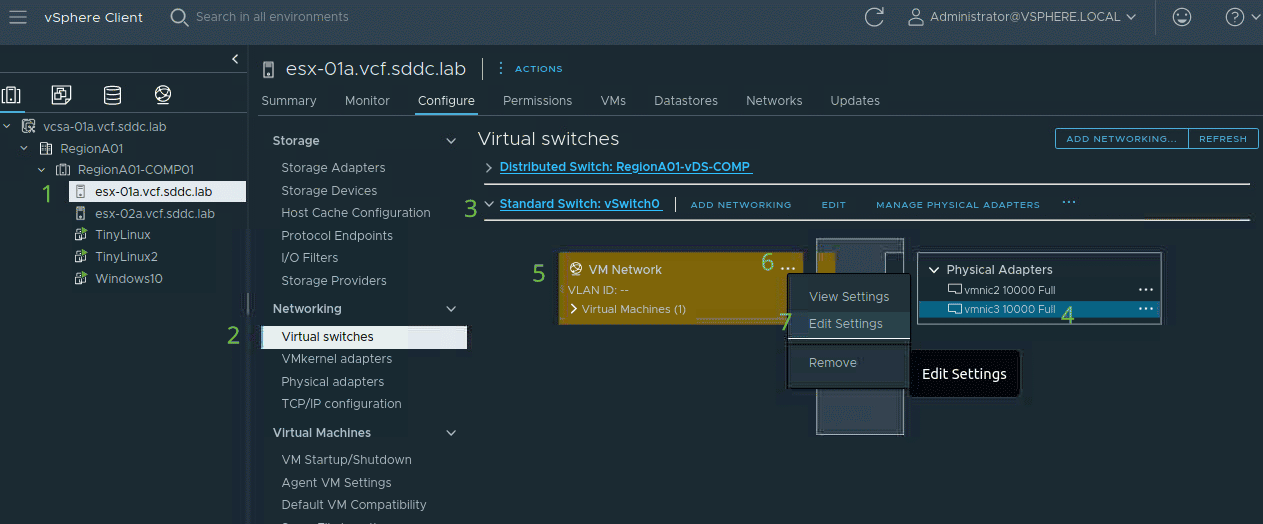
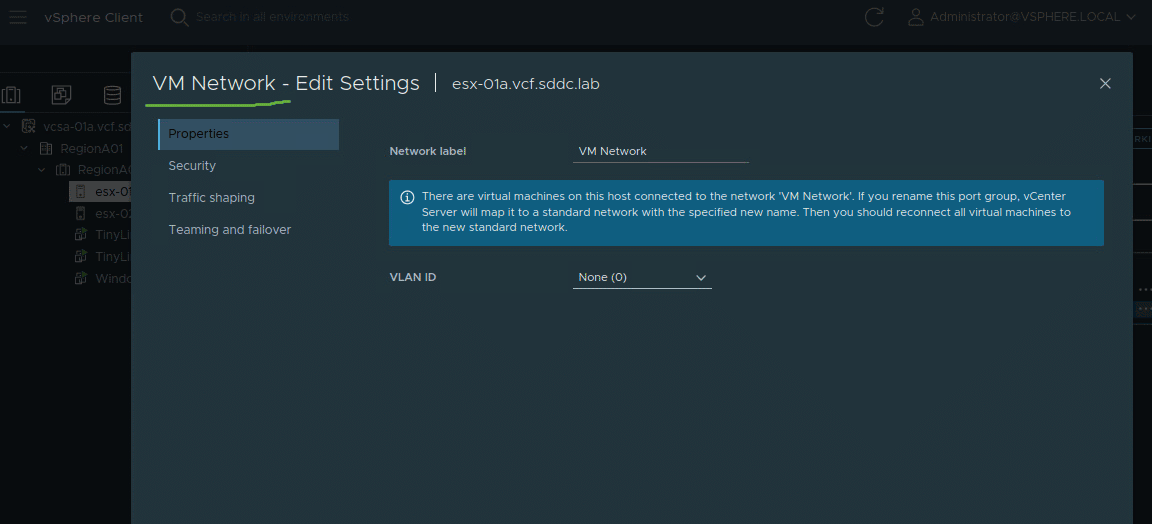
Here is an example where I can override the default Promiscuous Mode vSwitch settings:
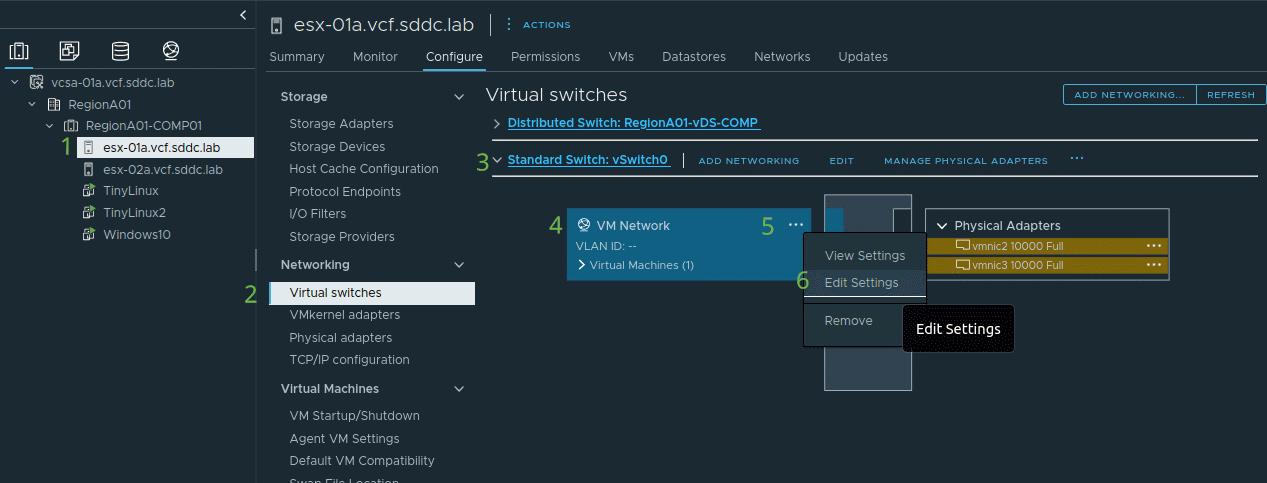
#QA When I want to edit the settings of a Port Group, what is the difference between clicking on a vmnic then the Port Group, and clicking directly on the Port Group (which highlights the associated vmnics)?
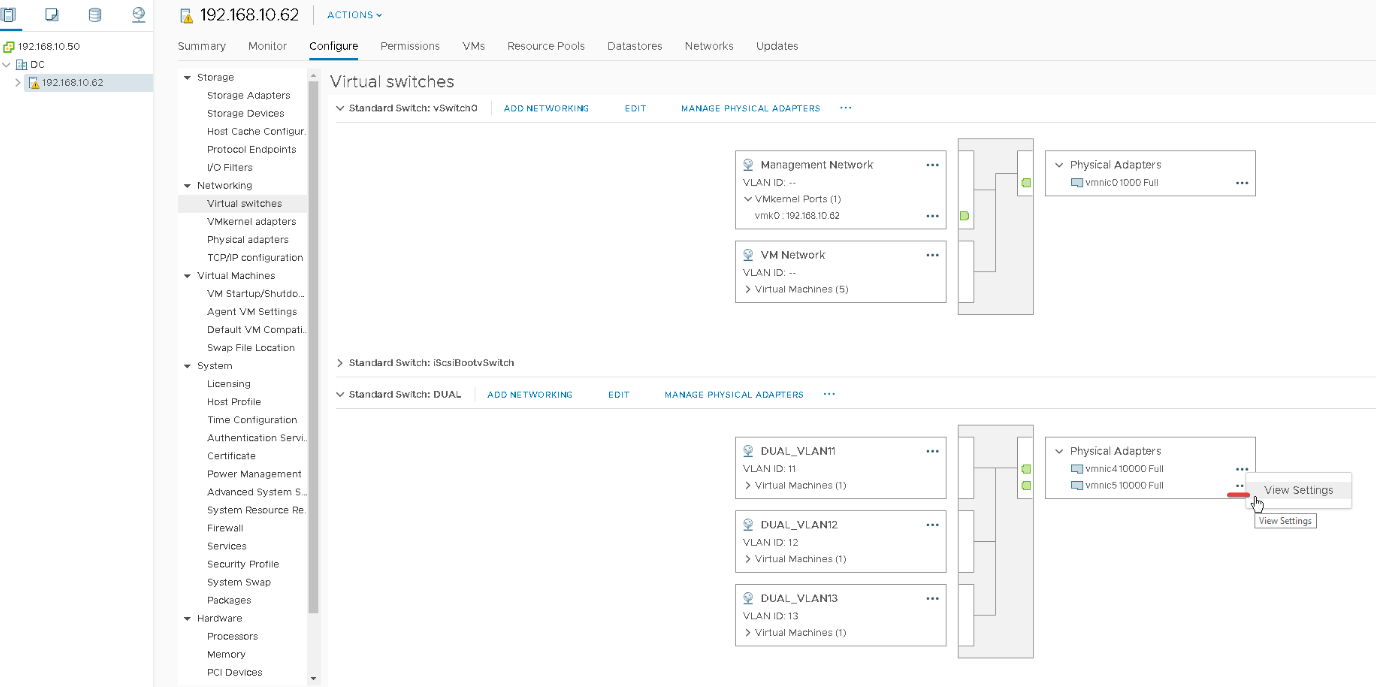
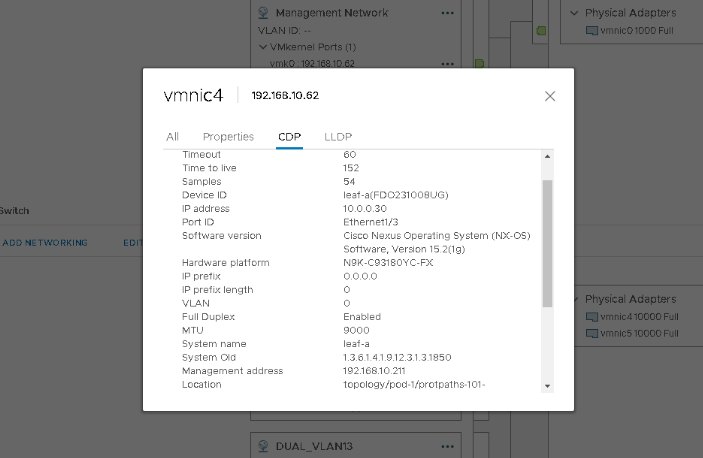
CDP Neighbors on a Host vmnic#
It is possible to read the physical neighbors attached to the host’s vmnics:
Port Groups#
A Port Group is not a group of ports; It is a group of network policies applied to a port. A Port Group might contain only one vswitch port.
| Classification Criteria | Port Group Types |
|---|---|
| Number of associated VLANs | Access Port Groups, Trunk Port Groups |
| Type of VMware Switch: vSS or vDS | Standard Port Groups, Distributed Port Groups |
Access Port Groups#
accept untagged ingress traffic. Are assigned only one encap VLAN. Egress traffic is untagged.
Trunk Port Groups#
are the opposite of Access Port Groups. are a feature of vDS.
Uplink Port Group#
- contains all the uplinks
- is created by default on the vDS when vCenter is integrated with ACI through VMM Domain and contains by default all vmnics of all ESXi hosts associated with the vDS:
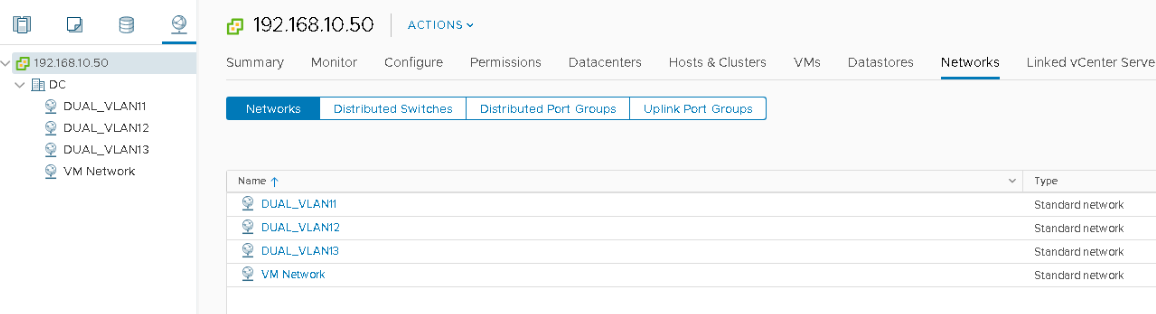
Standard Port Groups#
Port Groups that are deployed on a vSS.
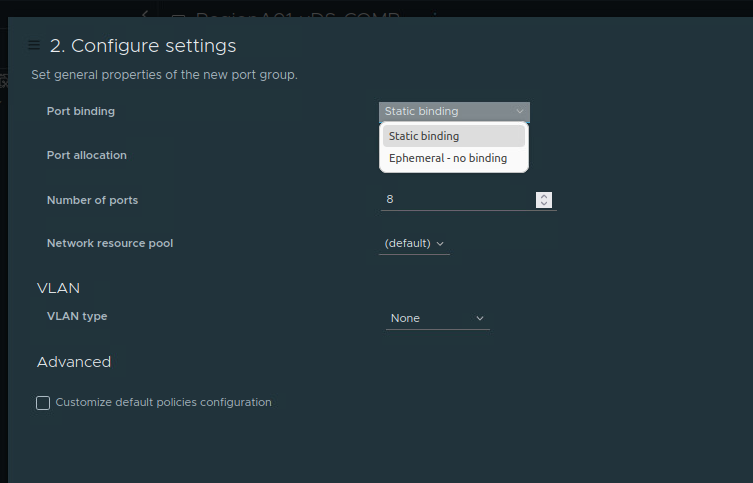
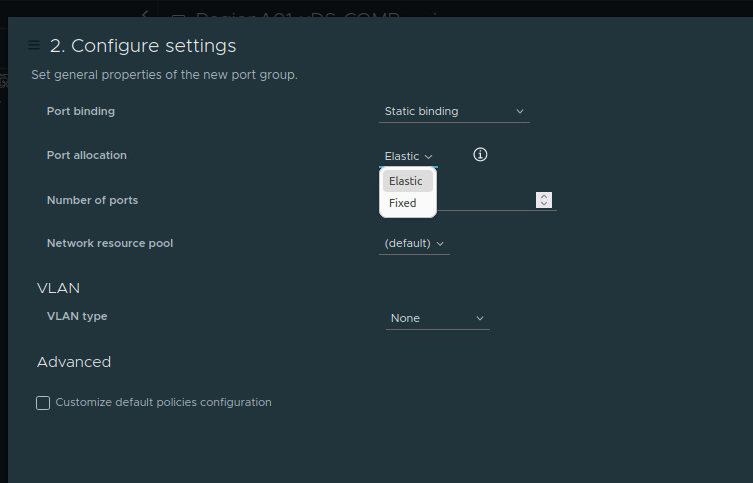
Distributed Port Groups (dvPortGroup)#
Port Groups that are deployed on a vDS. Possible configuration options for a Distributed Port Group:
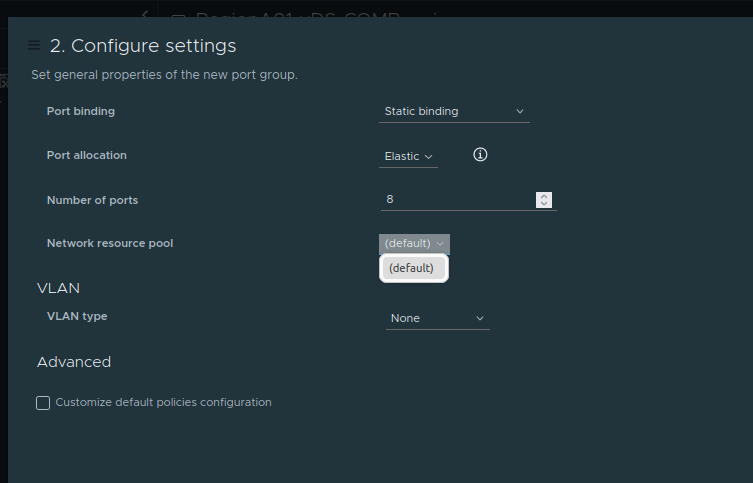
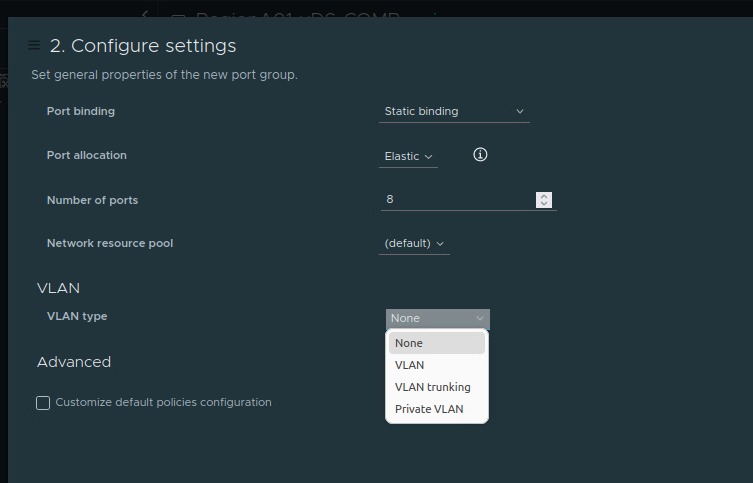
List All Port Groups on a vCenter Data Center#
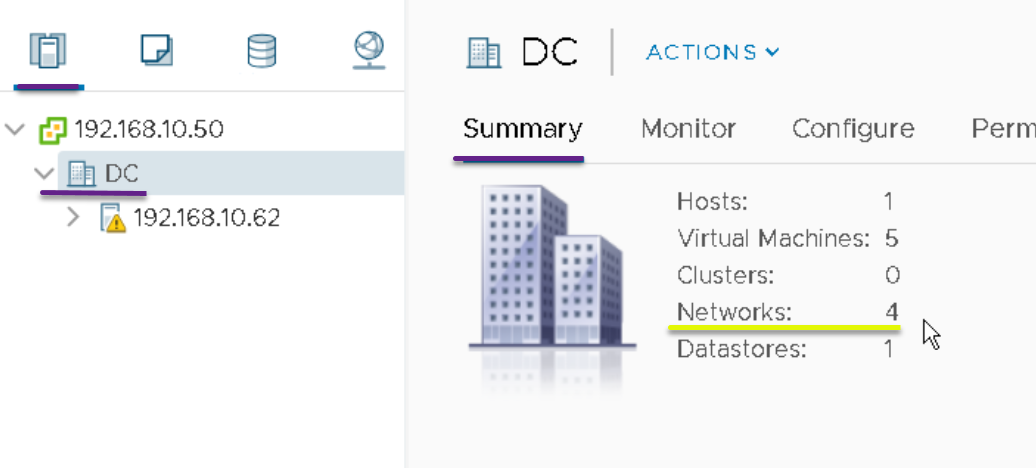
List All Port Groups on a Virualized Host#
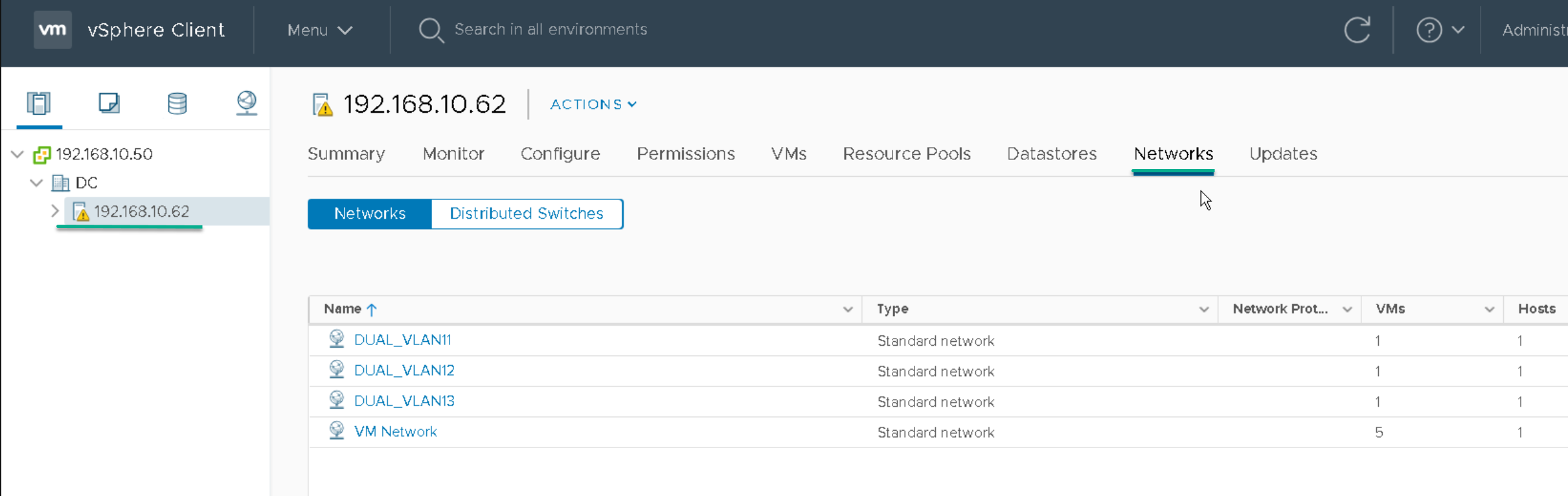
List All Port Groups of a VM#
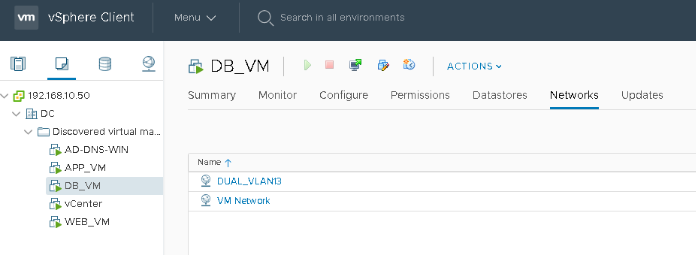
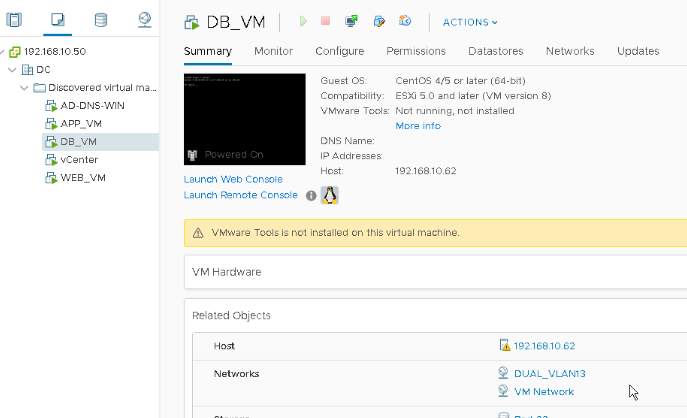
Display for a VM which port groups it belongs to. This VM is attached to two Port Groups, DUAL_VLAN13 and VM Network:
Another way to get the same result:
Notes:
- Port Group != VLAN ID.
- A Port Group is associated with a VLAN ID. #QA at the physical host level?
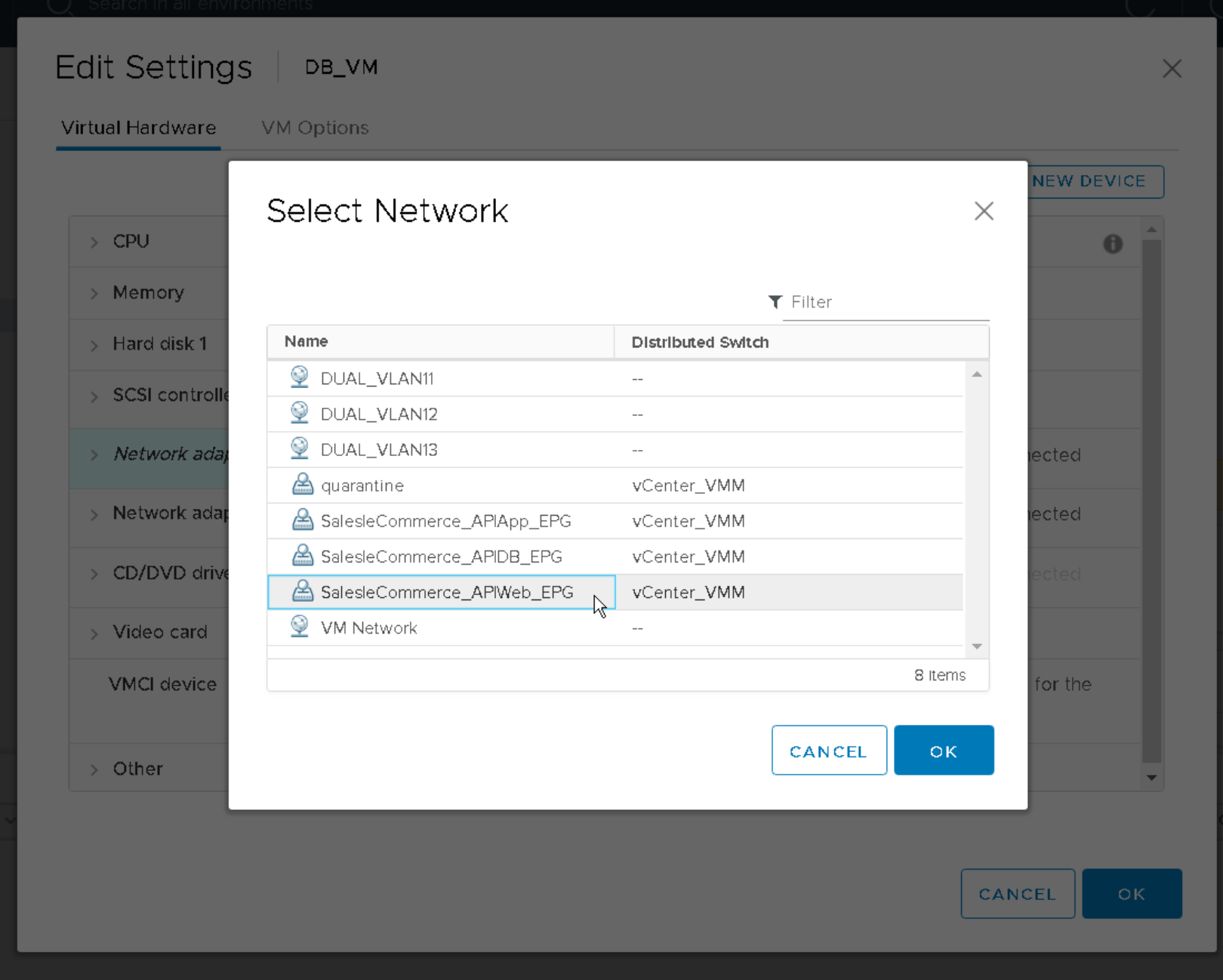
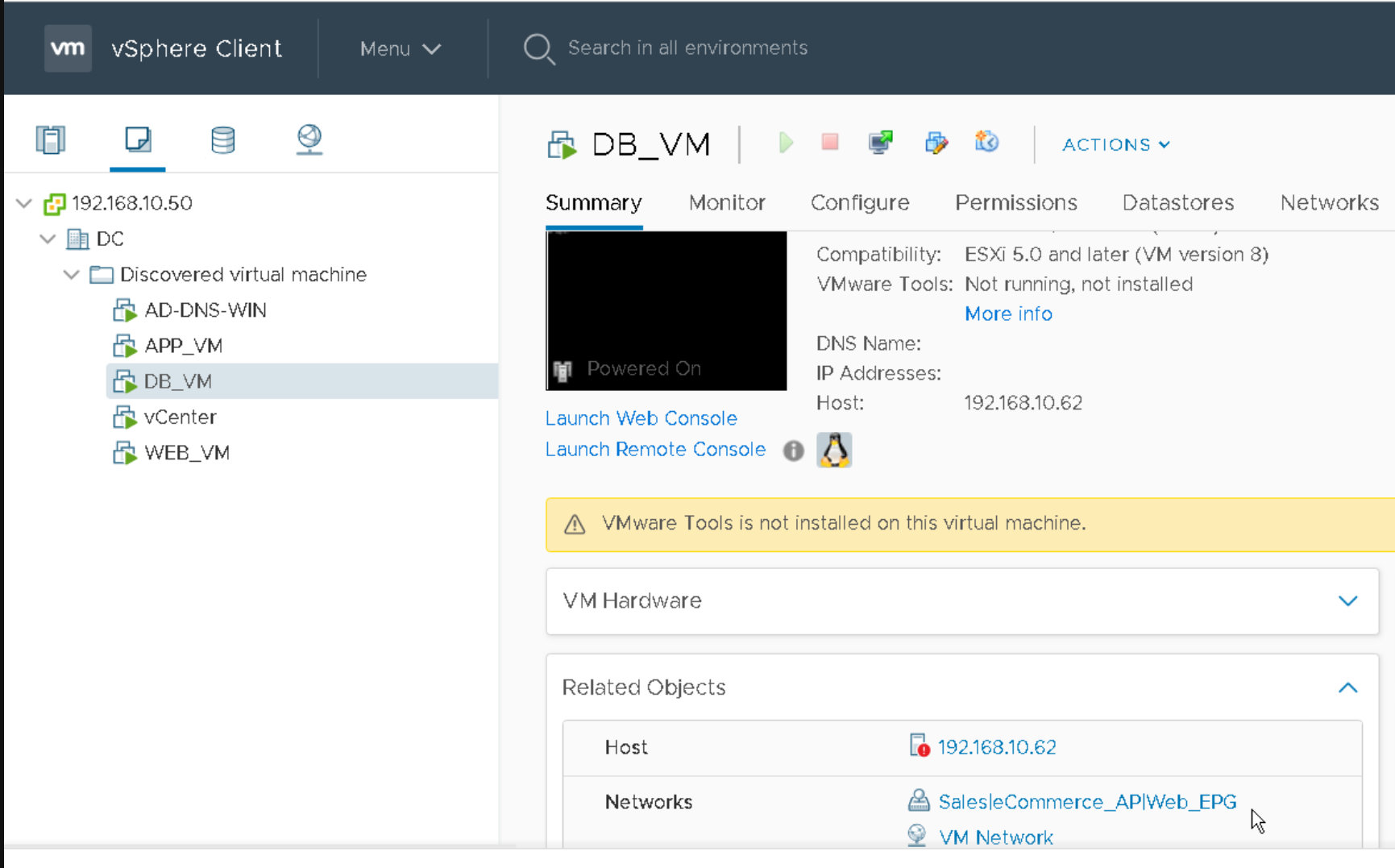
Assign a Port Group to a VM#
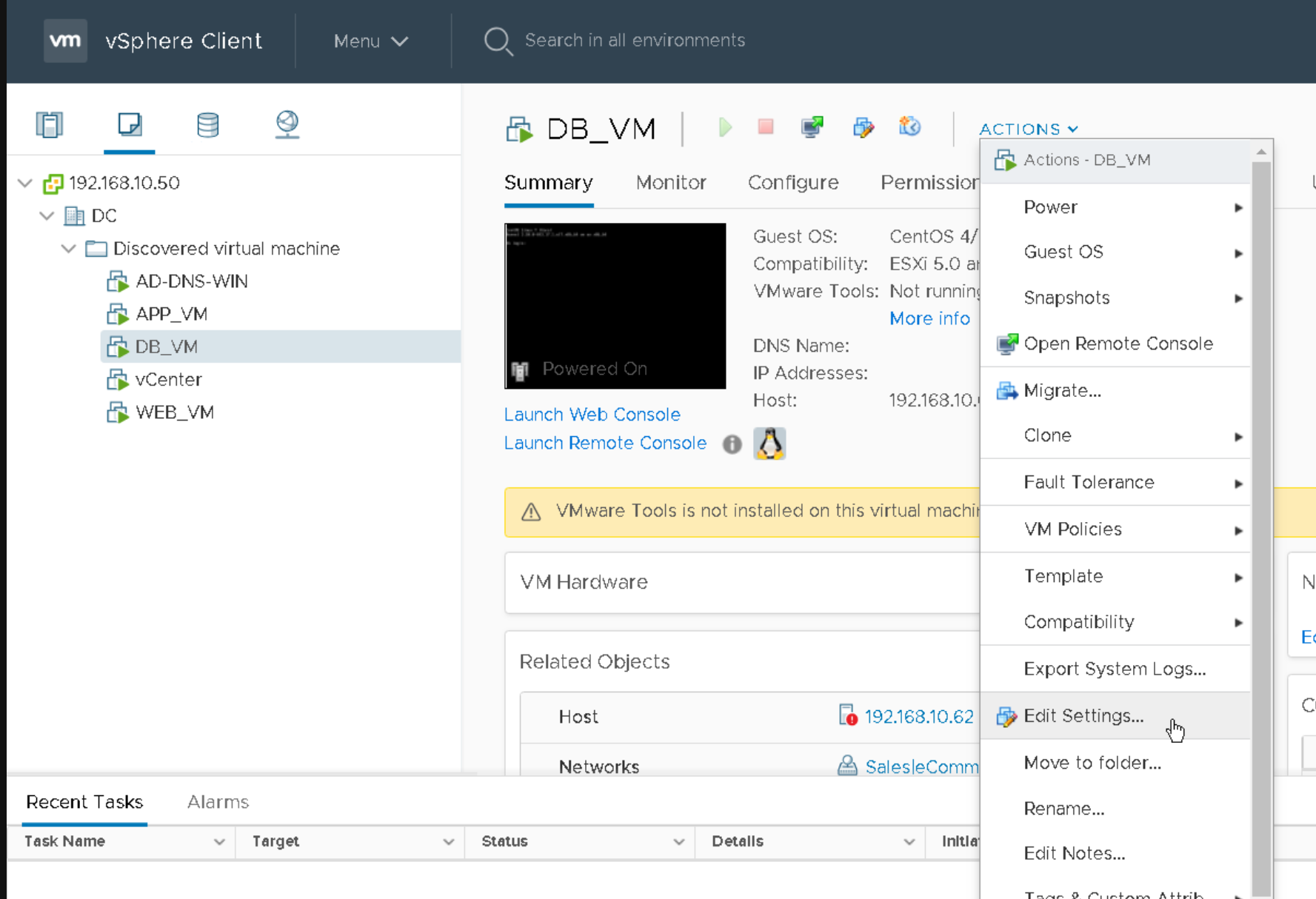
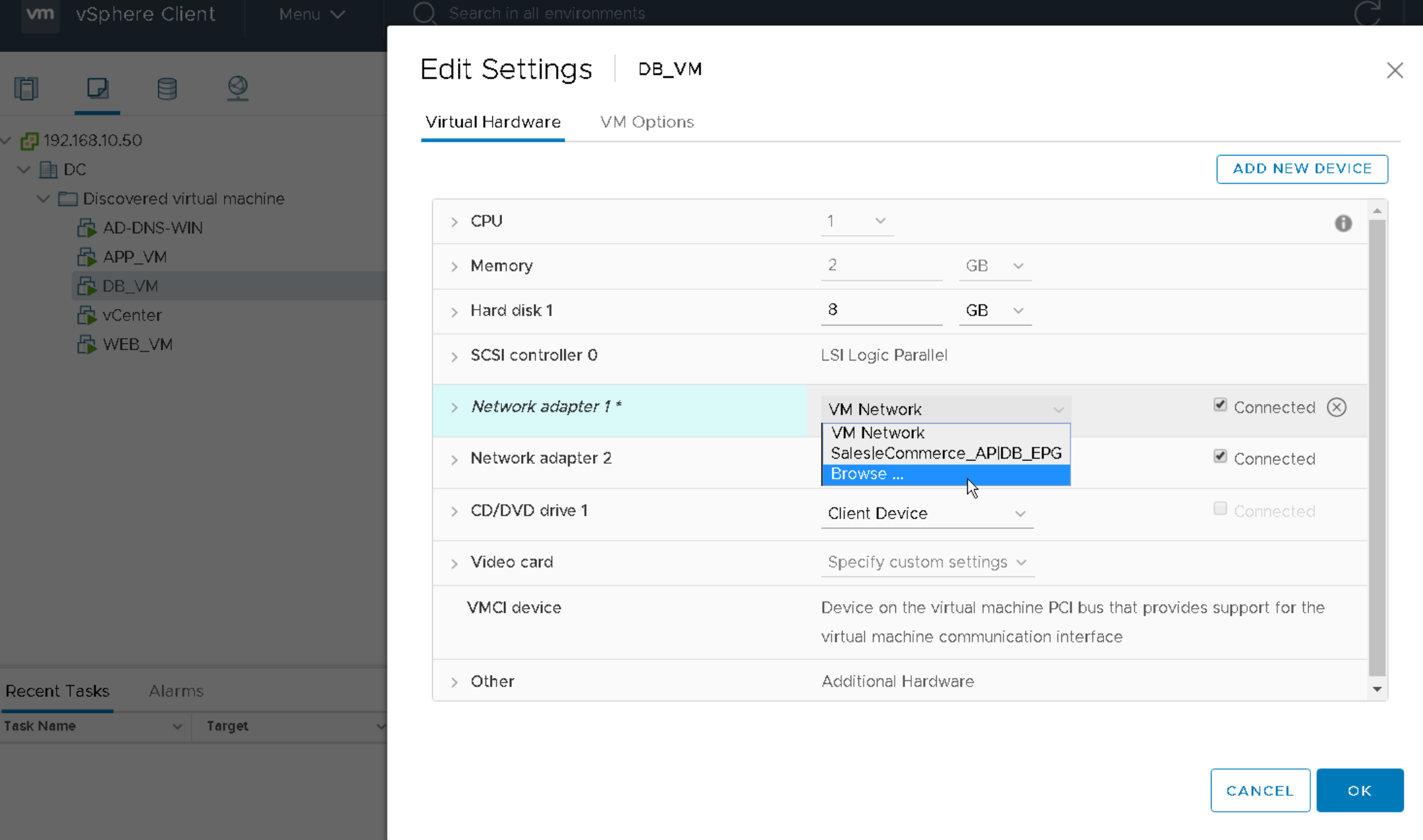
Port Groups and vmnics on a Virtual Switch on a Host#
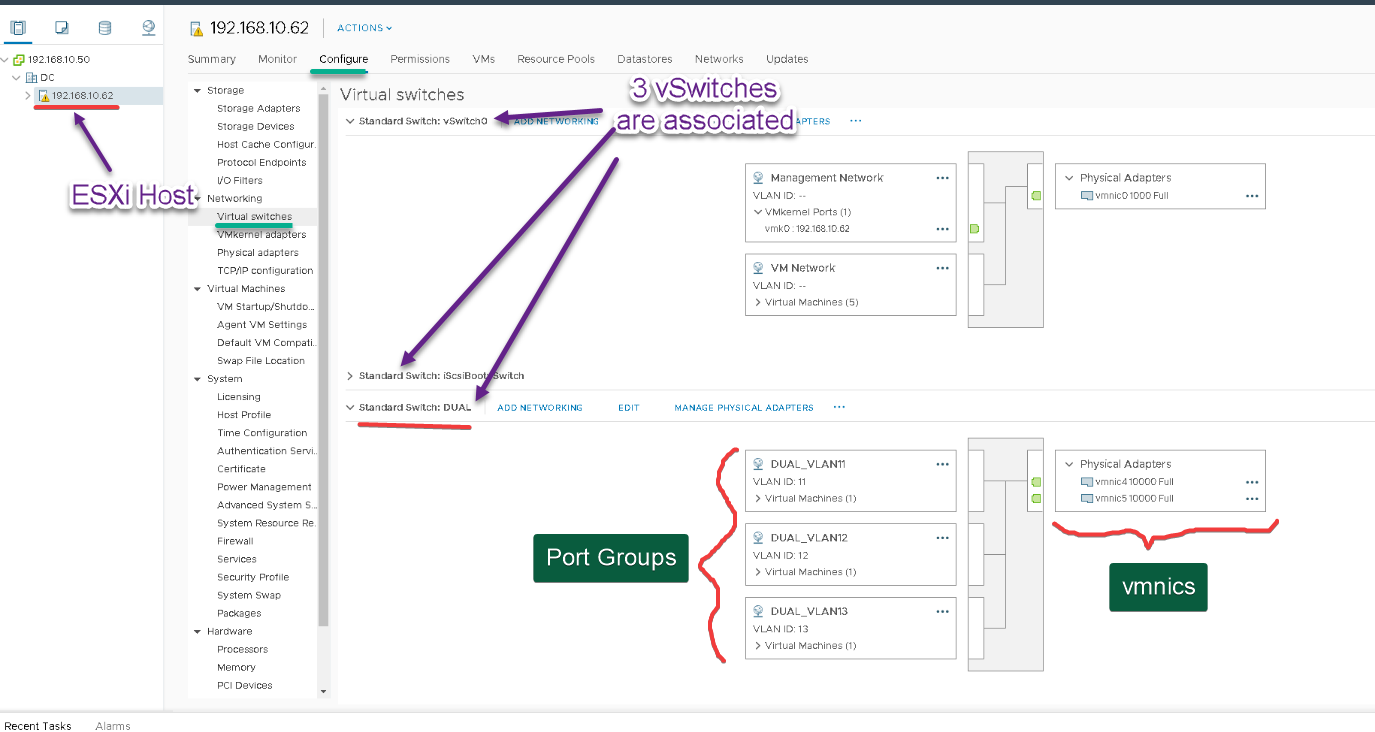
Port Groups are deployed on the vswitch, whether it is a vSS or a vDS.
Find which vmnics of which ESXi Hosts are used for a VM#
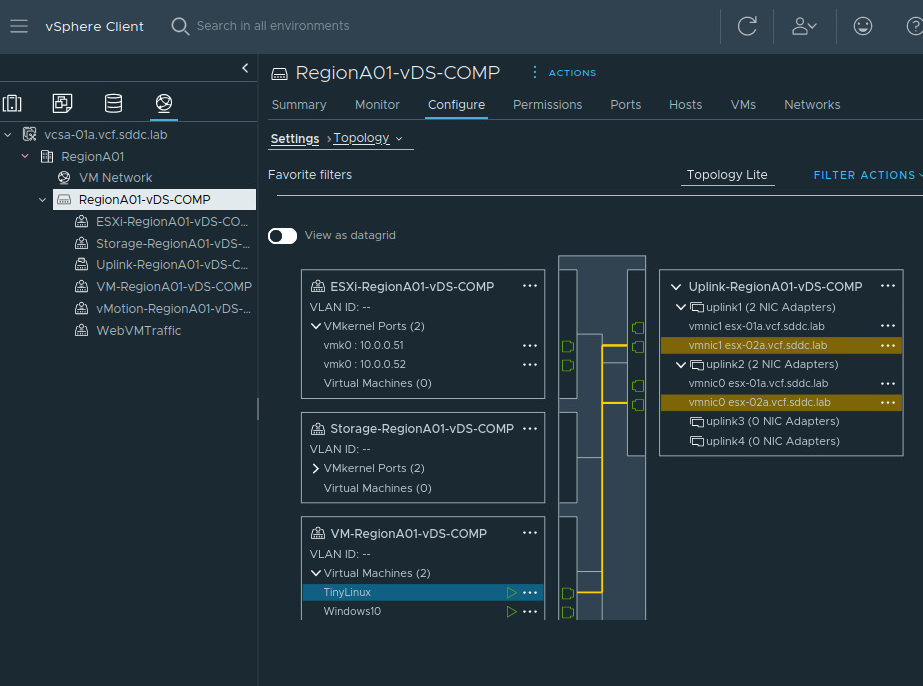
For a particular VM, if I want to see which vmnics from which ESXI hosts are used to connect to the physical network, I go to the vswitch configuration page -> Topology -> click on the VM name, and the path to the physical world will be highlighted.
Enabling Promiscuous Mode and Forge Transmit#
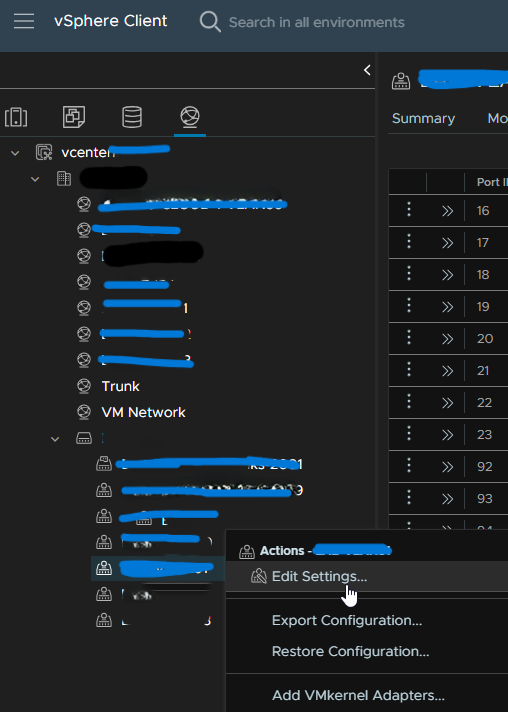
Go to the vDS, select the right Port Group, rightclick to edit settings:
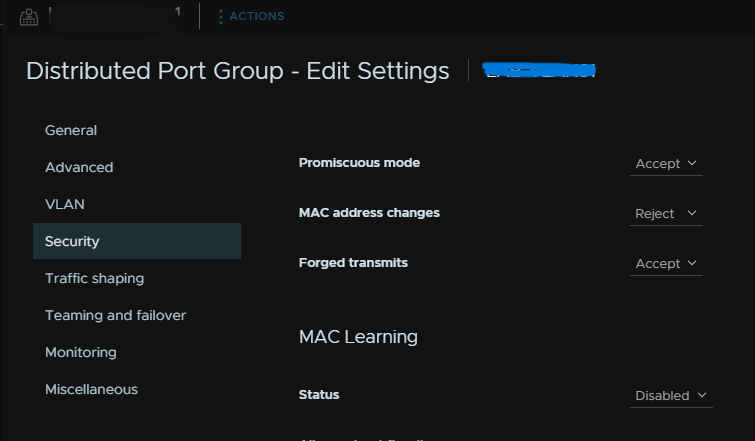
Change Promiscuous mode to ‘Accept’.
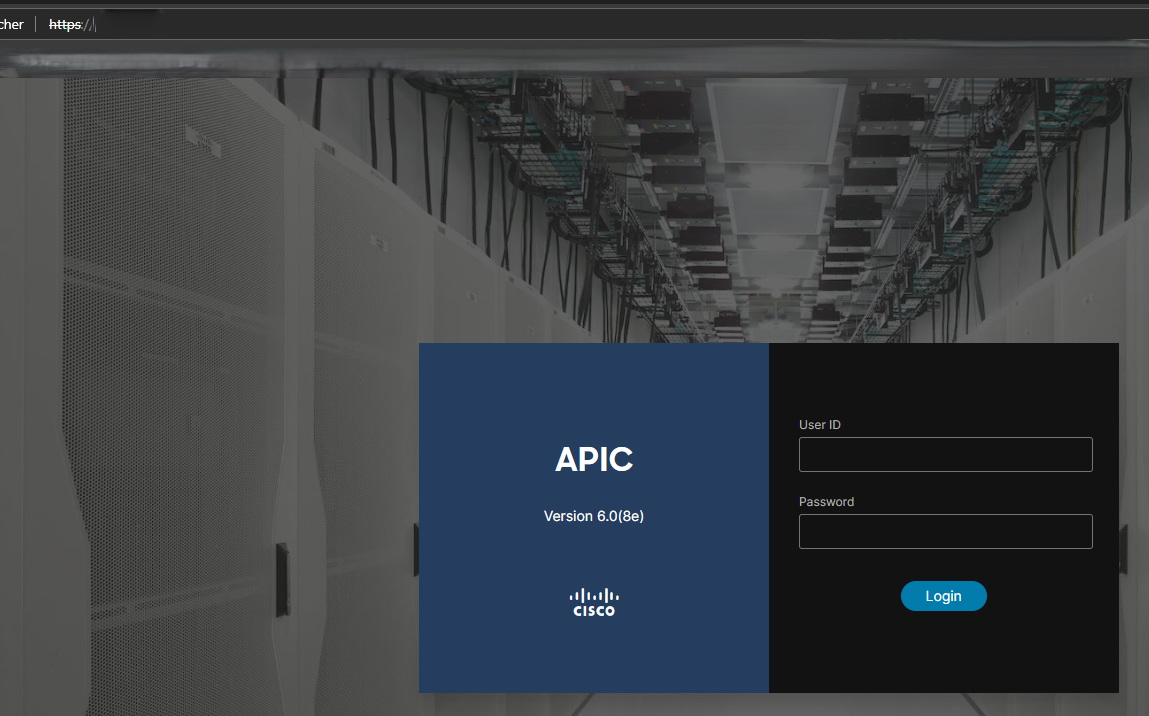
From my computer, the pings are now successful and I can access the ACI simulator APIC GUI of the lab:
Link Aggregation Technologies#
LAG is configured at the virtual switch.
Port Channel, Etherchannel#
In VMware, they are the same. They equate a regular LAG with no aggregation protocols (port channel mode on).
VMware’s Etherchannel != Cisco Port Channel.
Etherchannel LACP#
the known protocol.
Load Balancing on vmnics#
VMware load balancing algorithms:
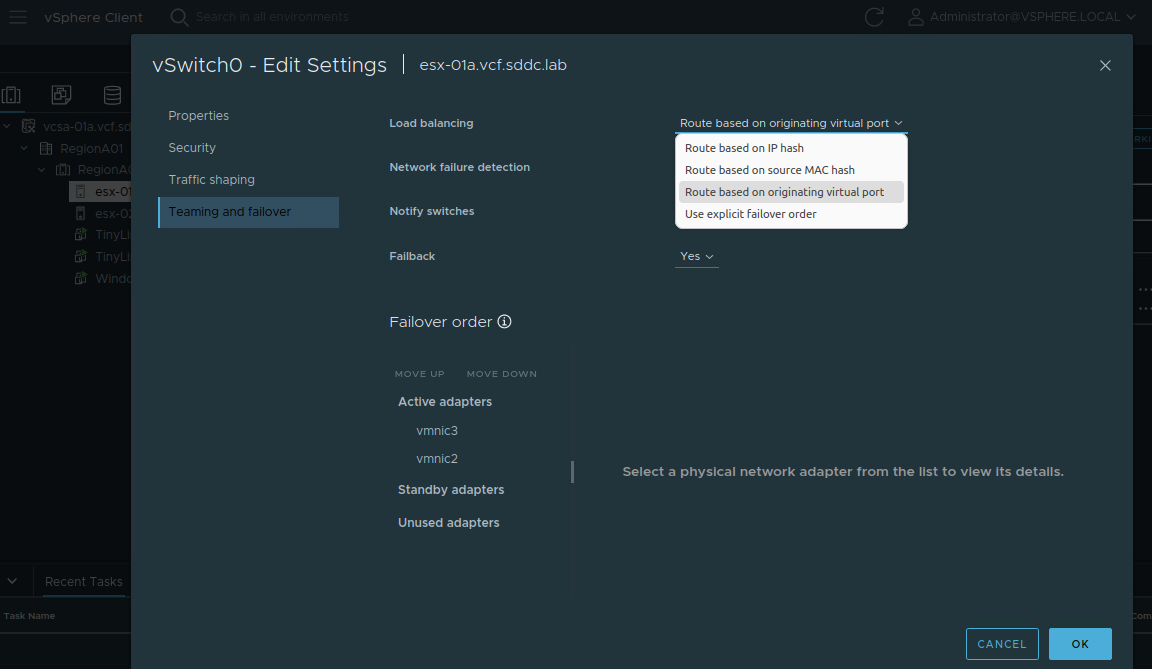
Additional LB algorithms are available on the vDS.
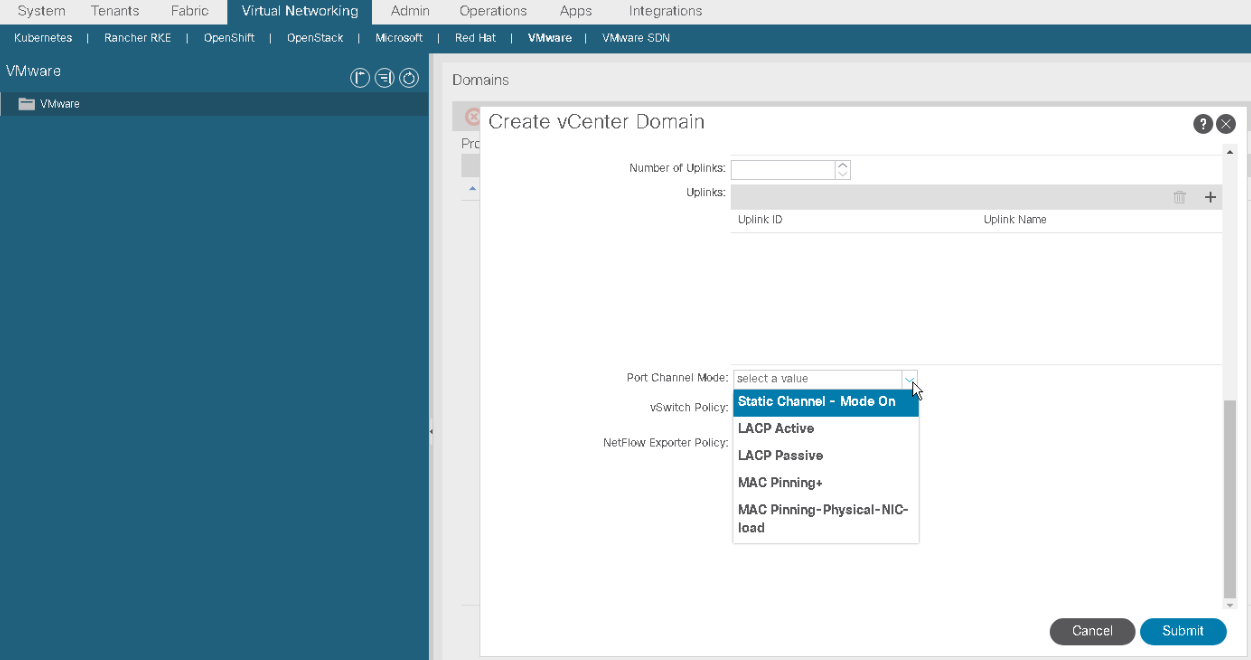
VMware load balancing algorithms act only on the egress traffic. In a VMM Domain integration design, ACI load balancing algorithms act on the egress traffic (i.e. traffic toward the vswitch). #QA which combinations of LB algorithms on both ends (VMware and Cisco) are supported? depend on the type of LAG you re using. The VMware LB algorithms are:
- Route based on IP hash,
- Route based on MAC,
- Route based on MAC and load on vmnics
We can see them in VMware and also when integrating vCenter with Cisco ACI:
vSphere vMotion#
Long-distance vSphere vMotion feature
Advanced Cross vCenter vMotion#
== using Advanced Cross vCenter feature in a vMotion action what is it? where to activate it? what benefit? enables vMotion across vCenter server instances
vMotion without Advanced Cross vCenter#
Still, the vCenter server instances need to be:
- in Enhanced Link Mode,
- in a same single Sign-On domain
- and other requirements.
Storage vMotion#
i.e. to change the datastore that is used to provide the logical disks to a VM, without interrupting the VM operations.
vSphere vMotion != Storage vMotion.
vSphere Tags and Tag Categories#
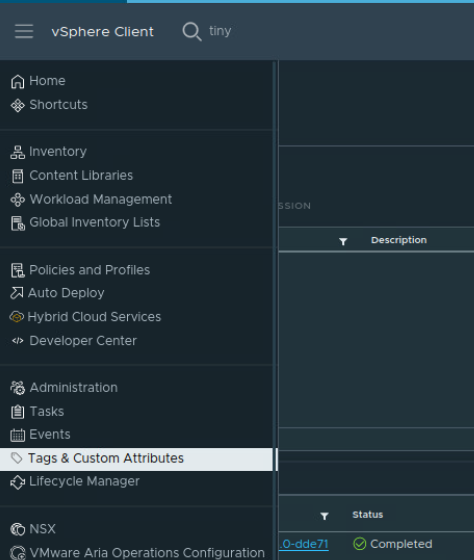
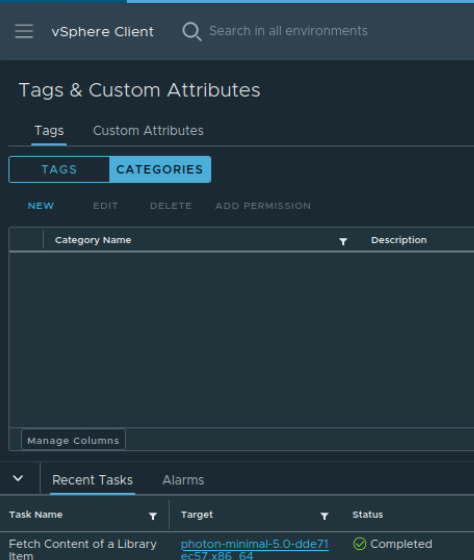
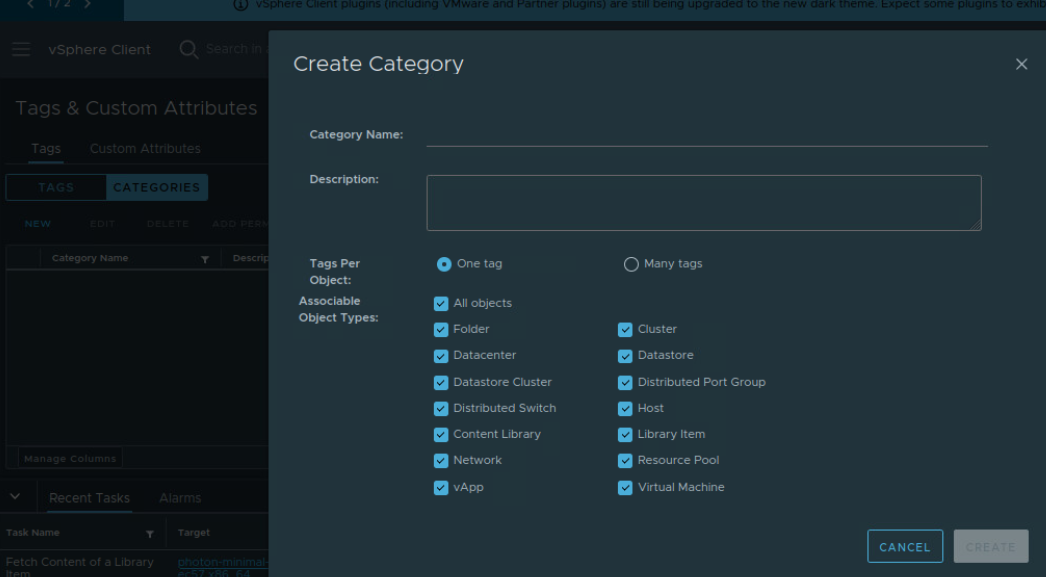
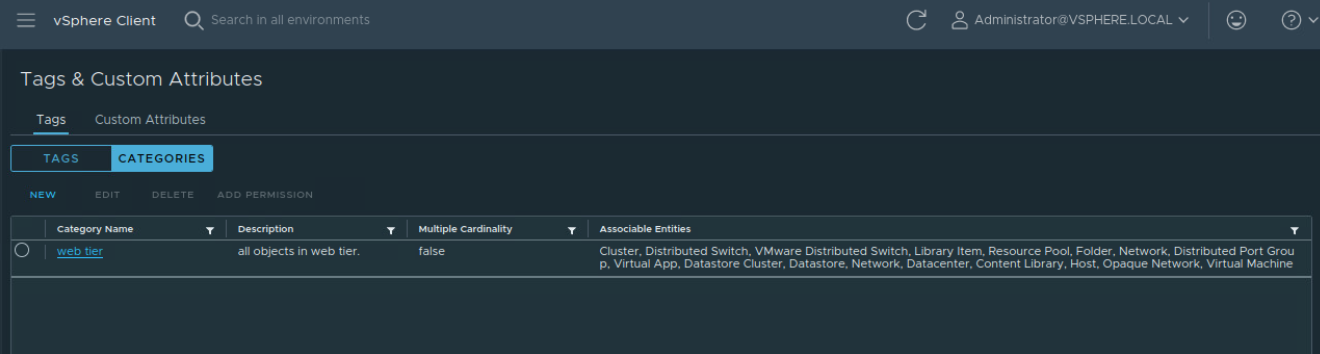
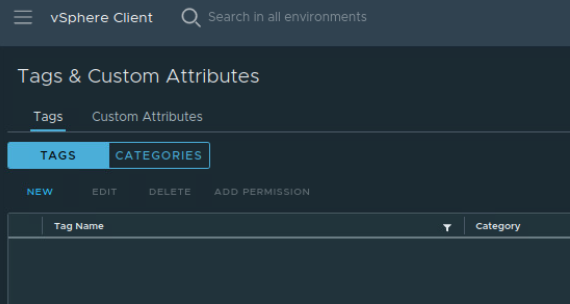
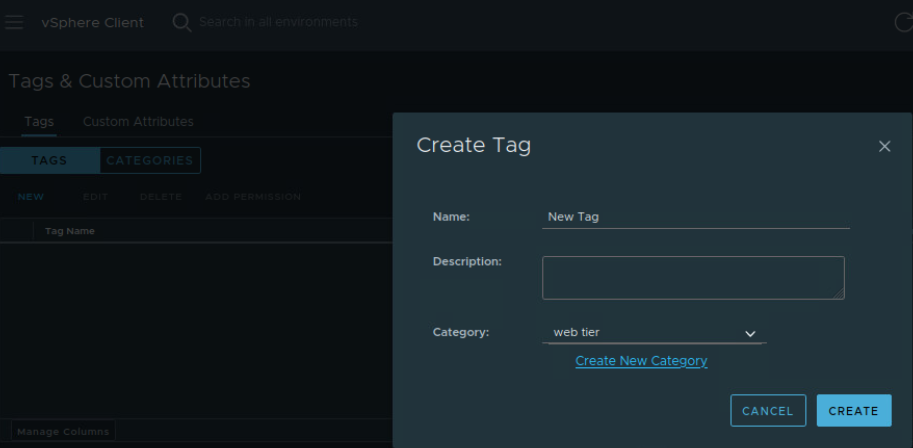
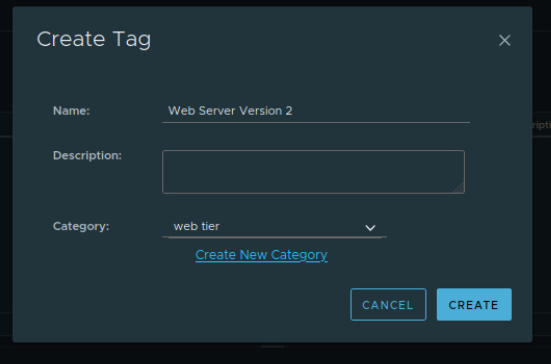
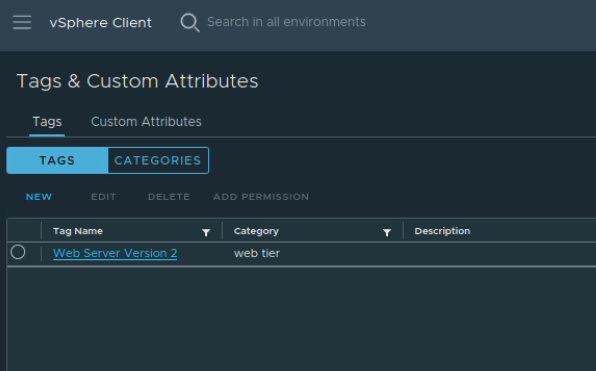
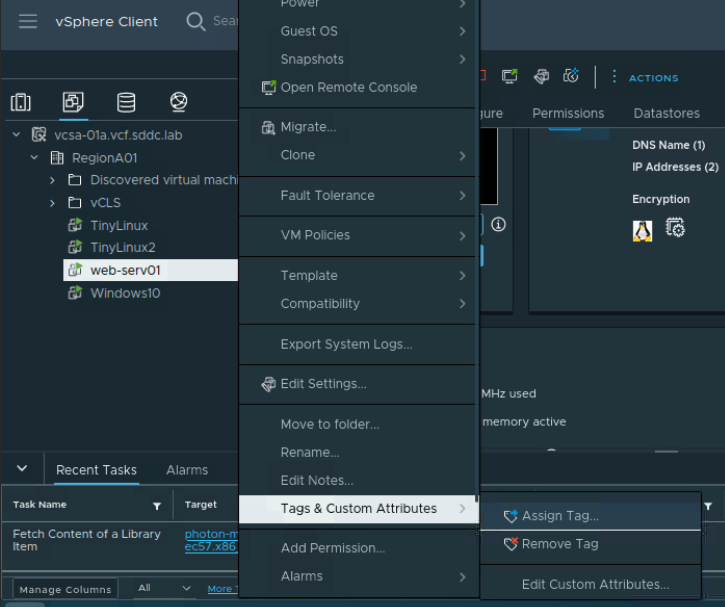
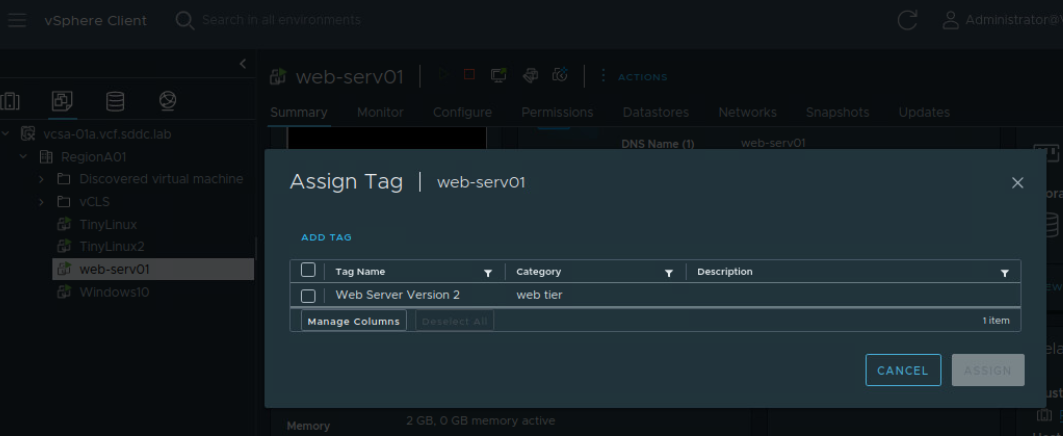
vSphere tags can be added to vSphere inventory objects (i.e. not only VMs). They are metadata that might help visually sort out objects. Tags are also called Attributes. Tags are classified in Categories. A tag can not exist without defining a Category first.
category = OS, tag = Linux.
Tags are manually assigned. In the Categories configuration menu, I may indicate how many tags an inventory object may receive.
vSphere Editions and Kits (old concept)#
Editions#
Enterprise Enterprise Plus Standard
vSphere Kits#
Essentials Essentials Plus.
Storage in VMware#
A VM is stored as a file or a set of files on physical drives, which eases movement of the VM.
The VM accesses the virtual disks using software controllers. An example is the iSCSI software controllers. The location of the physical disk resources that serve the datastores is completely transparent to the VM. In fact, the VM can not tell if the virtual disks are locally attached to the ESXi host(s) or reachable by the ESXi host(s) through the network. In both cases, a VM uses either a special file system to access the virtual disks called VMFS (Virtual Machine File System) or NFS. #QA learn about NFS and network shares in Linux? #QA NFS vs VMFS? #QA With NFS I can mount a NFS disk. With VMFS I can mount a iSCSI disk. Where is the difference if both allow to attach remote physical storage to the ESXi host?
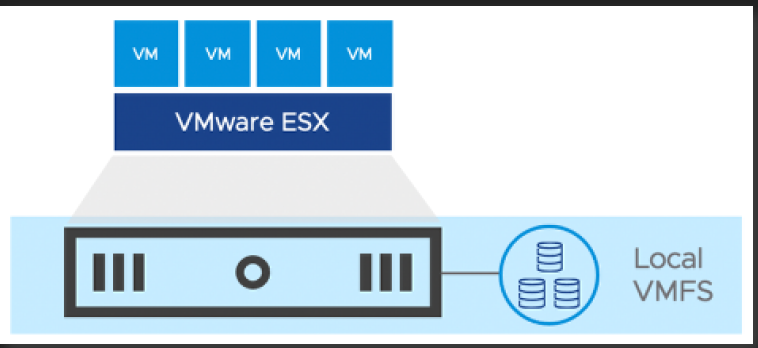
Local storage means that the storage device is locally available to the ESXi host. This is called ==host-level storage virtualization==. So the datastore consists of locally-available physical disks. This can be the physical disks of the ESXI hosts as well as external storage systems attached to the ESXi host via SATA or SAS controllers.
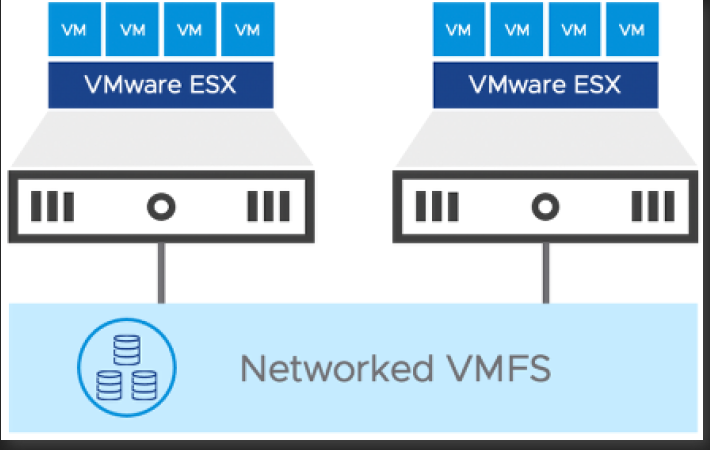
Remote Storage means the ESXi hosts communicate with network storage arrays using SAN protocols. The file system that is used by the VMs to operate the virtual disks is no longer local; It is a Networked VMFS. And I get a networked datastore.
Datastores#
A VM has one or more virtual disks that show in the guest OS; The virtual disks are created from ===datastores===. A datastore is a pool of physical disks. To access the datastores:
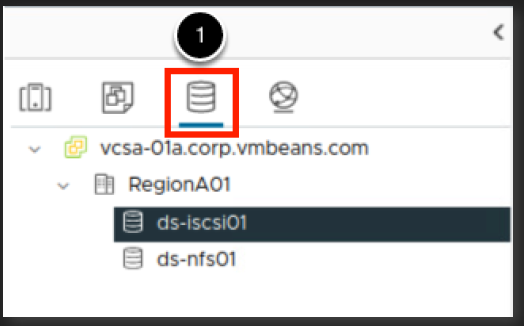
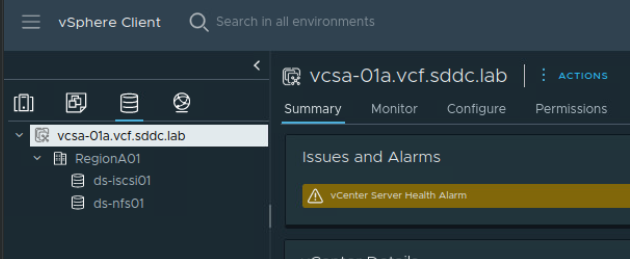
Two datastores were created in the RegionA01 data center:
-
lab: create an NFS datastore with a pre-mounted NFS disk.
-
lab: check which datastores exist in a VMware datacenter
-
lab: attach ESXi hosts to a datastore when creating the datastore.
-
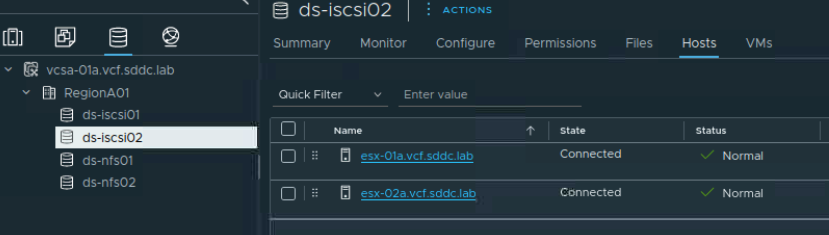
lab: see which hosts are attached to a particular datastore in VMware SDDC.
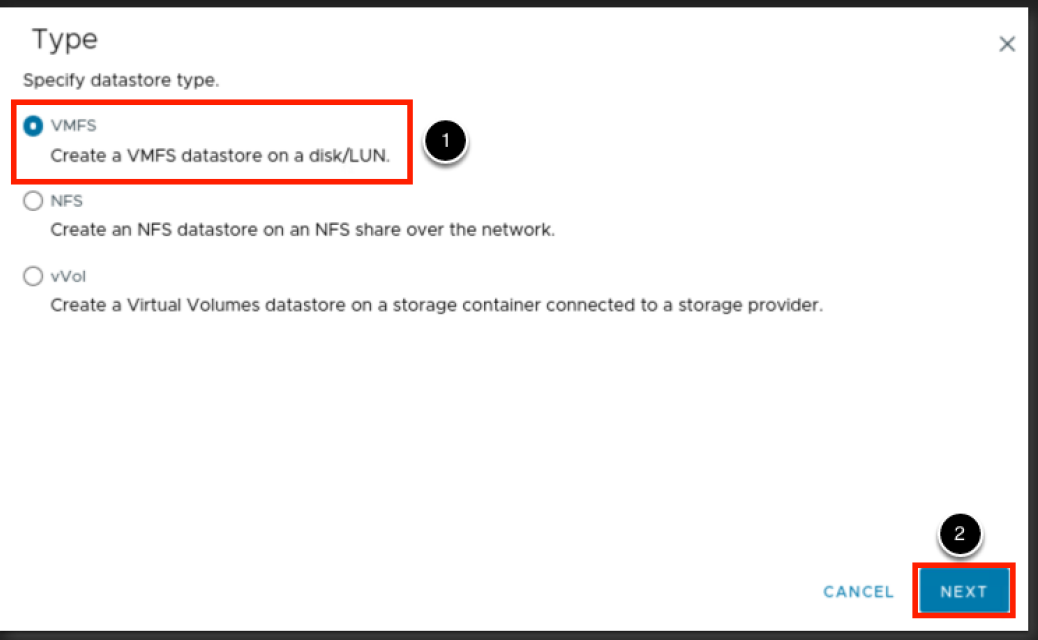
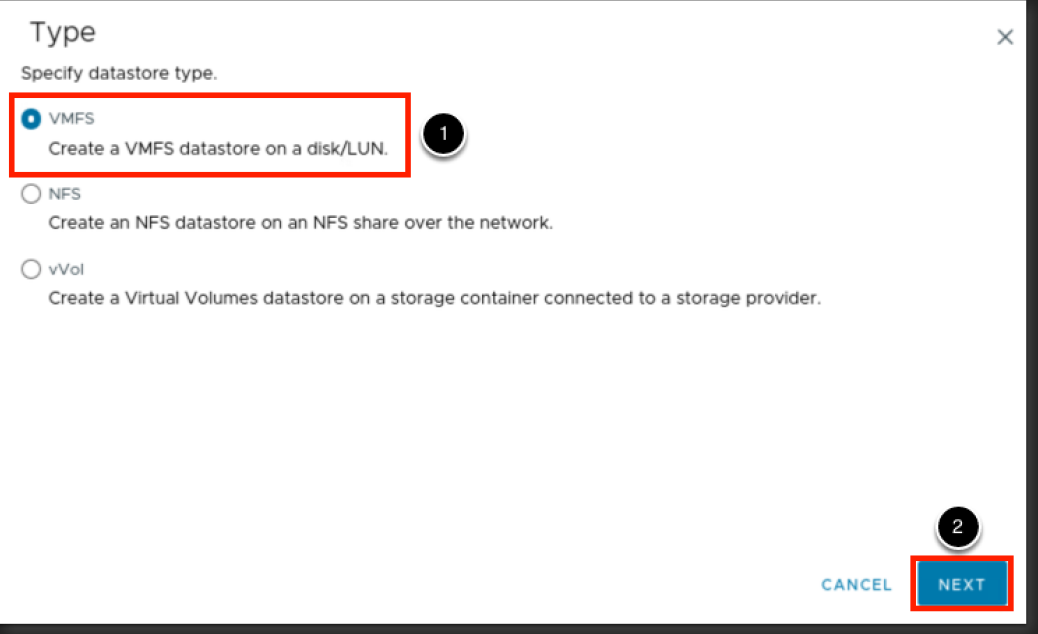
- lab: create a VMFS datastore for a iSCSI drive and make it visible to a specific ESXI host.
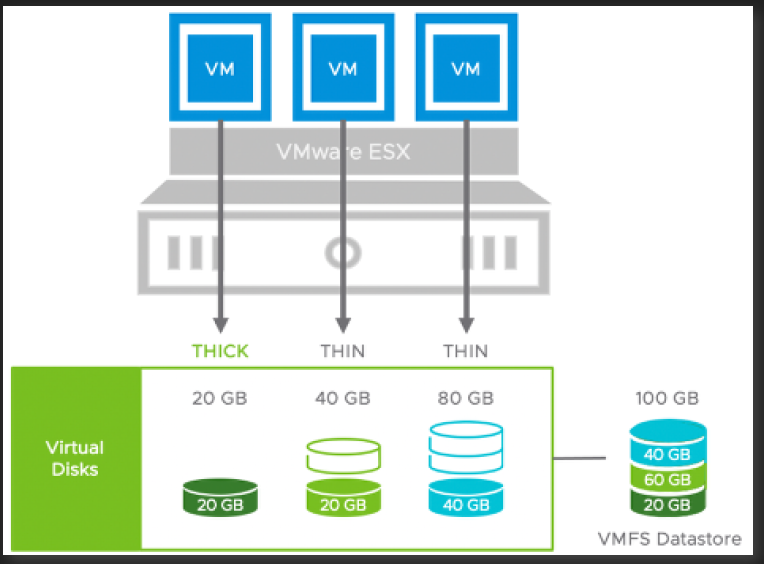
Thin vs Thick Storage#
Virtual disk provisioning formats that are supported by VMware:
| Thin provision | Thick, lazy zeroed provision | Thick, eager zeroed provision | |
|---|---|---|---|
| description | physical disk space is not ‘hard’ reserved. The virtual disk starts with as much physical disk space as it requires for operation and grows in size with growing stored data | physical disk space is reserved in ‘hard’ at the time of creation of the virtual disks. The reserved and unused space on the physical disks is not deleted | physical disk space is reserved in ‘hard’ at the time of creation of the virtual disks. The reserved and unused space on the physical disks is zeroed i.e. deleted. |
| Pros | allows to recover deleted files on the physical disks. | allows for clustering | |
| Cons | - does not allow to recover files on the physical disks. - the slowest disk provisioning process. |
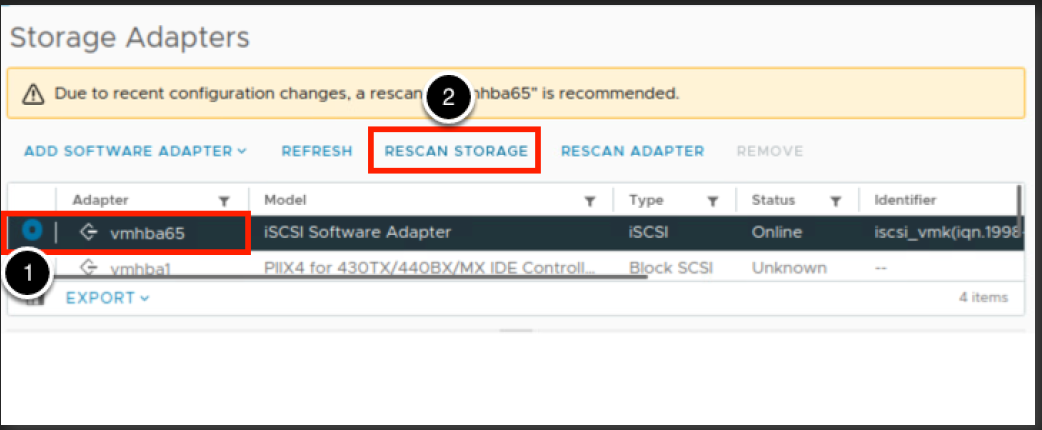
When I add a iSCSI datastore to an ESXI host, it is not enough. The ESXi can not see the iSCSI disks yet. I must go under the ESXI host settings, select the iSCSI software adapter under Storage Adapters, add the iSCSI Target. The iSCSI Target is the IP address and port number at which the storage device is visible.
The iSCSI storage device has an iSCSI Target of 10.10.20.60:3260.
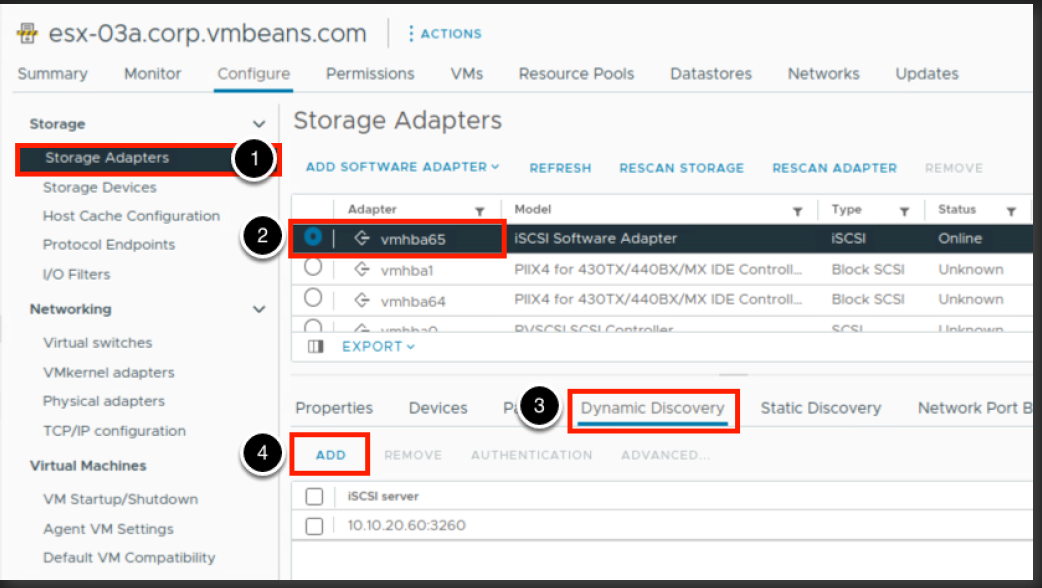
then rescan available storage:
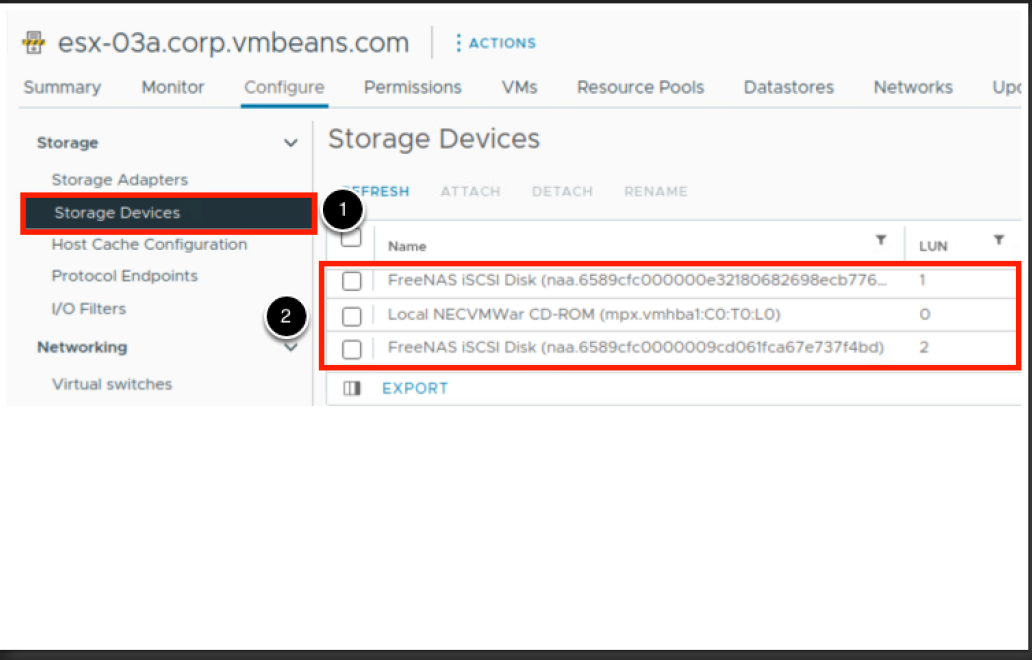
Only then the iSCSI disks will be visible under Storage Devices:
[!Hint] Personal Convention I will use the term ‘vswitch’ to refer to the virtual switch within vSphere, whether it’s vSS or vDS.
Transport Zones#
there are 2 by default.
== is a kind of a security scope, not a security boundary.
2 reasons to use a custom transport zone: - wanting to adjust Uplink and Teaming Policy
an ESXi host must belong to the same transport zone where one of its VMs belongs to too.
VMware vCenter Integration with ACI Multi-Pod Fabrics#
#TBC
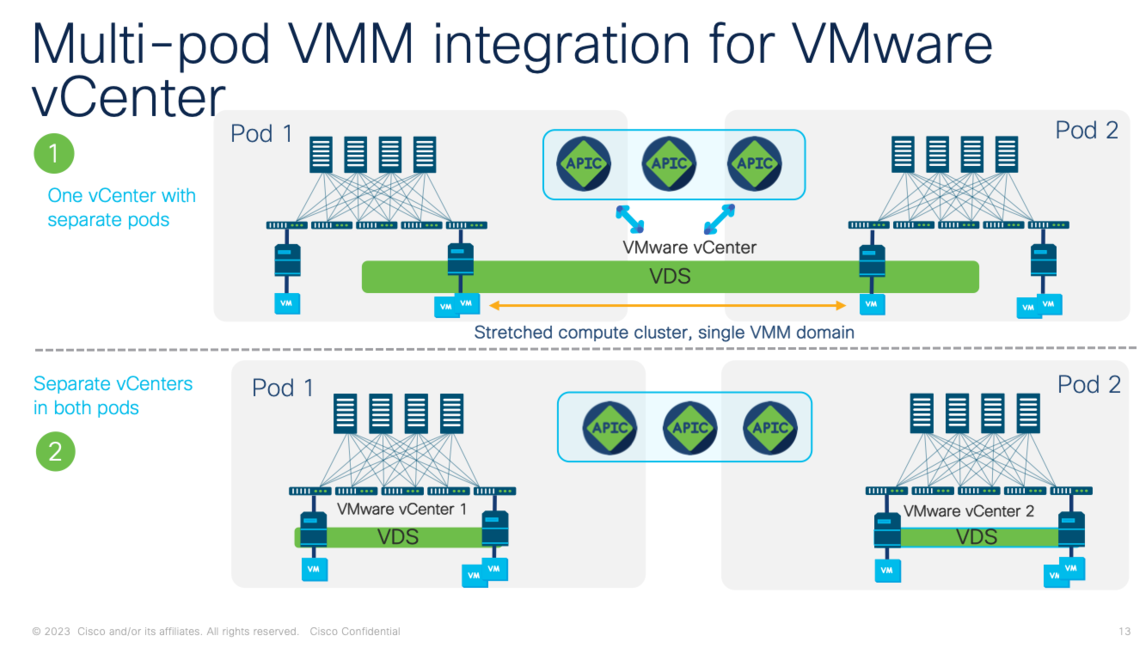
Two possible options:
Option 1: a single VMM domain integration#
a single vCenter to manage a stretched compute cluster
Option 2: a compute cluster for each ACI Pod#
In each ACI Pod we provision a VMM domain to integrate a compute cluster Separate vCenter instances.
Additional Info#
keyboardbanger.com/interesting-facts-on-vmware-vsphere/
references#
Labs from VMware hol-2535-01-vcf-l#
- lab page 17, ESXi Host Client
- lab page 37, vCenter Server and Creating a Virtual Machine
- lab page 88, Using Tagging and Search to Find Objects Quickly
- lab page 104, Understanding vSphere High Availability and Distributed Resource Scheduler (DRS)
- lab page 120, vSphere 8 Fault Tolerance Provides Continuous Availability
- lab page 183, Hands-on Labs Interactive Simulation: ESXi Installation and Configuration
- installing ESXi on a virtualization server
- youtube.com/watch?v=naK5opxyKWA
- Direct Console User Interface: youtube.com/watch?v=CPsX3Sx7XpI
- lab page 186, Module 2 - Introduction to vSphere Networking and Security (60 minutes)
- lab page, 190, Adding and Configuring vSphere Standard Switch
- create a vSS for a ESXi host using vCenter
- an uplink to a vSS by adding a vmnic to it from the attached ESXi host
- lab page 212, Port Group Properties
- lab page 213, Security Settings
- Enabling/disabling Promiscuous Mode for a Port Group on a vSS
- lab page 214, Port Group Traffic Shaping
- lab page 216, Teaming and Failover
- lab: remove a vmnic from the uplinks of a vSS.
- lab: delete a vSS from an ESXi host
- lab page 213, Security Settings
- lab page 224, Working with the vSphere Distributed Switch
- lab: distinguishing Distributed Port Groups from vmnics
- lab: finding out the association between a VM, its Port Groups, the compute server and the vmnics.
- lab: create a vDS using vCenter
- lab page 304, Using Host Lockdown Mode
- lab page=329, Configuring the Host Services and Firewall
- lab page=330, User Access and Authentication Roles
- lab page=345, Single Sign-On Identity Sources
- lab page, 190, Adding and Configuring vSphere Standard Switch
- lab page=365, Introduction to vSphere Storage (60 minutes)
- lab page=389, Add a New ESXi Host
- #QA page=395, Assign LicenseAssign License
- lab: Add an ESXI host to a VMware datacenter
- lab page=400
- lab page=401, Datastore view
- lab page=401, Mount NFS Datastore to New Host Wizard
- lab page=404, Add iSCSI Target to an ESXi host
- lab page=415, Storage vMotion
- perform Storage vMotion on a VM while pinging it from somewhere else. Observe no packet drop while the datastore of the VM changed.
- lab page=425, Managing Virtual Machine Disks
- #labbed create additional disks for a VM
- #labbed increase the size of an existing disk for a VM
- lab page=436, Working with Virtual Machine Snapshots
- lab page=451, vSphere Datastore Cluster
- create a datastore cluster. Associate ESXi hosts or ESXi host clusters with it. Assign datastores to it.
- lab page=473, Creating a Datastore Cluster with Storage DRS
- page=463, Video: How to Configure a vSphere Standard Switch (VSS)
- page=466, Add VMware vSphere Hosts to Active Directory
- page=467, Configure vSphere Host Firewall for VMware vSphere
- page=470, Change Your Password in the vSphere Web Client
- page=473, What is vSphere Storage DRS?
- Requirements for vMotion Between vCenter Server Instances: docs.vmware.com/en/VMware-vSphere/7.0/com.vmware.vsphere.vcenterhost.doc/GUID-DAD0C40A-7F66-44CF-B6E8-43A0153ABE81.html#:~:text=The%20cross%20vCenter%20Server%20and%20long-distance%20vSphere%20vMotion,and%20ESXi%20hosts%20must%20be%206.0%20or%20later.)
- Detailed step by step guide to deploy a vCenter: youtu.be/qYhngoFF3sw?si=5KADjnNT43ORlyOP)
- HOL-2535-01-VCF-L Virtualization 101, Vmware
other#
- techdocs.broadcom.com/us/en/vmware-cis/vsphere/vsphere/7-0/vsphere-networking-7-0/setting-up-networking-with-vnetwork-standard-switches/vnetwork-standard-switch-properties/view-the-topology-diagram-of-a-vsphere-standard-switch.html
- youtube.com/watch?v=sx4-0AmFYcg&t=578s
- youtube.com/watch?v=X2ZzxZovSQU
- ciscolive.com