Linux GRUB2
Table of Contents
Locating GRUB2#
On a BIOS machine, GRUB2 does not exist as a monolithic file. It takes more than one shape and form, depending on the boot stage. The first form of GRUB2 is a binary code on a section on the MBR of a bootable disk. Once the linux firmware locates the first form of GRUB2, it loads it in memory. The program then relies on the GRUB2-related files under /boot/ and /etc/ to respectively load the main image of GRUB2 and read the configuration.
user1@rhel10-vm2:~$ ls -l /boot | grep -e grub
drwx------. 5 root root        97 Aug  7 08:47 grub2
user1@rhel10-vm2:~$
Since the current RHEL VM is BIOS based, GRUB2 is not stored as a UEFI application:
user1@rhel10-vm2:~$ ls /boot/efi/EFI/redhat/grub.efi
ls: cannot access '/boot/efi/EFI/redhat/grub.efi': Permission denied
user1@rhel10-vm2:~$ sudo find /boot/efi/EFI --mindepth 1 -iname "*grub*" 2>/dev/null
[sudo] password for user1:
user1@rhel10-vm2:~$
GRUB2 configuration#
Regardless of the firmware type, BIOS vs UEFI, GRUB2 reads the instructions in the /boot/grub2/grub.cfg configuration file. The latter is automatically generated.
Modifying the GRUB2 configuration#
Any desired manual change to the GRUB2 configuration must be performed exclusively on the /etc/default/grub file, which constitutes the single point of write access with GRUB2. The RHEL administrator must then regenerate the /boot/grub2/grub.cfg configuration file.
user1@rhel10-vm2:~$ cat /etc/default/grub
GRUB_TIMEOUT=5
GRUB_DISTRIBUTOR="$(sed 's, release .*$,,g' /etc/system-release)"
GRUB_DEFAULT=saved
GRUB_DISABLE_SUBMENU=true
GRUB_TERMINAL_OUTPUT="console"
GRUB_CMDLINE_LINUX="crashkernel=2G-64G:256M,64G-:512M resume=UUID=543756ba-806e-4129-bc0b-757fb1e4d832 rd.lvm.lv=rhel/root rd.lvm.lv=rhel/swap rhgb quiet console=ttyS0"
GRUB_DISABLE_RECOVERY="true"
GRUB_ENABLE_BLSCFG=true
user1@rhel10-vm2:~$
user1@rhel10-vm2:~$ sudo cat /boot/grub2/grub.cfg
#
# DO NOT EDIT THIS FILE
#
# It is automatically generated by grub2-mkconfig using templates
# from /etc/grub.d and settings from /etc/default/grub
#

### BEGIN /etc/grub.d/00_header ###
set pager=1

if [ -f ${config_directory}/grubenv ]; then
  load_env -f ${config_directory}/grubenv
elif [ -s $prefix/grubenv ]; then
  load_env

<output omitted>
Example: modifying the GRUB_DEFAULT timeout value#
user1@rhel10-vm2:~$ sudo vim /etc/default/grub
Change the GRUB_TIMEOUT value from the default of 5 to 9:
GRUB_TIMEOUT=9
GRUB_DISTRIBUTOR="$(sed 's, release .*$,,g' /etc/system-release)"
GRUB_DEFAULT=saved
GRUB_DISABLE_SUBMENU=true
GRUB_TERMINAL_OUTPUT="console"
GRUB_CMDLINE_LINUX="crashkernel=2G-64G:256M,64G-:512M resume=UUID=543756ba-806e-4129-bc0b-757fb1e4d832 rd.lvm.lv=rhel/root rd.lvm.lv=rhel/swap rhgb quiet console=ttyS0"
GRUB_DISABLE_RECOVERY="true"
GRUB_ENABLE_BLSCFG=true
Generate the new /boot/grub2/grub.cfg configuration file:
user1@rhel10-vm2:~$ sudo grub2-mkconfig -o /boot/grub2/grub.cfg
Generating grub configuration file ...
Adding boot menu entry for UEFI Firmware Settings ...
done
It is possible sometimes to visually recognize, in the generate configuration file, the modified GRUB parameters:
user1@rhel10-vm2:~$ sudo cat /boot/grub2/grub.cfg
#
# DO NOT EDIT THIS FILE
#
# It is automatically generated by grub2-mkconfig using templates
# from /etc/grub.d and settings from /etc/default/grub
#

### BEGIN /etc/grub.d/00_header ###
set pager=1

if [ -f ${config_directory}/grubenv ]; then
  load_env -f ${config_directory}/grubenv
elif [ -s $prefix/grubenv ]; then
  load_env
fi
if [ "${next_entry}" ] ; then
   set default="${next_entry}"
   set next_entry=
   save_env next_entry
   set boot_once=true
else
   set default="${saved_entry}"
fi

if [ x"${feature_menuentry_id}" = xy ]; then
  menuentry_id_option="--id"
else
  menuentry_id_option=""
fi

export menuentry_id_option

<---- output omitted ---->

terminal_output console
if [ x$feature_timeout_style = xy ] ; then
  set timeout_style=menu
  set timeout=9
# Fallback normal timeout code in case the timeout_style feature is
# unavailable.
else
  set timeout=9
fi
### END /etc/grub.d/00_header ###
<---- output omitted ---->
Using GRUB2 to boot into the rescue target#
Reboot the RHEL machine, repeatedly type the Esc key until GRUB2 menu appears. Select the desired GRUB2 entry and press the ’e’ key. The GRUB2 editor opens:
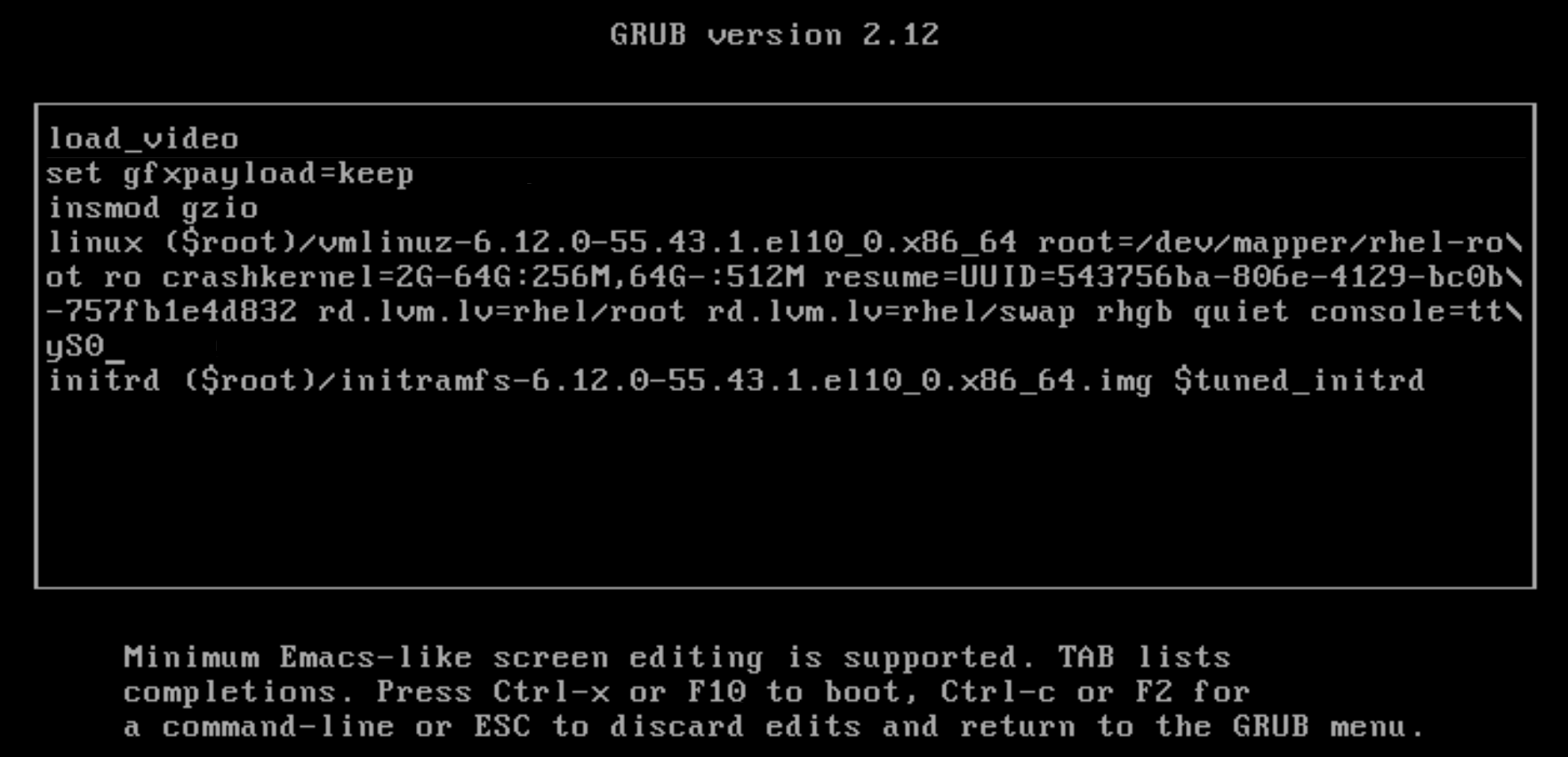
Specify the boot target by appending it as text at the end of the linux line:
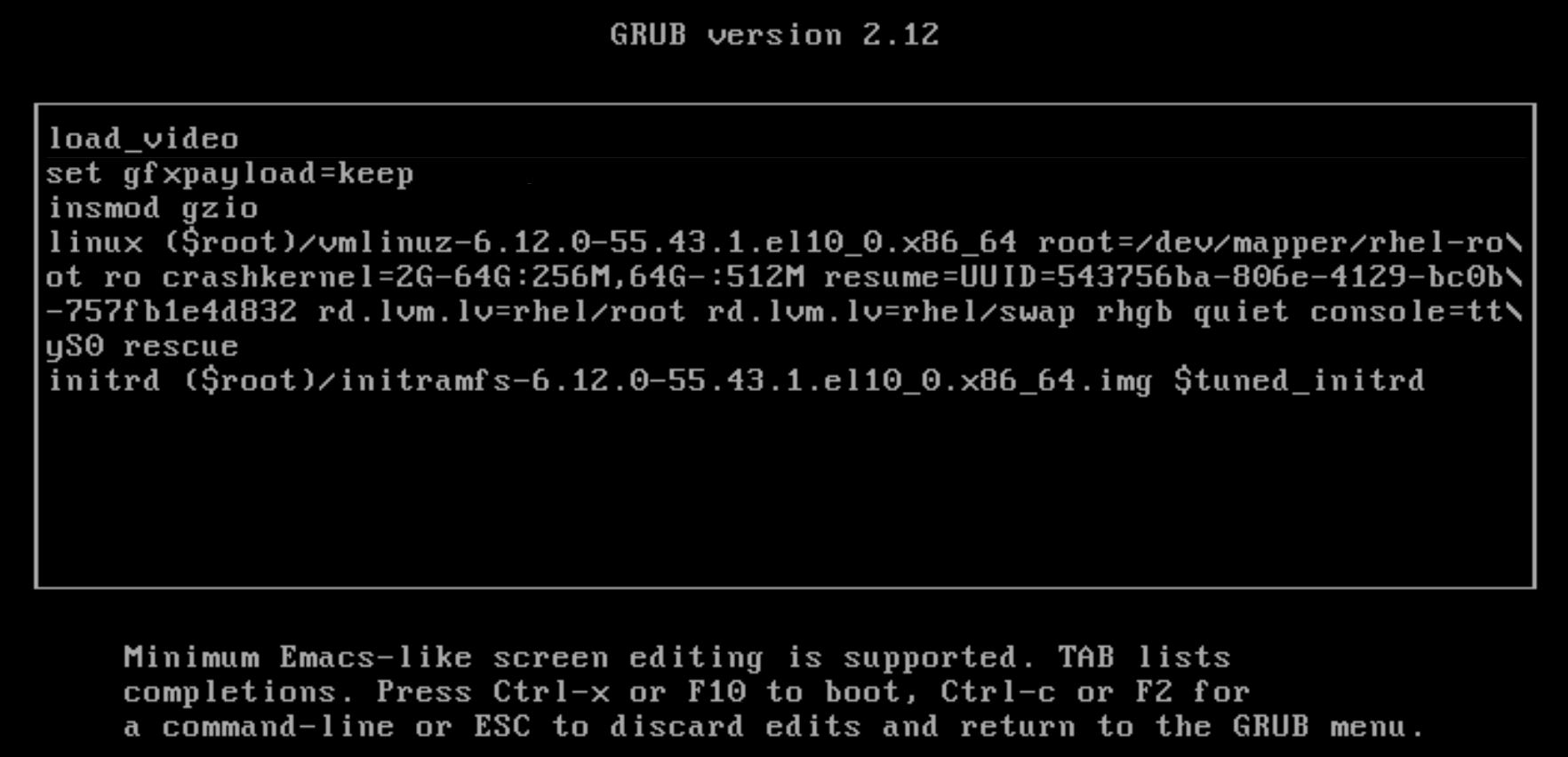
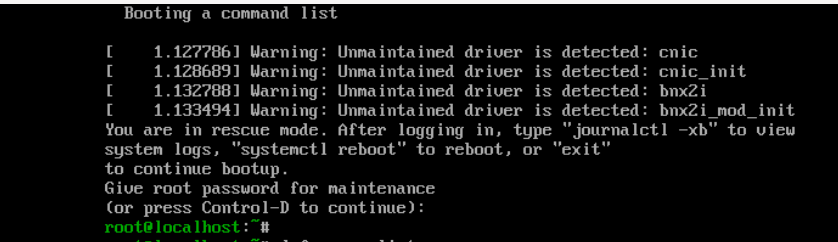
Type CTRL+x. The change is temporarily saved for the duration of the boot action and the system tries to boot in the specified target:
Another boot target could be emergency:
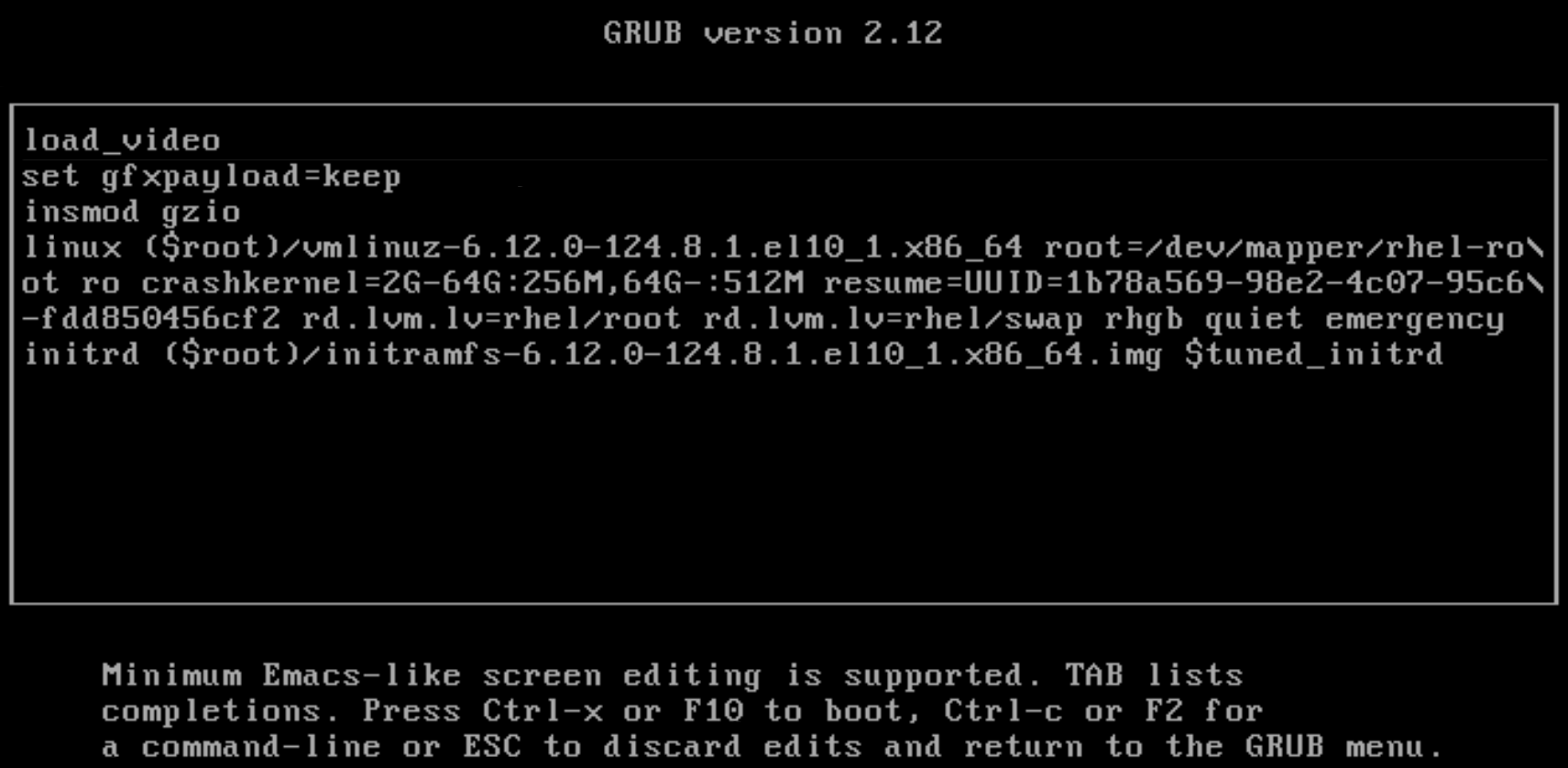
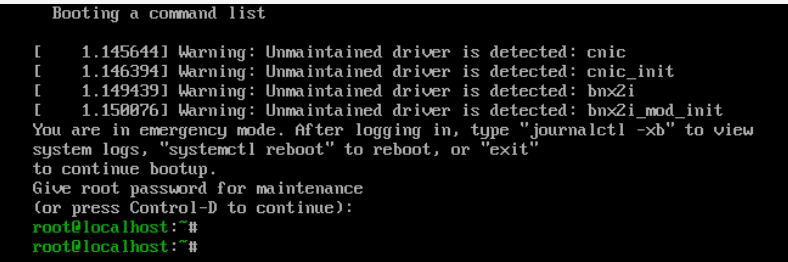
If the RHEL machine has the server environment package group, then trying to boot into the rescue or emergency targets will fail. The system freezes indefinitely and requires a hard reset:
user1@rhel10-vm2:~$ dnf group list --disablerepo=labII-IxBaseOS,labII-IxAppStream
Not root, Subscription Management repositories not updated
Last metadata expiration check: 1:01:28 ago on Fri 07 Aug 2026 10:50:03 AM CEST.
Available Environment Groups:
   Server with GUI
   Minimal Install
   Workstation
   Custom Operating System
   Virtualization Host
Installed Environment Groups:
   Server
Installed Groups:
   Container Management
   Headless Management
Available Groups:
   Legacy UNIX Compatibility
   Smart Card Support
   Graphical Administration Tools
   RPM Development Tools
   .NET Development
   Console Internet Tools
   Security Tools
   System Tools
   Network Servers
   Scientific Support
   Development Tools
user1@rhel10-vm2:~$

The kernel and initramfs#
user1@rhel10-vm2:~$ ls /boot | grep -e vmlinu
vmlinuz-0-rescue-995c0067e7c140f28c8539b917f55418
vmlinuz-6.12.0-55.43.1.el10_0.x86_64
user1@rhel10-vm2:~$
Open topics#
#QA command to regenerate the /boot/grub2/grub.cfg?