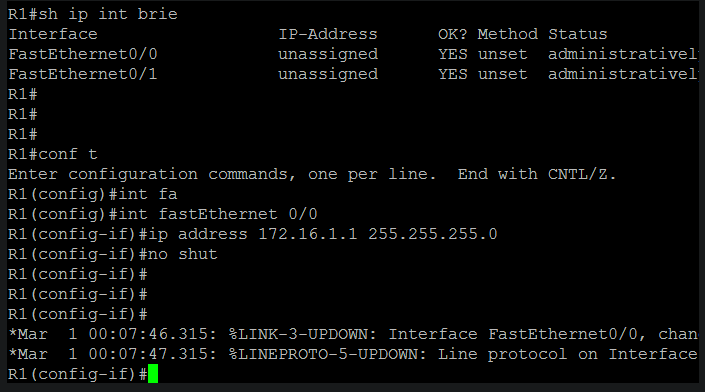
Preparing router to act as a CME:
- configure ip address on interface.
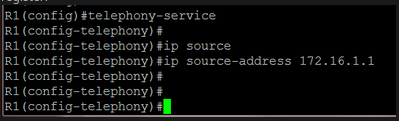
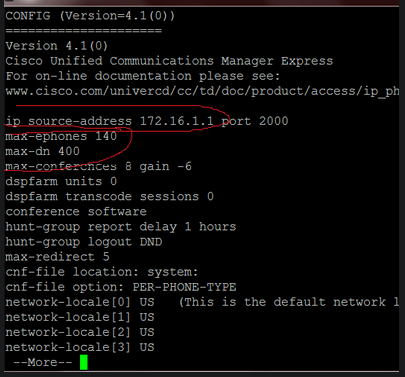
- Configure the source address, the IP address to which ip phones will register:
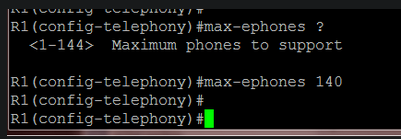
- specify the maximum number of phones that CME can handle. This will affect the router performance:
- configure the maximum number of ephone-dns:
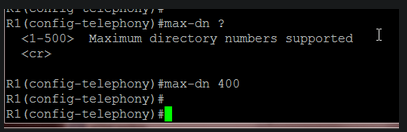 Later, I will change these values because my router lacked memory resources.
To verify the aforementioned settings:
Later, I will change these values because my router lacked memory resources.
To verify the aforementioned settings:
 Let’s create our first ephone-dn:
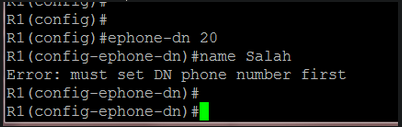
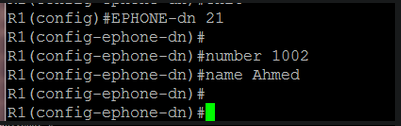
 At this point, my router displayed an error message indicating a lack of memory. I increased its memory size in GNS3:
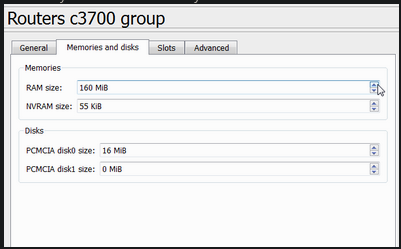 After a reload, things went ok
I also reduced the max-ephone and max-dn values:
After a reload, things went ok
I also reduced the max-ephone and max-dn values:
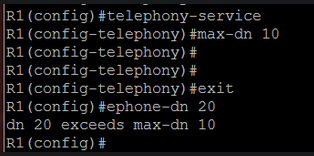 Now we can add ephone-dns without problems:
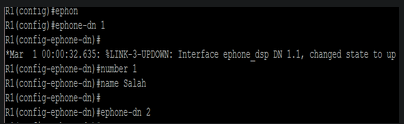 When I create a dual-line ephone-dn, two “sub-ephone-dn” are created:
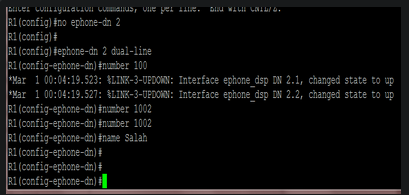 To verify ephone-dns:
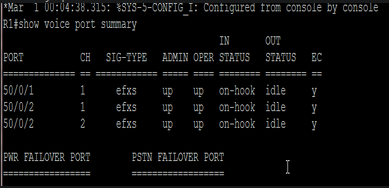 another way to verify it:
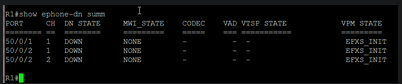 Notice that there are two channels for ephone-dn 2, which is a dual-line ephone-dn.
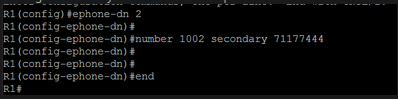
Adding a secondary line to a dual-line ephone-dn: