Posts for: #Cisco

Service Graph Rendering Expectations vs Reality

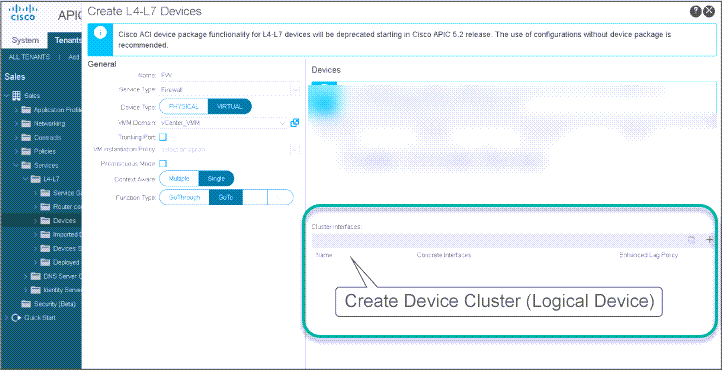
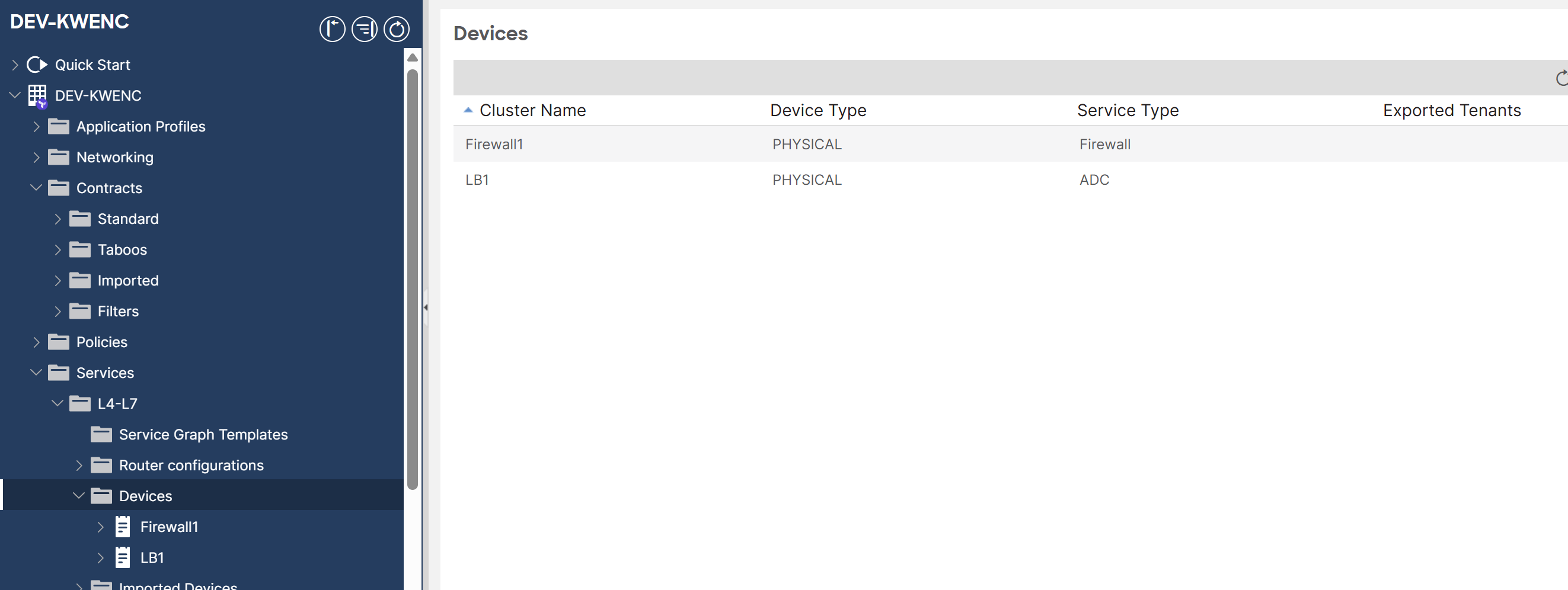
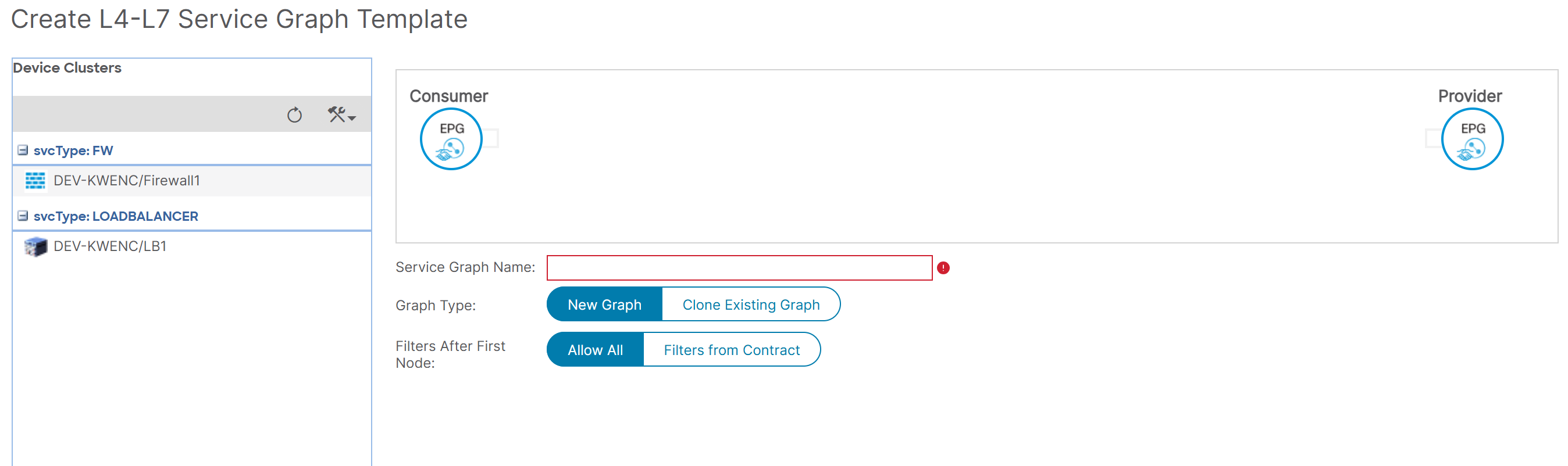
Creating a Service Graph Template, applying it and not finding any faults is one thing. Seeing the rendered Service Graph is another thing.

Observation

The rendering of a Service Graph Template is dependent on the following:

  • existence of two EPGs with a contract relationship,
  • existence of an association between the contract and the Service Graph
  • existence of contract-matching traffic, i.e. the existence of traffic that matches that contract. As soon as that contract is attached to the Service Graph Template during the “Apply Service Graph Template” phase, then that is the moment where the Service Graph Instance appears in the APIC GUI.

Critique

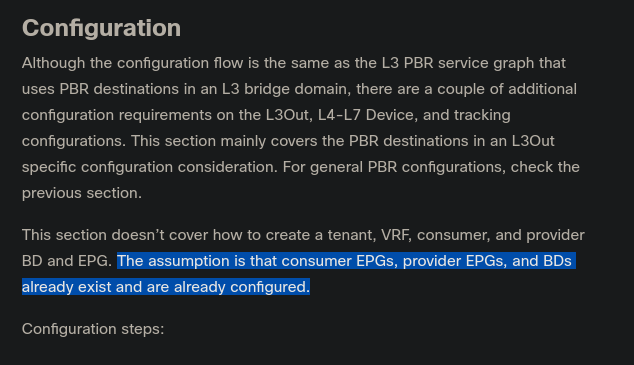
When I look for the requirements for deploying Service Graph Redirects in the ACI Service Graph Whitepaper document, the assumption mentioned in the ‘Configuration’ paragraph reads a bit vague: SGR config requirements The activation condition of a Service Graph Template remains open and can only be clarified with these questions:

[Read more]

How to Reload Your Cisco Router While Asleep

There are times when you want to schedule a router reload, but you don’t want to stay late or come to the office during weekends. “Reload at” is your friend.

How to reload your router at a predefined time

You want to reload your router (or switch) at 7pm, but at the same time, you’ll be having a coffee with your friend and you don’t want to have this discussion: “- Sorry guys, I have a router to reboot. I’ll be back in 30mn.

[Read more]

Managing Endpoints and Endusers with CME

Preparing router to act as a CME:

  • configure ip address on interface. sc1
  • Configure the source address, the IP address to which ip phones will register: sc2
  • specify the maximum number of phones that CME can handle. This will affect the router performance: sc3
  • configure the maximum number of ephone-dns: sc4 Later, I will change these values because my router lacked memory resources. To verify the aforementioned settings: sc5 Let’s create our first ephone-dn: sc6 sc7 sc8 At this point, my router displayed an error message indicating a lack of memory. I increased its memory size in GNS3: sc9 After a reload, things went ok I also reduced the max-ephone and max-dn values: sc10 Now we can add ephone-dns without problems: sc11 When I create a dual-line ephone-dn, two “sub-ephone-dn” are created: sc12 To verify ephone-dns: sc13 another way to verify it: sc14 Notice that there are two channels for ephone-dn 2, which is a dual-line ephone-dn.

Adding a secondary line to a dual-line ephone-dn: sc15

[Read more]

Cisco Switching Notes

  • a 3750 can act as a layer3 switch by adding the “ip routing” command.
  • It can automatically route between locally created vlans because it considers them as connected interfaces (given that the SVIs are created).
  • on a device, there are 3 types of traffic: control, management, end user.
  • Control traffic such as CDP, DTP, PAgP goes through vlan1 between Cisco switches, even if you clear it from trunks.
  • By default, native vlan traffic is untagged. But there’s a Cisco command that tells the switch to tag all vlans.
  • by default, native vlan = vlan1. If we set the native vlan to vlan100, then vlan100 frames will be untagged on trunks, and vlan1 frames will be tagged.
  • SMI: Standard Multilayer Image
  • EMI: Enhanced Multilayer Image
  • if switch is acting L2, then we should set a Default Gateway on it to make the management vlan reachable remote ; if it is acting L3, it will have routes instead.
  • switch and Management vlan
  • the management IP address must be reachable from remote
  • best practice: use a same subnet to manage all network devices
  • on L2 SW: only one SVI is up at a time
[Read more]

Cisco Auto Qos Configuration

First, let’s see if QoS is enabled on the switch: autoqos01 QoS is disabled. We should enable it on global configuration level: autoqos02 If we want to display QoS settings for an interface, we do a show mls qos interface command: autoqos03 At this stage we still did not define trust boundaries. That’s why Trust State and Trust Mode say “not trusted”. And we did not specify whether we’ll trust a device or not. To define trust boundary with auto-qos, we either trust all CoS values coming on the switch interface or we trust CoS values only if an ip phone is connected to the switch port. With auto qos voip trust, we tell the switch to trust CoS on each packet coming on the switch interface: autoqos04 If we want to further limit trust boundary, we can tell the switch to trust CoS values only if a Cisco ip phone is detected on the port: autoqos05 Finally, on a 3550 switch, show auto qos and show auto qos interface give the same output: autoqos06

[Read more]

TSHOOT Exam Feedback

Finally, I passed. I feel so happy that two years of discontinuous study and a lot of frustration paid off. I deserve this nice recognition :) Now, I can tell that it takes a LOT of patience, focus and self confident to pass not only this exam, but the whole track. Why? because many guys fall in the trap of cramming questions in order to become CCNP fast. I began the CCNP journey in 2009. I only became CCNP in 2011! certificate tracker Some guys may tell me that I was not serious about my studies. But here are my arguments:

[Read more]

TSHOO Exam Day is Near

Two days are left before my TSHOOT exam. I feel confident about it since I have a first taste of it. I read feedback given by test takers that it is a a nice experience. I ought to be ready for both scenarios. If I succeed, then I know that all my limiting beliefs about CCNP were false. Then, I’ll know that I was prisoner of my false beliefs. And if I fail, then I should remind myself about all the courageous people in the IT world who spent a lot of money and time in the pursuit of their certs. Either way, I’ll learn something, and that’s my own choice. I made my choice to enhance my career, no matter what the sacrifices are. “Courage is resistance to fear, mastery of fear - not absence of fear” - Mark Twain

[Read more]

TSHOOT Exam Strategy Notes

I gathered these notes to mentally prepare my Troubleshooting methodology on the exam day:

  • Follow the path
  • divide and conquer
  • Move the problem
  • Bottom up
  • Top down After watching Kevin Wallace Bull’s Eye videos and INE Tshoot Exam Demo video, the best method is to use a combination of Divide and Conquer-Bottom up/Top Down-Follow the path. There’s not really one single method that will lead to finding where the problem lies.

This is a collection of possible troubleshooting tips I collected over my studies. They are organized by OSI layer:

[Read more]

Cisco BSCI Exam

Score is 822. Passing score was 790. It came after four days of reviewing IPv6, Route maps, BGP,… In the beginning of the test I was taking enough time to read and answer the questions. However I lost much time in my first lab simulation. The scenarion wasn’t clear to me. And each time I had to click on the console button to reach a router. And I was not seeing changes in the routing table so it confused me a lot. I began to worry about my score. And I got my second lab simulation. And immediately after, the third. I told to myself: “man, what did I do to Cisco to treat me this way?” So I had almost 38 minutes to do the third lab sim and 32 questions ! Besides, the test supervisor was tearing papers on her desk. And the other guy in the room was complaining about the bug in his exam. I was going to scream. At the end, I was almost flipping through the questions. I finished the test. The test supervisor told me “congratulations!”.

[Read more]