QoS Configuration and Verification on Cisco IOS
Table of Contents
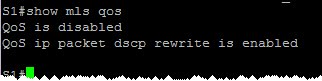
verify that QoS is enabled:
Enable QoS:
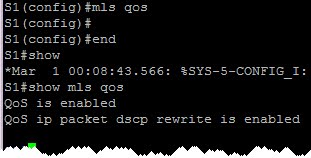
At this stage, all interfaces are by default untrusted. This means that any frame with a priority value will be remarked as CoS/IP Precedence/DSCP value = 0.
Trust CoS values of incoming frames. Useful for trunks:

Trust CoS values only if an attached Cisco ip phone exists (conditional trust):

At this stage, the trust boundary moves to the IP phone. Any priority value of any attached PC frames is untrused, thus remarked with priority 0.
Rewrite CoS of the frames coming from the PC to a specific value, for instance, 0:

We have some trunk interfaces. Let’s trust dot1p priority values there:
-
trust CoS values on frames on trunk interfaces:

-
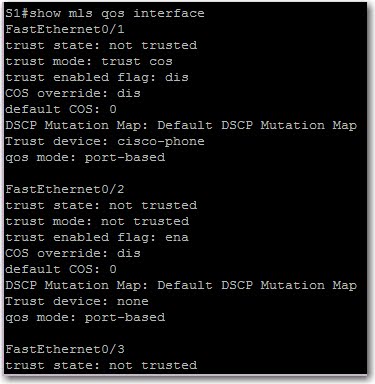
verify QoS settings on all interfaces: